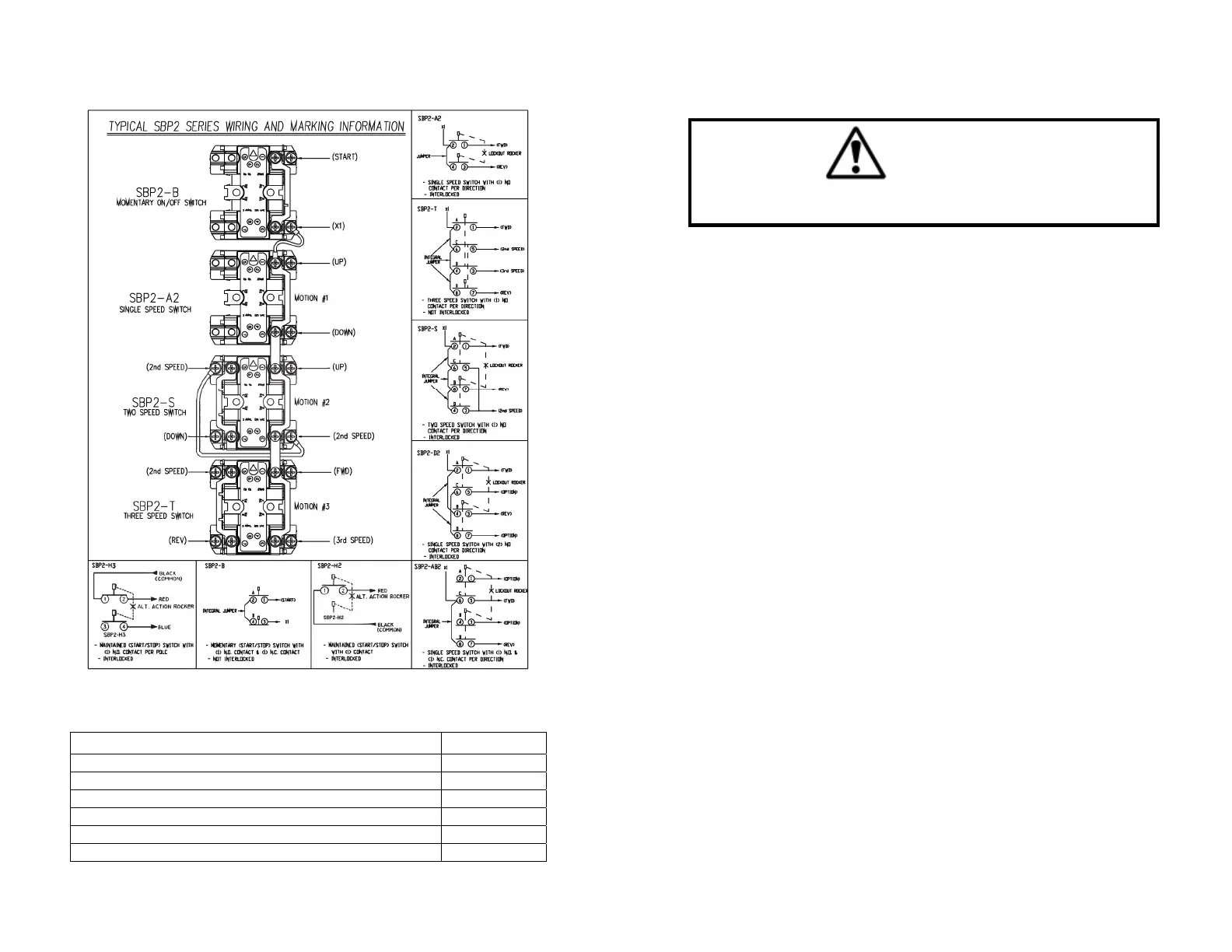
Wiring and Marking Information
Pendants are supplied with a cord grip nut, compression ring and six
cable grommets. See below for grommet sizing.
Cable Diamete
Grommet #
.375”–.437” 00-4987
.437”–.562” 00-4980
.500”–.625” 00-4981
.562”–.687” 00-4982
.625”–.750” 00-4983
.687”–.812” 00-4984
Enclosure Reassembly
WARNING
When tightening enclosure screws, do not exceed 9 inch pounds of torque.
Overtorquing enclosure screws may cause damage to the enclosure.
1. Ensure that there are no bare cable conductor strands and that all
conductors are insulated from each other.
2. Make sure that the enclosure water seal is properly placed in the
groove of the front cover.
3. Reattach the back cover while carefully keeping the cable conductors
inside the enclosure wiring area. Tighten the enclosure assembly
screws.
4. Reinstall pendant top and top gasket. Tighten top screws.
5. Tighten pendant cable grip nut until cable is sealed and secure.
6. Install pendant strain relief split rings and strain relief cables if
applicable.
Removing the Button Cover and Nameplate Insert
1. Using a small screwdriver, pry out the plastic nameplate insert.
2. Press one side of the nameplate insert into one side of the rubber
button cover, and pry the button cover side to wedge in the plastic
nameplate insert.
3. Remove the button cover (boot) only after the enclosure is
disassembled and the switch is removed from the enclosure. Then
press out the nylon retaining ring (using a small screwdriver), which
secures the button cover in the enclosure hole.
4. Snap the button cover into the enclosure hole from the front.


 To Next Page