Need help?
Do you have a question about the Magnimage LED-580F Series and is the answer not in the manual?
Lists trademarks used in the manual.
Information about software usage restrictions.
Highlights key features of the LED video processor.
Lists the items included in the product package.
Details about extended ports available on different models.
Important safety precautions for operating the device.
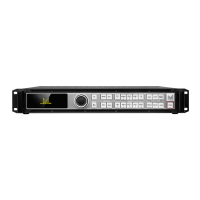
A summary of the LED-580F series products.
Visual guide to the front panel layout and buttons.
Visual guide to the rear panel connections and ports.
Specifications for various input ports and their resolutions.
Specifications for output ports and supported resolutions.
Overall specifications including power, dimensions, and weight.
Explanation of front panel buttons and their functions.
Details about the INPUTS section of the front panel.
Details about the MENU section of the front panel.
Details about the FUNCTION section of the front panel.
Describes the initial state of the machine after startup.
Explains the meaning of icons displayed on the screen.
Table detailing operations and corresponding keys.
Displays the main menu structure and options.
Settings for picture mode, brightness, contrast, color, etc.
Settings for output resolution, aspect ratio, and window size.
Function to crop input video signals for output.
Settings for switching between input signals and fade effects.
Configuration for mosaic display and synchronization modes.
Settings for audio output, volume, and port configuration.
Settings for network configuration, IP address, and subnet mask.
Features for managing scheduled tasks and operations.
Settings for EDID management and factory reset.
Configuration for dual image display and text overlay.
Lists input source conflicts for dual image display.
Settings for generating test patterns for display verification.
Option to select the display language for the menu.
Overview of the input signal hot backup functionality.
Step-by-step guide on using the hot backup feature.
Summary of the EDID function.
General steps for setting EDID parameters.
Specific instructions for setting DVI EDID.
Specific instructions for setting DP EDID.
Summary of iDP and DP Loop functions.
Guide on using the iDP and DP Loop functionalities.
Summary of the preview mode functionality.
Steps to enable and use the preview feature.
Details on the RS232 connection method for multi-machine setup.
How to load and save templates for multi-machine synchronization.
Explanation of DVI output ports for multi-display mosaic.
How to achieve zoom mosaic with a single machine.
Achieving pixel-to-pixel mosaic with a single machine.
Solution for pixel-to-pixel mosaic across multiple machines.
Solution for a specific pixel-to-pixel mosaic setup.
Lists common issues encountered with the device.
Provides steps to resolve common issues.
Details the duration and terms of the unit warranty.
Outlines conditions that void the warranty.
 General
| Brand | Magnimage |
|---|---|
| Model | LED-580F Series |
| Category | Media Converter |
| Language | English |

 To Next Page