Need help?
Do you have a question about the Magnimage LED-780HD and is the answer not in the manual?
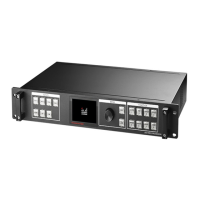
Details the key capabilities of the LED video processor, such as splicing, multi-window output, and cascade.
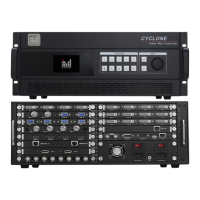
Describes the various input and output port configurations available for extended models.
Provides critical safety precautions for operating the LED video processor to prevent injury or damage.
Provides detailed technical specifications for the device's inputs and outputs.
Explains the navigation and operation using the device's front panel keys and knob.
Details the main menu structure and how to navigate through its twelve sub-menu items.
Adjusts the overall brightness level of the displayed image.
Adjusts the gamma correction setting for the image.
Controls the brightness parameter, with a specified range.
Controls the contrast parameter, with a specified range.
Adjusts the color saturation of the image.
Adjusts the hue of the image, affecting color tones.
Adjusts the sharpness of the image detail.
Allows selection of various color temperature presets or custom RGB values.
Enables setting of custom output resolution parameters like H Active, V Active, and FPS.
Enables or disables mosaic mode and selects panel configurations.
Automatically calculates mosaic parameters for single input enlargement splicing.
Describes different mosaic modes like single, two, three, and four panel mosaics.
Allows enabling/disabling PIP, selecting input signals, and adjusting transparency.
Enables cropping for main and PIP windows to adjust image size and position.
Restores the cropping parameters for all main and PIP windows to default.
Selects the input source for EDID configuration.
Adjusts VGA signal position and time clock automatically or manually.
Adjusts the color of the VGA signal, potentially requiring an adjustment card.
Controls the on/off switch for DDC settings, consult technician for other options.
Configures network connection parameters, including destination and local IP addresses.
Manages logo display settings, including position, file loading, and border.
Configures chroma keyer function, including keyer mode and color range.
Details the process for creating a mosaic using a single input signal.
Explains creating a mosaic from two DVI inputs for a 4-panel layout.
Details the setup for a 4-panel mosaic using synchronized DVI inputs.
Describes a 3-panel mosaic configuration using DVI inputs.
Allows selection of picture modes and customization of layer/temperature settings.
Configures the output resolution and related parameters.
Manually configures output resolution for image stitching.
Selects switcher modes: Panel*1 (preview/program) or Panel*2 (two preview/two program).
Details the warranty period, starting from the purchase date or production date if invoice is lost.
Lists conditions that void the warranty, such as damage from misuse or natural disasters.
 General
| Brand | Magnimage |
|---|---|
| Model | LED-780HD |
| Category | Media Converter |
| Language | English |

 To Next Page