EasyManua.ls Logo

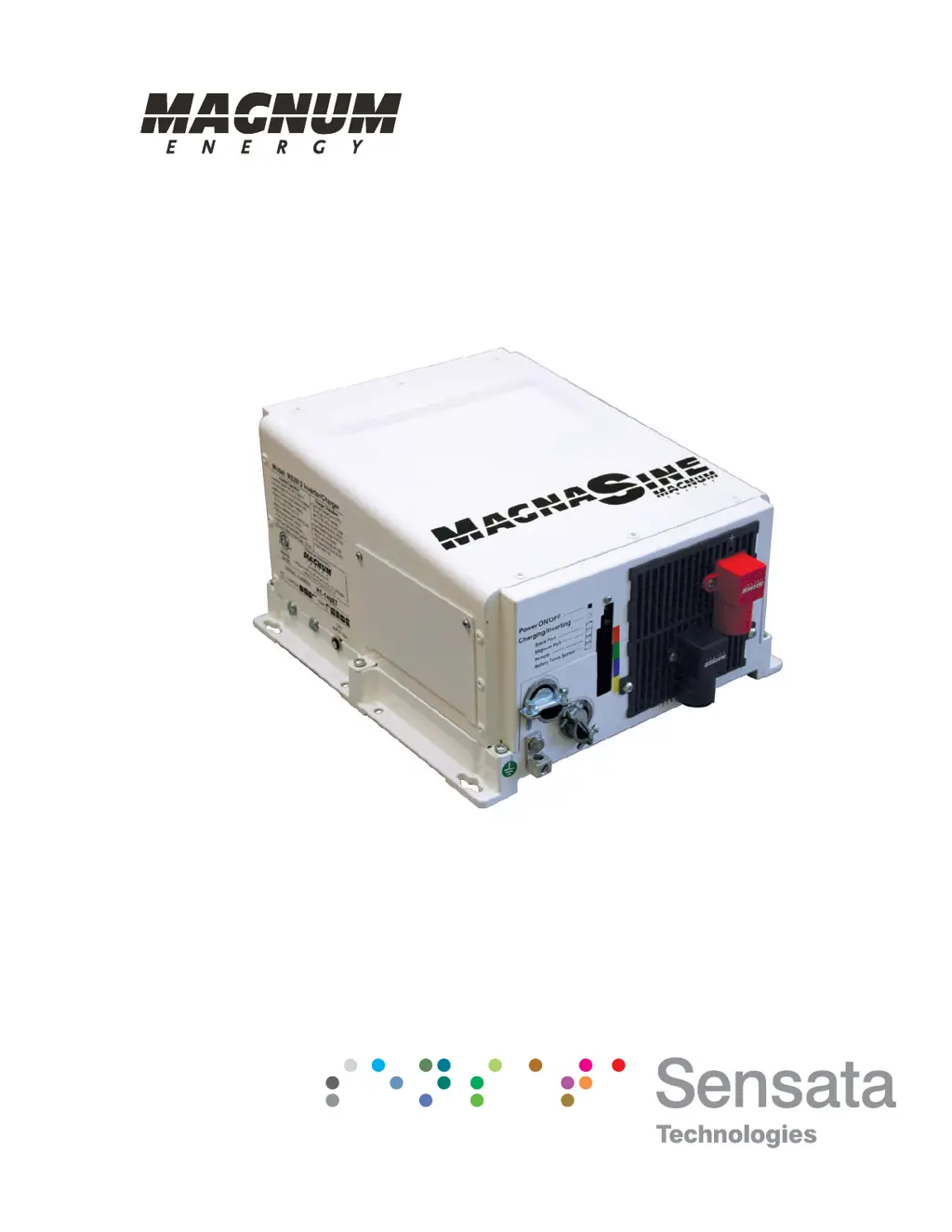
Magnum MS2812 - User Manual

Magnum MS2812
82 pages
Print Icon
To Next Page IconTo Next Page
Loading...
Pure Sine Wave Inverter/Charger
MS Series
Owners Manual

Table of Contents

Questions and Answers

  • C
    Charles ReyesAug 4, 2025
    Why is my Magnum MS2812 Inverter charging at a low rate when connected to AC power?
    • B
      brownrebeccaAug 4, 2025
      A low charging rate when connected to AC power can occur if the charge rate is set too low; adjust the charge rate or SHORE settings on the remote. It can also be caused by low AC voltage (less than 90 VAC); in this case, check the AC input wiring.
  • M
    Mary JohnsonAug 8, 2025
    Why is my Magnum MS2812 Inverter charging at a low rate when using a generator?
    • C
      Craig WongAug 8, 2025
      A low charging rate when using a generator can be caused by the generator output being too low to power both the load and the charger. Try reducing the load or increasing the generator's RPMs. Also, check the SHORE settings if a remote is connected.
  • G
    gcoffeyAug 16, 2025
    Why is my Magnum MS2812 Inverter charger not charging?
    • G
      Gregory LuceroAug 16, 2025
      The charger may not be charging due to several reasons. Check for loose or corroded battery cables and clean/tighten them. The batteries might be defective and need replacement. Verify that the charger settings are correct and ensure the unit is not in charger standby. Also, check that the AC input voltage is correct.
  • A
    Anthony BeckAug 21, 2025
    What to do if my Magnum Inverter has low output or surge power and the Green LED is flashing?
    • E
      Erica SmithAug 22, 2025
      This issue can arise from several causes: * Loose or corroded battery cables: Clean and tighten all cables. * Low batteries: Recharge or replace the batteries. * Loose AC output connections: Tighten the AC output connections. * Incorrect battery cable length or gauge: Verify the recommended cable lengths and gauges in the manual and replace cables if needed.
  • D
    Danielle ClarkAug 26, 2025
    What does it mean if my Magnum MS2812 Inverter has no output power and the Green LED is flashing?
    • Q
      qcollinsAug 26, 2025
      If your inverter has no output power and the green LED is flashing, it means the unit is in Search mode. This usually indicates that the load is too small for the Search mode circuit to detect. To resolve this, turn on a load greater than 5 watts to bring the inverter to full output power, or turn off Search mode using the remote.
  • B
    Brittney MartinezAug 29, 2025
    What causes the DC charge voltage to be higher or lower than expected while charging my Magnum Inverter?
    • A
      Adam RoyAug 29, 2025
      If a Battery Temperature Sensor (BTS) is installed, the DC voltage will increase or decrease depending on the temperature around the BTS. This is normal.
  • T
    Tina HansenNov 11, 2025
    What to do if my Magnum MS2812 has no output power and the Inverter LED is OFF?
    • Z
      zgrayNov 11, 2025
      First, ensure the inverter is switched ON. If it is, check the battery voltage at the inverter's terminals, as the battery voltage may be too low. Check fuses/circuit-breakers and cable connections. Your batteries may need to be charged; this fault condition will automatically clear when the battery voltage exceeds the LBCI voltage. Alternatively, the battery voltage may be too high; in this case, reduce or turn off any other charger to the inverter batteries to allow the voltage level to drop. It could also be due to an over-temperature condition; reduce the number of electrical loads to avoid a repeat shutdown, and check ventilation around the inverter. It may also be caused by an AC overload condition; reduce the AC loads or remove all AC output wiring and restart the inverter. Finally,...

Summary

Safety Information

Battery Safety

Details critical safety guidelines for working with and installing batteries to prevent hazards.

Safety Precautions

Lists essential safety measures for electrical work, installation, and handling of the product.

2.0 Installation

2.1 Pre-Installation

Covers essential preparatory steps before beginning the installation process.

2.1.3 Locating the Inverter

Provides requirements for selecting an appropriate installation location for the inverter.

2.2 Mounting the Inverter

Details the approved mounting positions and requirements for securing the inverter.

2.3 Wiring the Inverter - General Requirements

Outlines general requirements and recommendations for wiring the MS Series inverter.

2.4 DC Wiring

Details required DC wire sizes, disconnect/overcurrent protection, and connections.

2.4.1 DC Wire Sizing

Explains how to select the correct DC wire size for efficiency and safety.

2.4.3 DC Cable Connections

Provides instructions and cautions for making secure DC cable connections.

2.4.4 Wiring the Battery Bank

Guides on safely wiring the battery bank to the inverter system.

2.4.6 Wiring the Inverter to the Battery Bank

Provides step-by-step instructions for connecting the inverter to the battery bank.

2.1.1 Unpacking and Inspection

Instructions for unpacking the inverter and verifying all included components.

2.3.1 Protecting Wire - Conduit Box

Explains the need for protecting wires using conduit boxes or enclosures.

DC Ground Wire

Instructions for routing and connecting the DC equipment ground wire.

2.4.2 DC Overcurrent Protection

Details the requirement for DC overcurrent protection and disconnect devices.

2.1.2 Required Tools and Materials

Lists the necessary hardware, materials, and tools for installation.

2.3.2 Wiring Requirements

Specifies conductor protection, insulation, and mixing of AC/DC wiring rules.

DC Negative Wire

Guidance on routing and connecting the DC negative wire to the inverter.

2.3.3 Wire Routing

Provides guidance on determining and routing conductors to and from the inverter.

DC Positive Wire

Steps for mounting the breaker and connecting the DC positive wire.

2.3.4 Torque Requirements

Specifies the correct torque values for AC and DC wiring connections.

2.5 AC Wiring

2.5.1 Pre-AC Wiring Requirements

Lists essential requirements and cautions before making AC wiring connections.

Operation

Maintenance and Troubleshooting

Magnum MS2812 Specifications

General IconGeneral
Continuous Output Power2800W
Output Frequency60 Hz
Efficiency90%
WaveformPure Sine Wave
CoolingFan cooled
DC Input Voltage12 VDC
AC Output Voltage120 Volts
ProtectionsOverload, Over Temperature, Short Circuit, Low Battery, High Battery
Dimensions12.65 in x 8.0 in
Operating Temperature-20°C to +60°C

Related product manuals