EasyManua.ls Logo

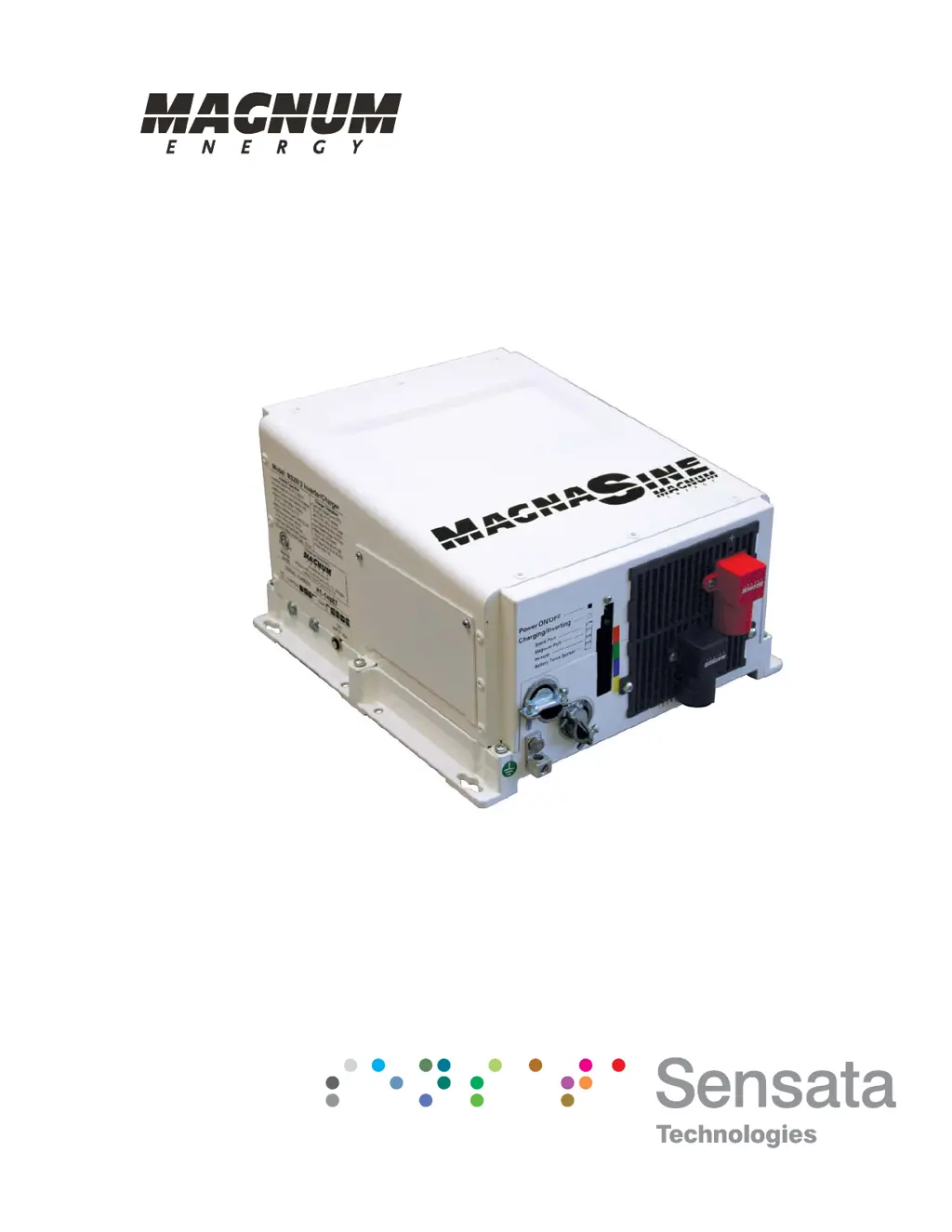
Magnum MS4024 - User Manual

Magnum MS4024
82 pages
Print Icon
To Next Page IconTo Next Page
Loading...
Pure Sine Wave Inverter/Charger
MS Series
Owners Manual

Table of Contents

Questions and Answers

  • N
    Nathaniel GonzalezAug 4, 2025
    Why is my Magnum MS4024 charging at a low rate when connected to AC power?
    • X
      xcraneAug 4, 2025
      A low charging rate when connected to AC power can occur if the charge rate is set too low; adjust the charge rate or SHORE settings on the remote. It can also be caused by low AC voltage (less than 90 VAC); in this case, check the AC input wiring.
  • D
    David DominguezAug 8, 2025
    Why is my Magnum MS4024 Inverter charging at a low rate when using a generator?
    • S
      Shelley BennettAug 8, 2025
      A low charging rate when using a generator can be caused by the generator output being too low to power both the load and the charger. Try reducing the load or increasing the generator's RPMs. Also, check the SHORE settings if a remote is connected.
  • K
    Kelsey MccarthyAug 16, 2025
    Why is my Magnum Inverter charger not charging?
    • D
      Danielle KrauseAug 16, 2025
      The charger may not be charging due to several reasons. Check for loose or corroded battery cables and clean/tighten them. The batteries might be defective and need replacement. Verify that the charger settings are correct and ensure the unit is not in charger standby. Also, check that the AC input voltage is correct.
  • D
    Diana YorkAug 21, 2025
    What to do if my Magnum MS4024 has low output or surge power and the Green LED is flashing?
    • L
      lbartonAug 21, 2025
      This issue can arise from several causes: * Loose or corroded battery cables: Clean and tighten all cables. * Low batteries: Recharge or replace the batteries. * Loose AC output connections: Tighten the AC output connections. * Incorrect battery cable length or gauge: Verify the recommended cable lengths and gauges in the manual and replace cables if needed.
  • J
    Jordan RodriguezAug 26, 2025
    What does it mean if my Magnum MS4024 has no output power and the Green LED is flashing?
    • A
      Andrew WarnerAug 26, 2025
      If your inverter has no output power and the green LED is flashing, it means the unit is in Search mode. This usually indicates that the load is too small for the Search mode circuit to detect. To resolve this, turn on a load greater than 5 watts to bring the inverter to full output power, or turn off Search mode using the remote.
  • M
    Michael OsbornAug 29, 2025
    What causes the DC charge voltage to be higher or lower than expected while charging my Magnum MS4024 Inverter?
    • J
      John McdonaldAug 30, 2025
      If a Battery Temperature Sensor (BTS) is installed, the DC voltage will increase or decrease depending on the temperature around the BTS. This is normal.
  • M
    Mr. David Jimenez Jr.Nov 11, 2025
    What to do if my Magnum MS4024 has no output power and the Inverter LED is OFF?
    • B
      Benjamin GarrettNov 11, 2025
      First, ensure the inverter is switched ON. If it is, check the battery voltage at the inverter's terminals, as the battery voltage may be too low. Check fuses/circuit-breakers and cable connections. Your batteries may need to be charged; this fault condition will automatically clear when the battery voltage exceeds the LBCI voltage. Alternatively, the battery voltage may be too high; in this case, reduce or turn off any other charger to the inverter batteries to allow the voltage level to drop. It could also be due to an over-temperature condition; reduce the number of electrical loads to avoid a repeat shutdown, and check ventilation around the inverter. It may also be caused by an AC overload condition; reduce the AC loads or remove all AC output wiring and restart the inverter. Finally,...

Summary

Introduction

Installation

2.0 Installation

General guidelines and safety precautions for installing the inverter.

2.1.3 Locating the Inverter

Criteria for choosing an appropriate installation location.

2.4 DC Wiring

Guidance on DC wire sizing, connections, and overcurrent protection.

2.4.1 DC Wire Sizing

Recommendations for DC wire size based on model and distance.

2.4.2 DC Overcurrent Protection

Requirements for DC overcurrent protection devices.

2.4.4 Wiring the Battery Bank

Guidelines for connecting and wiring battery banks.

2.4.6 Wiring the Inverter to the Battery Bank

Detailed steps for connecting the inverter to the battery bank.

2.5 AC Wiring

Information on AC wire sizing and overcurrent protection.

2.5.2 AC Wire Size and Overcurrent Protection

Guidelines for sizing AC wires and selecting overcurrent protection.

2.6 Grounding Inverters

Essential information on proper grounding for safety and noise reduction.

2.6.1 Sizing the Grounding Electrode Conductors

Guidance on selecting the correct size for grounding conductors.

2.6.5 Neutral to Safety Ground Bonding

Details on neutral-to-ground bonding for safe system operation.

2.9 Functional Test

Steps to verify the inverter installation and operation.

Operation

3.1 Inverter Mode

Explains inverter operation, including Search and Inverting modes.

3.2 Standby Mode

Describes standby mode, battery charging, and AC pass-through.

3.3 Battery Charging

Details the multi-stage battery charger and its charging stages.

3.6 Protection Circuitry Operation

Details the inverter's protection features against fault conditions.

3.7 Inverter Startup

Procedure for turning the inverter on and interpreting status LEDs.

Maintenance and Troubleshooting

4.1 Recommended Inverter and Battery Care

Routine maintenance steps for the inverter and batteries.

4.3 Troubleshooting

A guide to diagnosing and resolving common inverter failures.

4.4 Resetting the Inverter

Procedures for performing inverter and power resets.

4.4.1 Performing an Inverter Reset

Steps for performing a soft reset of the inverter.

4.4.2 Performing a Power Reset

Steps for performing a hard reset by removing power.

Appendix B - Battery Information

Appendix E - Warranty & Service

Magnum MS4024 Specifications

General IconGeneral
ModelMS4024
TypePure Sine Wave Inverter/Charger
Input Voltage24 VDC
Output Voltage120 VAC
WaveformPure Sine Wave
Efficiency90%
Output Power4000W
Dimensions13.75 in x 12.65 in x 8.0 in
Operating Temperature-20°C to +60°C

Related product manuals