2 - How to Set Up the Swipe Reader Control Panel
Dynamag, DynaMAX, eDynamo, mDynamo, tDynamo, DynaWave, and iDynamo 6| Secure Card Reader Authenticators | Programmer’s
Reference (Java and Java Applet)
Page 14
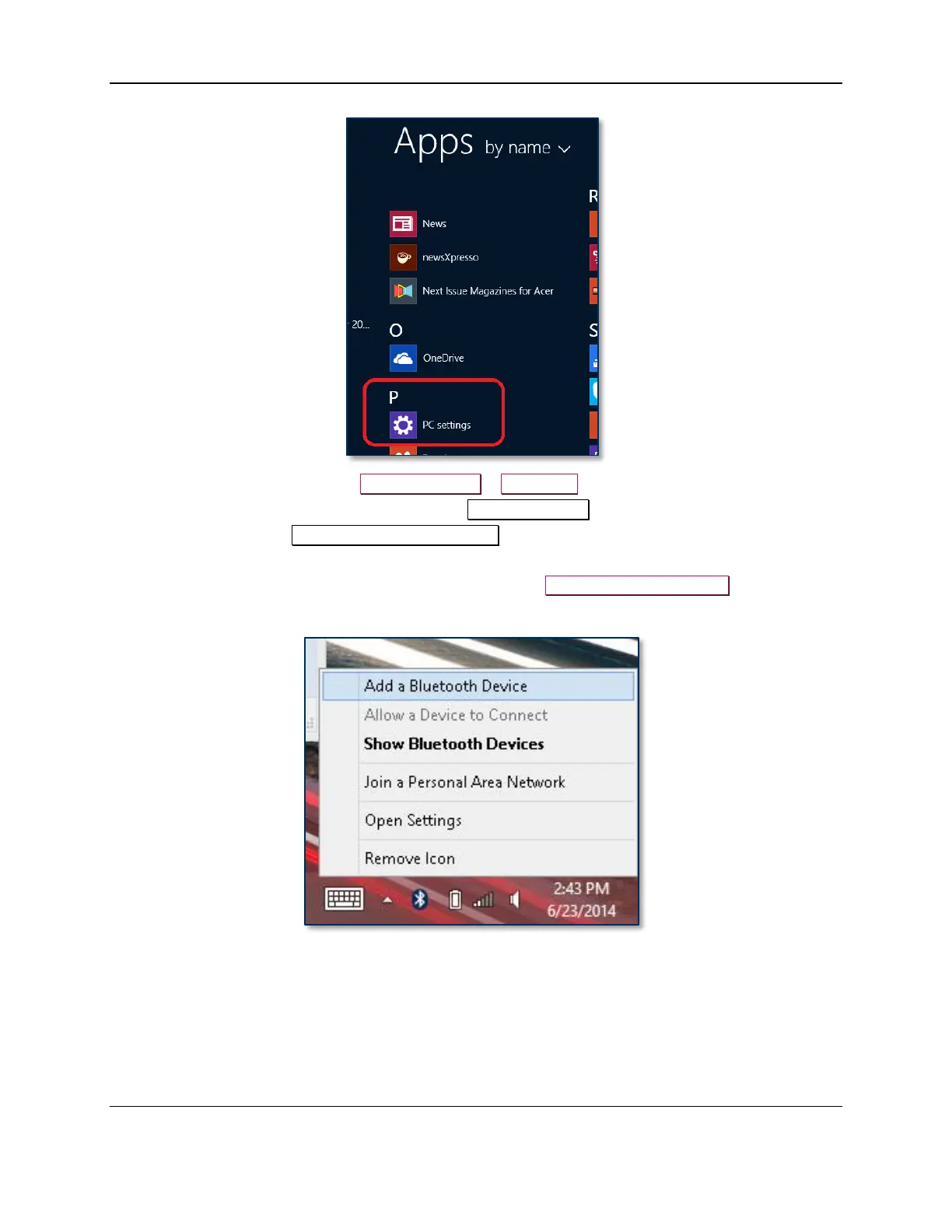
6) In the left side navigator, select PC and devices > Bluetooth.
7) Make sure Bluetooth is turned on and close the PC and devices app.
8) Launch the Windows Manage Bluetooth Devices app by following these steps:
a) Enter desktop mode by swiping in from the left side of the touchscreen.
b) Touch the Bluetooth icon in the system tray and select Add a Bluetooth Device (see Figure
2-1).
Figure 2-1 - Launch Manage Bluetooth Devices App from Desktop Mode



 To Next Page