4 - Operation
eDynamo| Secure Card Reader Authenticator | Installation and Operation Manual
Page 27 of 34 (D998200110-23)
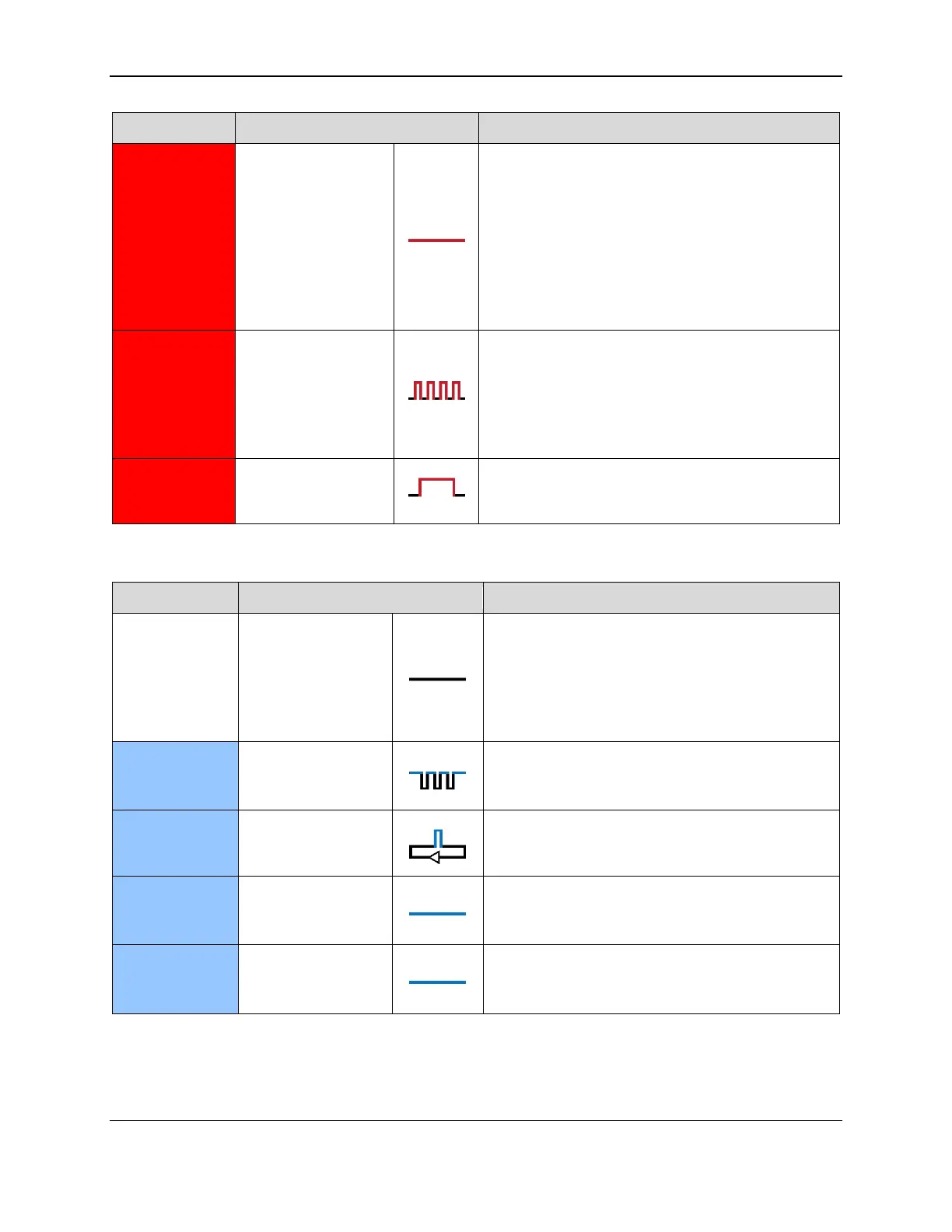
If powered by USB and the device is configured to
require authentication, the host has failed to
authenticate. Make sure you are connecting to the
correct host, and check the authentication
configuration on the host.
The device also uses this status when a user is
updating the firmware. On completion, the device
resets and the LED turns off briefly.
When operating on battery power, a card has just
been swiped but the battery must be recharged. If
there is enough battery power to transmit card
data, expect the LEDs to display standard card data
statuses after one second. If followed by no other
status, the battery is too low to send data.
Device has failed to decode data on a swiped card.
Try the swipe again.
Table 4-2 – Bluetooth Status LED Meaning
If powered by the battery, the device is in
Airplane Mode, Discoverable Mode, or Connected
Mode, or has completed one minute of Bluetooth
LE advertising in Pairing Mode, or the battery is
completely drained of power and needs to be
recharged.
The user has just pressed the pushbutton for 2
seconds, and the device transitions to Pairing
Mode when the button is released.
The device is in Pairing Mode, is advertising and
ready for a Bluetooth LE host to initiate pairing.
The Bluetooth Status LED is lit when the
pushbutton is pressed, to provide user feedback
that the pushbutton is working correctly.
The device can optionally be configured to light
the Bluetooth Status LED whenever a Bluetooth
LE connection is active.



 To Next Page