4 - Operation
eDynamo| Secure Card Reader Authenticator | Installation and Operation Manual
Page 26 of 34 (D998200110-23)
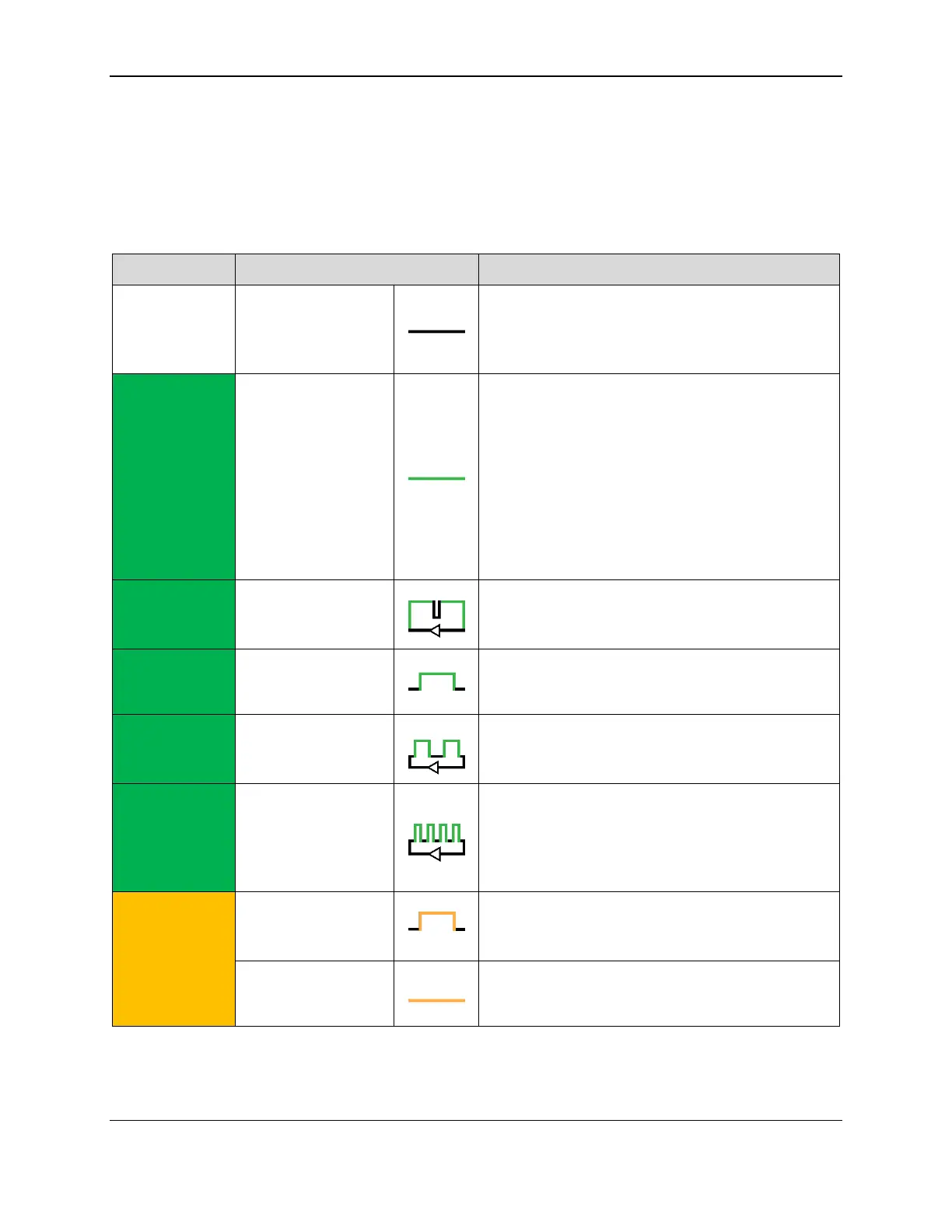
4.2 About the Status LEDs
eDynamo’s General Status LED and Bluetooth Status LED provide feedback to the operator and
cardholder about the internal state of the device (see Figure 1-1). Table 4-2 shows how to interpret the
colors and flashing patterns of the General Status LED, and Table 4-2 shows how to interpret the colors
and flashing patterns of the Bluetooth Status LED.
Table 4-1 – General Status LED Meaning
If powered by the battery, the device is waiting for
a swipe or host command, or the battery is
completely drained of power and needs to be
recharged.
If the device is powered by USB and configured to
require authentication, the device is waiting for the
host to authenticate. After authentication is
established it slowly blinks green, or turns steady
red if authentication fails.
If the device is powered by USB and not
configured to require authentication, the device
battery is fully charged and the device is ready to
read a card.
If powered by USB, the device is waiting for a
swipe or host command, and the battery is
charging.
The device has successfully decoded a swiped or
inserted card.
If configured to require authentication, the host has
successfully authenticated and the device is ready
to read a card.
If operating in Bluetooth LE mode, the device has
card data to send to the host, but the host has not
yet established a connection. Flashing stops when
the host establishes a connection or after timeout
waiting for connection (15-30 seconds).
If operating in Bluetooth LE mode, the device has
card data to send to the host, but sending has
failed.
The device is in tamper mode. See section 4.1
About Operating Modes.



 To Next Page