Operation Manual
touchTymp MI 24
and
MI 34
Version
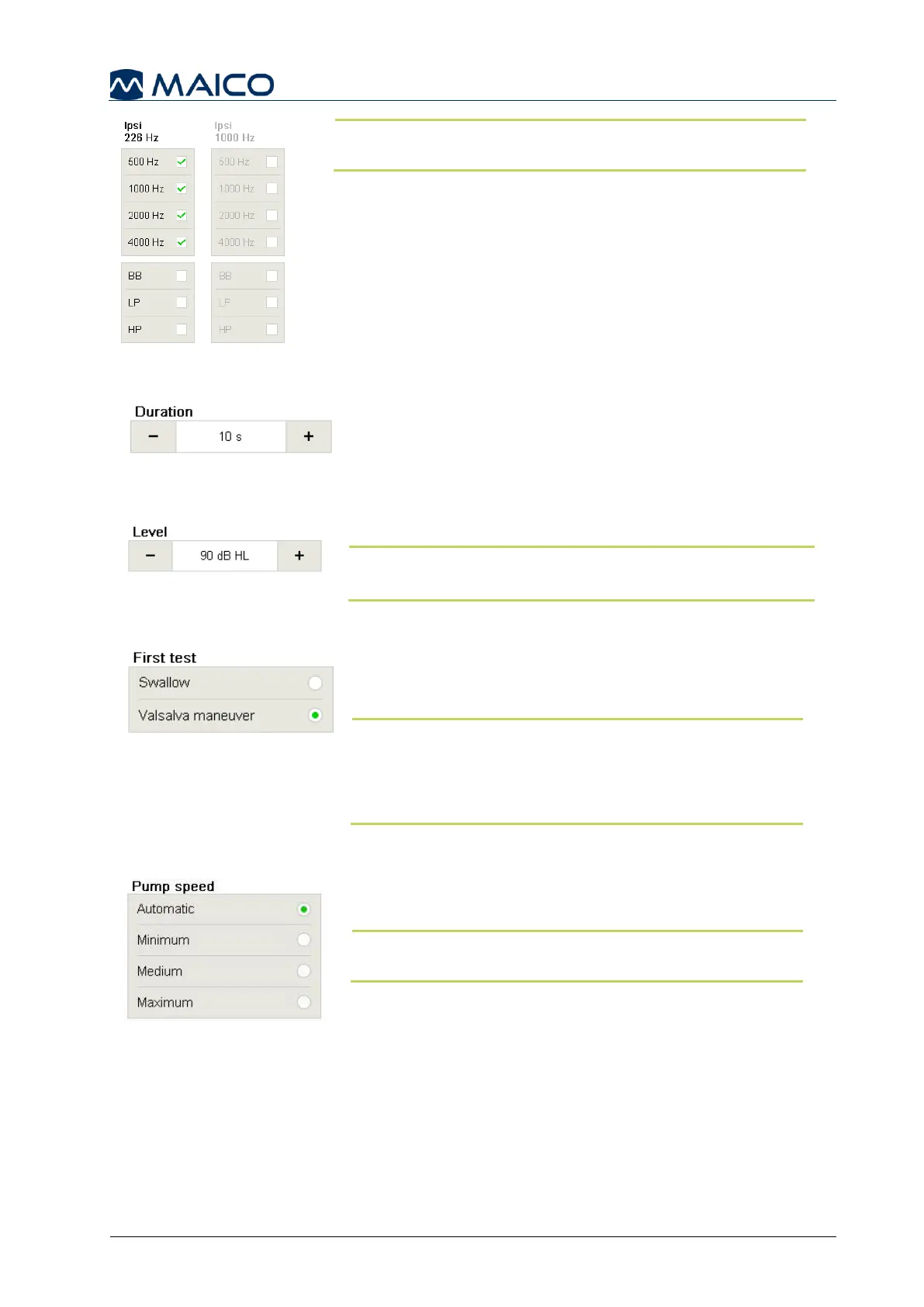
for MI 34 version also include noise stimuli (BB –
Broadband, HP – High Pass, LP – Low Pass).
When options are greyed out in the settings screen, the
license is not active (Figure 122).
5.6.12 Settings – Decay – General (MI 34 Version)
Duration: Defines the length the tone will be presented
to the patient (Figure 123). Duration can be configured
in by 5 second increments from 10 s to 30 s.
Level: Defines the default intensity of the stimulus upon
entering the screen (Figure 124). You can adjust the
level in 5 dB steps.
NOTE: The deflection of the acoustic reflex is defined
within the Acoustic Reflex settings.
5.6.13 Settings – ETF – Intact (MI 34 Version)
First Test: Defines the message while the test is in
progression. The end user can select which maneuver
will be displayed first, Swallow or Valsalva (Figure 125).
NOTE: The selection also determines the color of the
tympanometry graphs:
Swallow represented by Orange
Valsalva represented by Green
Pump speed: Selection of pump speed determines how
precisely and quickly the test will proceed (Figure 126).
NOTE: A slow speed is more time consuming, but
may give more detailed information.
There are four different pump speed Settings:
Automatic (Dynamic from 600 daPa/s for low gradient
and 200 daPa/s for a gradient larger than 5 daPa)
Minimum (50 daPa/s): slow, very precise results
Medium (250 daPa/s): compromise of speed and precision
Maximum (>400 daPa/s): fast, screening


 To Next Page