10
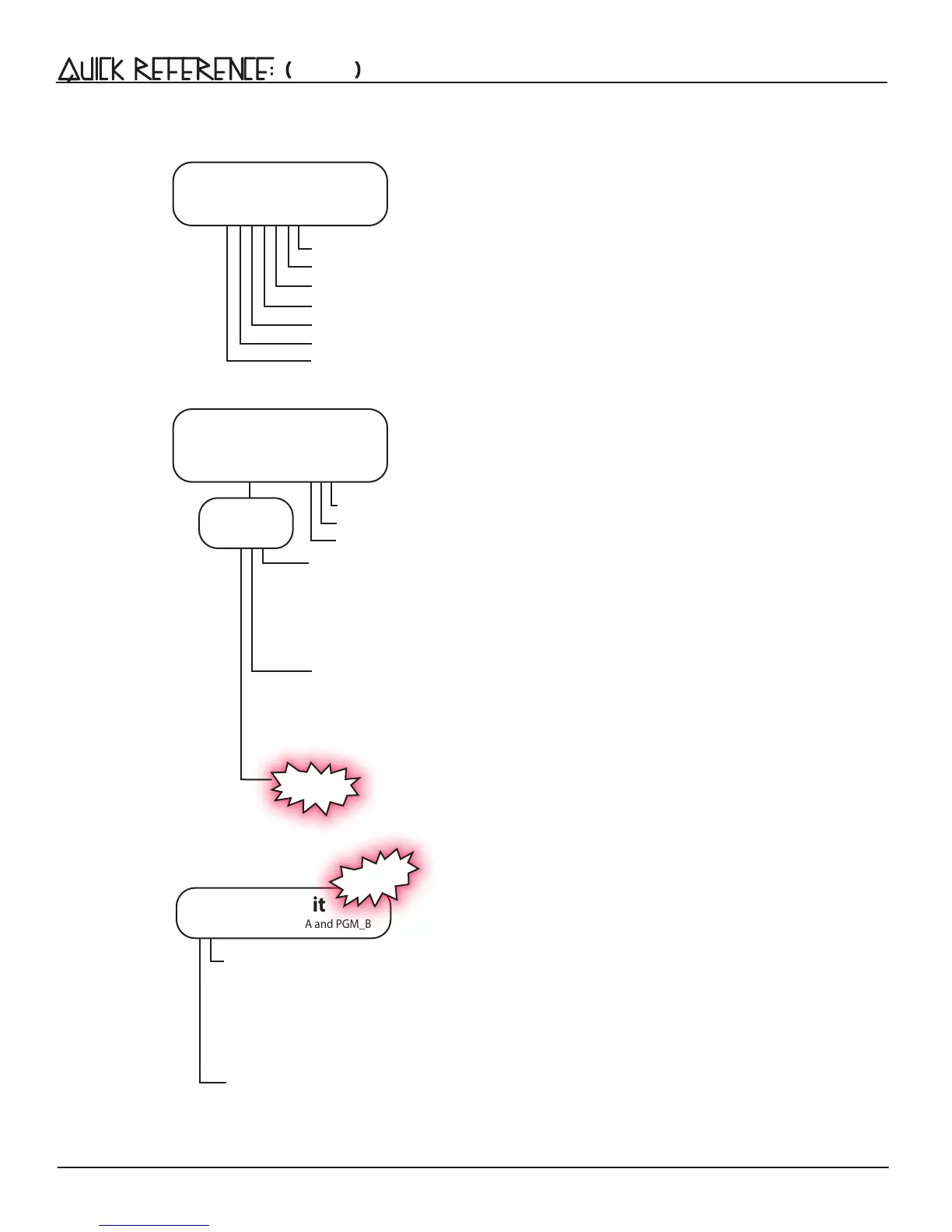
[Press] Channel Button-1 Clock Width and Tap Tempo Settings:
Leading Tap Tempo/50% duty cycle, Clock = Purple
Leading Tap Tempo/10ms duty cycle, Trigger = Red
Leading Tap Tempo O/50% duty cycle, Clock = Blue
Leading Tap Tempo O/10ms Trigger = O
[Press] Channel Button-2-6 for Clock Width:
50% duty cycle Clock Output = Blue
10ms duty cycle Trigger Output = O
Clock Edit
[Double-Press] PGM_A and PGM_B
New to v.31
New to v.31
[Press] Button-6 for Jumbled Shift:
Unjumbled Shift = O
Jumbled Shift = Red
( CONT'D )
[Press] Button-1 to Select Bank
[Press] Button-2 to Store All Banks and current Leading Tempo
[Press] Button-3 to Follow the Select and Tempo Busses
[Press] Button-4 to Copy selected Bank
[Press] Button-5 to Paste over selected Bank
[Press] Button-6 to Mutate over selected Bank
[Press] PGM_A to Exit Bank Edit
Bank Edit
[Press 2x] PGM_A = Flashing
[Press] Button-4 for Shift:
[Press] Button-5 for Run/Stop:
Program Edit
[Press 2x] PGM_B = Flashing
Red
Blue
Purple
=
=
=
Mod
Settings
Run/Stop
Run/Stop All
= Red
= Blue
= Purple
CW
CCW
Random
[Press] Button-1 for Human Resolution 100%
[Press] Button-2 for Human Resolution 50%
[Press] Button-3 for Human Resolution 25%
Alt Run


 To Next Page