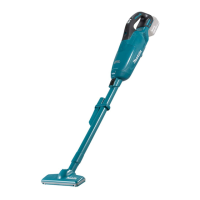
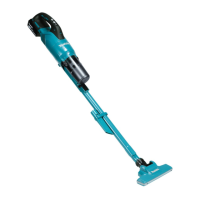
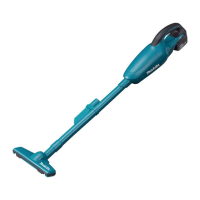
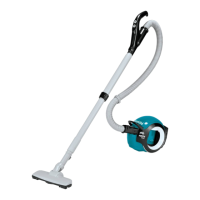
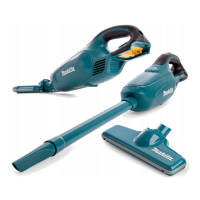
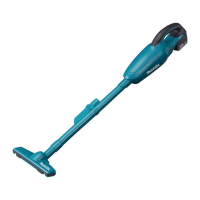
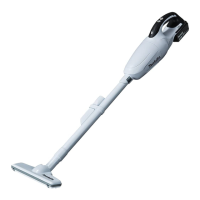
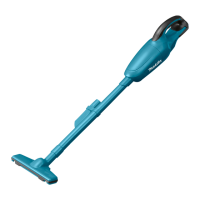
The Makita DCL282F is a cordless cleaner designed for collecting dry dust, offering a blend of portability, power, and user-friendly features. This appliance is suitable for household use and can be operated by children aged 8 and above, as well as persons with reduced physical, sensory, or mental capabilities, provided they receive supervision and instruction on safe use.
Function Description
The DCL282F operates as a handheld cordless cleaner, utilizing a battery cartridge for power. It features a multi-speed control system, allowing users to adjust suction power based on cleaning needs. The cleaner can be used with either a reusable dust bag or disposable paper filters, providing flexibility in dust collection and disposal. Various attachments, including a nozzle, extension wand, and specialized corner nozzles, enhance its versatility for different cleaning tasks, from floors to tight spaces and furniture. An integrated lamp illuminates the cleaning area, and a battery protection system safeguards against overload and low voltage, extending the tool's and battery's lifespan.
Important Technical Specifications
- Model: DCL282F
- Capacity:
- With a dust bag: 500 mL
- With a paper filter: 330 mL
- Continuous Use (with battery BL1830B):
- Normal speed mode: Approx. 50 min
- High speed mode: Approx. 20 min
- Max speed mode: Approx. 15 min
- Overall Length: 1,016 mm
- Rated Voltage: D.C. 18 V
- Net Weight: 1.3 - 1.6 kg (weight without accessories, varies with battery cartridge)
- Applicable Battery Cartridges: BL1815N, BL1820, BL1820B, BL1830, BL1830B, BL1840, BL1840B, BL1850, BL1850B, BL1860B
- Applicable Chargers: DC18RC, DC18RD, DC18RE, DC18SD, DC18SE, DC18SF
Usage Features
The DCL282F is designed for ease of use and adaptability.
- Battery Installation/Removal: Battery cartridges are installed by aligning the tongue with the groove and sliding it into place until it clicks. A red indicator confirms proper locking. Removal involves sliding a button on the cartridge while pulling it out. Users are cautioned to ensure the battery is fully locked to prevent accidental detachment and injury.
- Switch Action and Speed Control: The cleaner is activated by pushing the ON/speed change button. Subsequent pushes cycle through three speed modes: high, max, and normal. The OFF button powers down the device.
- Lamp Function: The integrated lamp turns on with the ON/speed change button and off with the OFF button. It also blinks when the remaining battery capacity is low, providing a visual alert.
- Battery Capacity Indicator: For battery cartridges equipped with an indicator, pressing a check button illuminates lamps for a few seconds, showing the remaining capacity in increments (75%-100%, 50%-75%, 25%-50%, 0%-25%). A blinking indicator suggests charging is needed, while all lamps blinking may indicate a malfunction.
- Attachment System: The cleaner supports various attachments. The extension wand, with a lock function, clicks into the suction inlet and can be removed by pushing a release button. Nozzles are twisted and inserted securely.
- Cleaning Configurations:
- Nozzle: Attaches directly for cleaning tables, desks, and furniture.
- Nozzle + Extension Wand: Ideal for floor cleaning in a standing position.
- Corner Nozzle: Designed for cleaning corners and crevices in cars or furniture.
- Corner Nozzle + Extension Wand: Useful for tight, hard-to-reach places.
- Cleaning without Nozzle: Allows for direct pickup of powder and dust.
- Dust Disposal: The front cover opens with a button press, allowing access to the dust bag or paper filter for emptying or replacement. Users are advised to empty the cleaner before it becomes too full to maintain suction power and to clean the dust bag/paper filter mounting area to prevent clogging.
Maintenance Features
Regular maintenance ensures optimal performance and longevity of the DCL282F.
- Dust Bag/Paper Filter Management:
- Installation: Either a dust bag or paper filter must be installed before use, along with a dust stopper. The dust stopper and filter/bag are inserted into slots in the cleaner cavity.
- Dust Bag: Reusable; can be washed in soapy water when clogged and thoroughly dried before reuse.
- Paper Filter: Disposable; should be replaced when full.
- Dust Stopper: Essential for both dust bag and paper filter use; should not be discarded.
- Sponge Filter:
- Removal: Pinch and pull out the sponge filter after removing the dust bag or paper filter.
- Cleaning: Wipe off dust or wash in water. If washed, ensure it is completely dry before reinstallation.
- Installation: Press the entire edge of the sponge filter against the recessed wall inside the dust bag/paper filter mounting area.
- Cleaner Body: Wipe the exterior with a cloth dampened in soapy water. Clean the suction opening, dust bag/paper filter mounting area, and the dust stopper regularly.
- Battery Care:
- Charge the battery cartridge before it is completely discharged.
- Avoid overcharging; stop charging when full.
- Charge at room temperature (10°C - 40°C). Allow hot battery cartridges to cool before charging.
- Charge the battery cartridge if not used for long periods (more than six months).
- Do not short-circuit the battery cartridge or expose it to water/rain.
- Store the tool and battery cartridge in locations below 50°C.
- Troubleshooting: A dedicated section provides common symptoms (weak suction, not working, dust case cover not closing) and corresponding areas to investigate (full/clogged dust bag/filter, exhausted battery) with recommended fixing methods. Users are advised not to attempt repairs themselves.
Safety Precautions
The manual emphasizes several safety warnings, including not exposing the cleaner to rain, avoiding use as a toy, using only manufacturer-recommended attachments, and not picking up hot, flammable, or explosive materials. It also highlights the importance of using genuine Makita batteries and chargers to prevent injury and damage.



 To Next Page
 General