EasyManua.ls Logo

Makita DTD171 - User Manual

Makita DTD171
16 pages
Print Icon
To Next Page IconTo Next Page
Loading...
INSTRUCTION MANUAL
Cordless Impact Driver
DTD171
ENGLISH: Original instructions
Read before use.
Question and Answer IconNeed help?

Do you have a question about the Makita DTD171 and is the answer not in the manual?

Summary

Specifications

Model and Capacities

Details the DTD171 model, fastening capacities, no load speed, and impacts per minute.

Product Information and Safety

General Safety Warnings

Covers essential safety precautions for work area, electrical, and personal safety.

Power Tool Usage and Care

Power Tool Use and Care

Guidelines for proper use, maintenance, and storage of the power tool.

Battery Tool Use and Care

Instructions for using and caring for battery-powered tools.

Cordless Impact Driver Safety

Specific Safety Warnings

Highlights safety precautions specific to cordless impact drivers.

Battery Cartridge Safety

Provides crucial safety instructions for handling battery cartridges.

Functional Description and Protection

Installing;Removing Battery Cartridge

Step-by-step guide for inserting and removing the battery cartridge.

Tool;Battery Protection System

Explains the tool's protection features against overload, overheat, and overdischarge.

Tool Controls and Actions

Switch Action

Details how to operate the switch trigger for variable speed and stopping.

Application Modes and Customization

Changing Application Mode

How to switch between different application modes like impact force and assist types.

Quick Mode-Switching Button

Functionality of the quick mode-switching button for mode changes.

Impact Force and Assist Type

Changing Impact Force Levels

Details on adjusting impact force through Max, Hard, Medium, and Soft settings.

Assist Type Functions

Changing Assist Type

How to select and use different assist types for improved control.

Quick Mode-Switching and Assembly

Torque and Maintenance

Maintenance Guidelines

Instructions for tool maintenance and the importance of using genuine parts.

Summary

Specifications

Model and Capacities

Details the DTD171 model, fastening capacities, no load speed, and impacts per minute.

Product Information and Safety

General Safety Warnings

Covers essential safety precautions for work area, electrical, and personal safety.

Power Tool Usage and Care

Power Tool Use and Care

Guidelines for proper use, maintenance, and storage of the power tool.

Battery Tool Use and Care

Instructions for using and caring for battery-powered tools.

Cordless Impact Driver Safety

Specific Safety Warnings

Highlights safety precautions specific to cordless impact drivers.

Battery Cartridge Safety

Provides crucial safety instructions for handling battery cartridges.

Functional Description and Protection

Installing;Removing Battery Cartridge

Step-by-step guide for inserting and removing the battery cartridge.

Tool;Battery Protection System

Explains the tool's protection features against overload, overheat, and overdischarge.

Tool Controls and Actions

Switch Action

Details how to operate the switch trigger for variable speed and stopping.

Application Modes and Customization

Changing Application Mode

How to switch between different application modes like impact force and assist types.

Quick Mode-Switching Button

Functionality of the quick mode-switching button for mode changes.

Impact Force and Assist Type

Changing Impact Force Levels

Details on adjusting impact force through Max, Hard, Medium, and Soft settings.

Assist Type Functions

Changing Assist Type

How to select and use different assist types for improved control.

Quick Mode-Switching and Assembly

Torque and Maintenance

Maintenance Guidelines

Instructions for tool maintenance and the importance of using genuine parts.

Overview

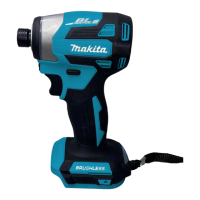
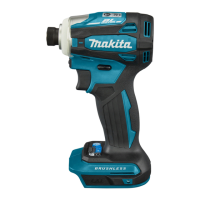
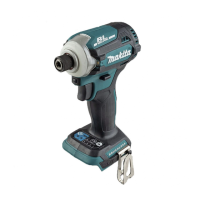
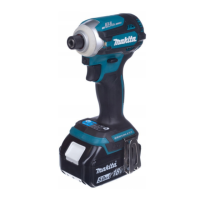
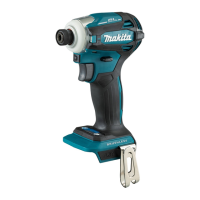
The Makita DTD171 Cordless Impact Driver is a versatile power tool designed for screw driving in wood, metal, and plastic. It is a battery-operated device, emphasizing portability and ease of use in various work environments.

Function Description

The core function of the DTD171 is impact tightening of fasteners, providing significant torque and speed for efficient screw driving. It features a robust motor that delivers high rotational speed and impacts per minute, making it suitable for both light and heavy-duty applications. The tool's design incorporates a quick mode-switching function, allowing users to easily adapt the impact force and assist type to the specific task at hand.

The impact driver operates with a switch trigger that controls the tool's speed; increasing pressure on the trigger increases the speed. For safety and to prevent accidental starts, the switch trigger must return to the "OFF" position when released. A front lamp is integrated to illuminate the workpiece, enhancing visibility in dimly lit areas. This lamp can be turned on by pulling the switch trigger and turns off automatically after approximately 10 seconds of releasing the trigger. Users can also toggle the lamp status (ON/OFF) by pressing a dedicated button.

Direction of rotation is controlled by a reversing switch lever, enabling both clockwise and counterclockwise rotation for tightening and loosening fasteners. It is crucial to ensure the tool comes to a complete stop before changing the direction of rotation to prevent damage. When not in use, the reversing switch lever should be set to the neutral position to prevent unintentional starting.

The DTD171 is equipped with a tool/battery protection system that automatically cuts off power to the motor under certain conditions to extend the life of both the tool and the battery. This includes overheat protection, which stops the tool if it or the battery becomes too hot, and overdischarge protection, which activates when the battery capacity is too low.

Usage Features

The DTD171 offers several features to enhance usability and adaptability:

  • Impact Force Adjustment: The tool allows for four levels of impact force: Max, Hard, Medium, and Soft. This enables users to select the appropriate force for different materials and fastener types, preventing overtightening or screw thread breakage. The impact force can be changed by pressing a dedicated button or using the quick mode-switching button.
  • Assist Type Modes: Beyond impact force, the DTD171 includes "Assist Type" modes designed for specific applications:
    • Wood mode: Prevents screws from falling at the start of driving by initiating with low-speed rotation, then increasing to maximum speed upon impact. Ideal for tightening long screws.
    • Bolt mode (reverse rotation auto stop): Prevents bolts from falling off. When loosening bolts in counterclockwise rotation, the tool automatically stops once the bolt is sufficiently loosened.
    • T mode (1): Prevents screws from overtightening, suitable for driving self-drilling screws into thin metal plates with a good finish. The tool stops soon after impact starts.
    • T mode (2): Prevents screws from breakage and stripping, also for driving self-drilling screws into thick metal plates with a good finish. The tool slows down rotation when impact starts.
  • Quick Mode-Switching Function: This feature allows users to register a frequently used application mode (a combination of impact force and assist type). Once registered, a single press of the quick mode-switching button can switch between the registered mode and the current mode, streamlining repetitive tasks. This function can also be disabled if not desired.
  • Battery Indicator: For battery cartridges equipped with an indicator, a check button allows users to view the remaining battery capacity via indicator lamps, helping to manage power effectively.
  • Driver Bit Installation: The tool supports different types of driver bits and socket bits. For tools without a one-touch sleeve, the sleeve must be pulled in the direction of the arrow to insert the bit. For one-touch sleeves, the bit can be inserted directly. Some deep driver bit holes may require a bit-piece for proper installation.
  • Hook Installation: A hook can be installed on either side of the tool, providing a convenient way to temporarily hang the tool during work.

Maintenance Features

Proper maintenance is essential for ensuring the safety and longevity of the DTD171:

  • Pre-Maintenance Safety: Always ensure the tool is switched off and the battery cartridge is removed before performing any inspection or maintenance.
  • Cleaning: Use a dry cloth to wipe dirt off the lens of the front lamp to maintain illumination. Avoid scratching the lens.
  • Chemical Avoidance: Never use gasoline, benzine, thinner, alcohol, or similar substances for cleaning, as these can cause discoloration, deformation, or cracks.
  • Professional Servicing: For product safety and reliability, all repairs, maintenance, or adjustments should be performed by Makita Authorized or Factory Service Centers, using only genuine Makita replacement parts.
  • Battery Care:
    • Recharge only with the specified Makita charger.
    • Do not disassemble the battery cartridge.
    • Stop operation and charge the battery when tool power diminishes to prevent overheating and potential explosion.
    • Never recharge a fully charged battery cartridge to avoid shortening its service life.
    • Charge the battery cartridge within a room temperature range of 10 °C - 40 °C (50 °F - 104 °F). Allow hot battery cartridges to cool before charging.
    • If not used for a long period (more than six months), charge the battery cartridge.
    • Avoid shorting the battery cartridge terminals with conductive materials like paper clips, coins, or nails.
    • Do not expose the battery cartridge to water or rain.
    • Do not store the tool and battery cartridge in locations where the temperature exceeds 50 °C (122 °F).
    • Do not incinerate the battery cartridge.
    • Do not drop or strike the battery.
    • Do not use a damaged battery.
    • In case of electrolyte contact with eyes, rinse with clear water and seek medical attention immediately.
    • Follow local regulations for battery disposal.

Makita DTD171 Specifications

General IconGeneral
Voltage18V
Max Torque180 Nm
Speed Settings4
Impacts Per Minute0-3, 800 IPM
Brushless MotorYes
Driving Shank1/4" Hex
Battery TypeLithium-Ion
Weight1.5 kg with battery

Related product manuals