EasyManua.ls Logo

Makita DUR182L - User Manual

Makita DUR182L
20 pages
Print Icon
To Next Page IconTo Next Page
Loading...
1
ENGLISH (Original instructions)
INSTRUCTION MANUAL
IMPORTANT: Read Before Using.
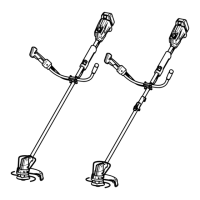
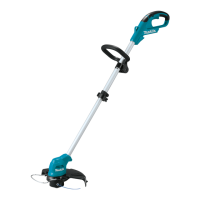
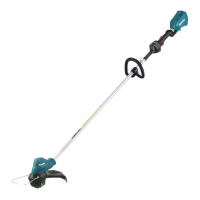
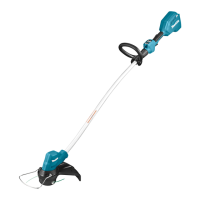
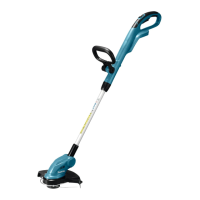
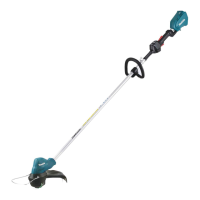
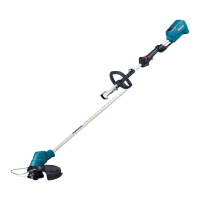
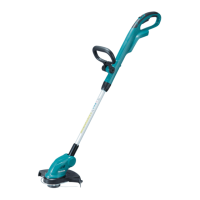
Cordless Grass Trimmer
DUR142L
DUR182L
DUR183L
014149

Other manuals for Makita DUR182L

Questions and Answers

  • J
    Jeffery LaneAug 17, 2025
    Why does the motor not run on my Makita DUR182L Trimmer?
    • L
      lavilaAug 18, 2025
      If your Makita Trimmer's motor doesn't run, it could be due to several reasons. First, make sure the battery cartridge is properly installed. If it is, the battery might be low or faulty; try recharging it or replacing it if recharging doesn't work. If these steps don't resolve the issue, the drive system may have a problem, requiring repair by an authorized service center.
  • T
    Tanner HebertAug 20, 2025
    What to do if the cutting tool does not rotate on my Makita DUR182L?
    • R
      Roy MckeeAug 20, 2025
      If the cutting tool on your Makita Trimmer isn't rotating, stop the machine immediately. Check for any foreign objects, like a branch, that might be jammed between the guard and the nylon cutting head, and remove them. If there are no obstructions, the drive system may not be working correctly, and you should seek repair from an authorized service center.
  • D
    Danielle WhiteAug 22, 2025
    Why does my Makita DUR182L Trimmer motor stop running after a little use?
    • C
      Cynthia HughesAug 22, 2025
      If your Makita Trimmer stops running after a short period, there are a few potential causes. Check the direction of rotation and change it with the reversing switch if necessary. Also, the battery's charge level might be low, so try recharging it or replacing it if recharging isn't effective. Overheating can also cause this issue; if so, stop using the tool and allow it to cool down.
  • K
    Kevin StokesAug 25, 2025
    Why won't my Makita Trimmer motor run?
    • J
      Jennifer BennettAug 26, 2025
      The motor of your Makita Trimmer might not be running because the battery cartridge isn't installed properly, so install the battery cartridge. Another reason could be a battery problem, such as undervoltage, in which case you should recharge the battery, and if that doesn't work, replace it.
  • C
    Christine BradfordAug 27, 2025
    What to do if Makita DUR182L motor stops after short use?
    • E
      erinhortonAug 27, 2025
      If your Makita Trimmer's motor stops running after a short period, it could be due to the rotation being in reverse. Change the direction of rotation with the reversing switch. Alternatively, the battery's charge level might be low, so recharge the battery; if that doesn't help, replace the battery. Overheating can also cause this issue; stop using the tool to allow it to cool down.
  • K
    Kelly CaldwellAug 30, 2025
    Why is my Makita DUR182L not reaching maximum RPM?
    • P
      perryjesseAug 30, 2025
      Your Makita Trimmer might not be reaching maximum RPM because the battery is installed improperly; install the battery cartridge as described in this manual. Another cause could be dropping battery power, so recharge the battery, and if recharging isn't effective, replace the battery.
  • K
    Kayla NashSep 1, 2025
    What to do if the cutting tool of my Makita Trimmer does not rotate?
    • A
      Amy ThomasSep 1, 2025
      If the cutting tool on your Makita Trimmer isn't rotating, a foreign object, like a branch, might be jammed between the guard and the nylon cutting head. Remove the foreign object.
  • R
    Richard GonzalezSep 4, 2025
    How to fix abnormal vibration in Makita Trimmer?
    • L
      luis81Sep 4, 2025
      If your Makita Trimmer is vibrating abnormally, it could be because one end of the nylon cord has broken. Bump the nylon cutting head against the ground while it is rotating to cause the cord to feed.
  • J
    johnsonkaylaSep 6, 2025
    What to do if the cutting tool and motor of my Makita DUR182L Trimmer cannot stop?
    • W
      williamsthomasSep 6, 2025
      If the cutting tool and motor of your Makita Trimmer won't stop, remove the battery.
  • S
    Scott FordSep 9, 2025
    What to do if the cutting tool and motor cannot stop on my Makita DUR182L?
    • M
      Mary RobinsonSep 9, 2025
      If the cutting tool and motor on your Makita Trimmer won't stop, immediately remove the battery. This indicates an electric or electronic malfunction that requires repair by an authorized service center.

Summary

Specifications

Noise and Vibration Data

Details sound pressure levels and vibration emission values for different models.

Safety Symbols

EC Declaration of Conformity

Important Safety Instructions

General Operating Safety

Covers user familiarity, cutting element behavior, child safety, and environmental awareness.

Safe Tool Operation

Operational Guidelines

Covers intended use, personal protective equipment, and electrical/battery safety.

Starting the Tool

Step-by-step instructions for safely starting the grass trimmer.

Method of Operation

Maintenance Instructions

Battery Cartridge Safety

Handling and Charging Battery

Covers initial use, handling, and charging precautions for battery cartridges.

Battery Care and Disposal

Guidelines on preventing shorts, storage, disposal, and general battery maintenance.

Battery Life Maximization

Charging and Storage Tips

Advice on charging frequency, temperature, and storage for optimal battery performance.

Parts Description

Functional Description

Battery Cartridge Installation and Removal

Step-by-step guide for inserting and removing the battery cartridge.

Power Switch Operation

Explains how to use the power switch, lock-off lever, and indicators.

Reversing Switch Function

Details the use of the reversing switch for debris removal.

Battery Protection System

Overload and Low Voltage Protection

Describes conditions for overload and low battery voltage protection.

Speed Adjustment

Using the Speed Adjusting Dial

Instructions on adjusting the tool speed from 3,500 to 6,000 min⁻¹.

Indication Lamps

Nylon Cutting Head

Assembly Instructions

Mounting Attachment Pipe (DUR183 L)

Steps for attaching the pipe to the power unit for specific models.

Installing Safety Guard

Crucial steps for installing the guard to prevent serious injury.

Installing the Grip

Instructions for fitting and tightening the grip onto the shaft pipe.

Installing Wire Guard

Steps to install the wire guard to control cutting range and prevent damage.

Installing Nylon Cutting Head

Guide to attaching and removing the nylon cutting head.

Operation

Attaching Shoulder Harness

Instructions for correctly attaching and securing the shoulder harness.

Maintenance

Detachment

Procedure for detaching components like the cap.

Hanger and Harness Adjustment

Instructions for adjusting the hanger position and shoulder harness.

Replacing the Nylon Cord

Step-by-step guide on how to replace the nylon cutting line.

Troubleshooting

Common Malfunctions and Solutions

Identifies common problems, their causes, and recommended actions.

Optional Accessories

Makita DUR182L Specifications

General IconGeneral
Power sourceBattery
Charging time0.366 h
Operating time60 min
Battery voltage18 V
Battery capacity3 Ah
CordlessYes
Product colorBlack, Blue, White
Uncertainty K1.5 m/s²
Rotational speed6000 RPM
Vibration emission2.5 m/s²
Sound pressure level79 dB
Cutting diameter (max)300 mm
Sound power level guaranteed90 dB
Sound power level uncertainty0.7 dB
Weight and Dimensions IconWeight and Dimensions
Depth253 mm
Width287 mm
Length1843 mm
Weight4100 g

Related product manuals