P 4/ 5
Repair
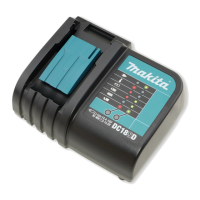
[2] DISASSEMBLY/ASSEMBLY FOR DC1851 U
[2]-1. Terminal unit and Charger case complete
DISASSEMBLING
Replace Charger case complete.as drawn in Figs. 5 and 6.
Important: After disconnecting the charger from the power source, wait more than 5 minutes before repairing work.
Fig. 5
1. Turn Charger upside down and remove
four tapping screws.
2. Turn Charger over again and open Charger case complete
from rear side.
Charger case complete
Charger case cover
*Open from
this side
Note: Terminal unit is fully integral with Charger case complete.
When it is necessary to replace Terminal unit, replacing
Charger case complete and Charging condition label is required.
Terminal unit
Tapping screws
Indication of DC1851 U
ASSEMBLING
Assemble Charger case complete to Charger case cover by
reversing the disassembly procedure.
Be sure to push Power supply cord firmly between the ribs
and the wall of Charger case cover as drawn in Fig. 7.
Fig. 6
Fig. 7
Charging circuit Connector
Power supply cord
3. Hold the connector on Charging circuit and pull up the connector.



 To Next Page
 Loading...