EasyManua.ls Logo

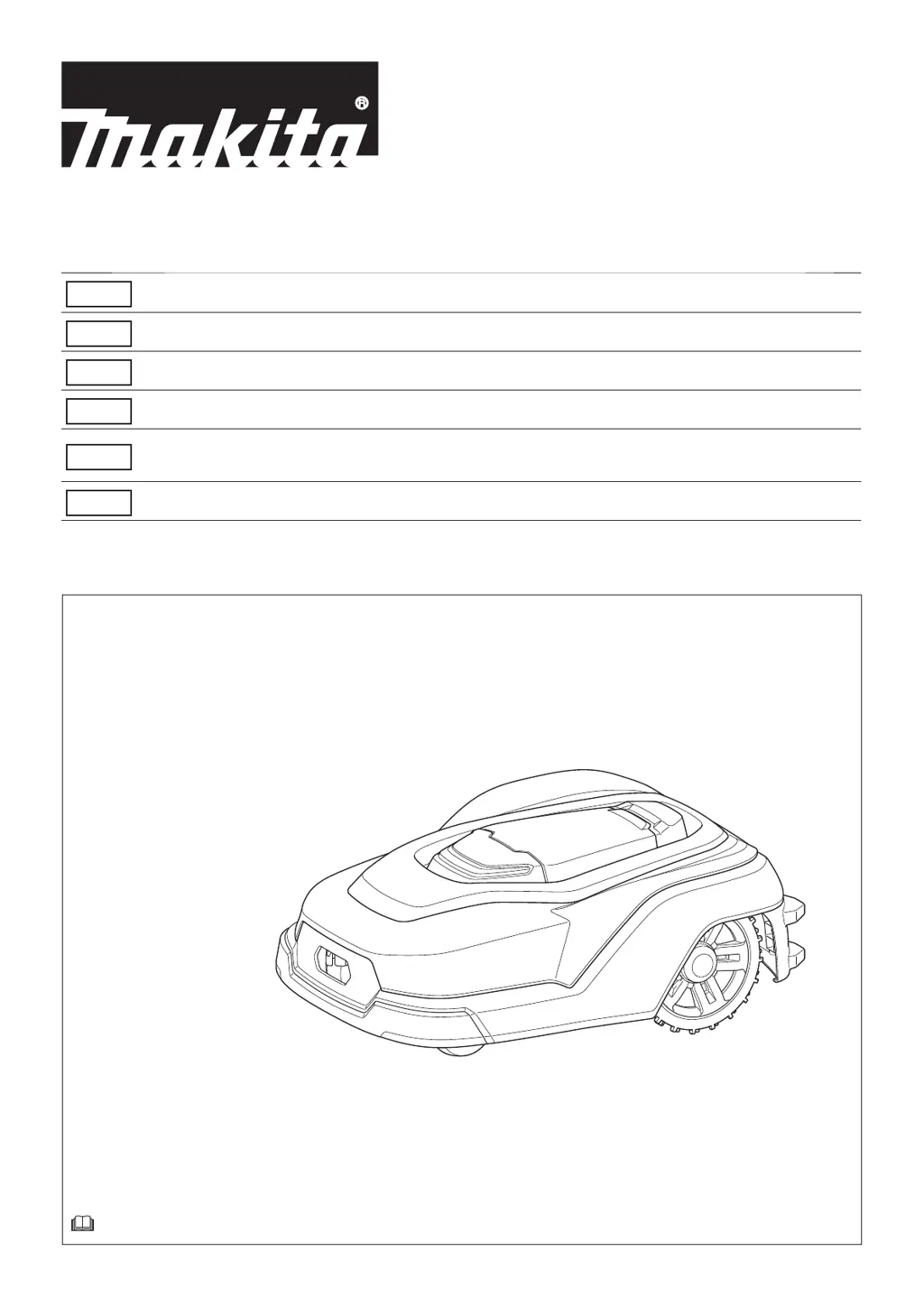
Makita RM350D - User Manual

Makita RM350D
140 pages
Print Icon
To Next Page IconTo Next Page
Loading...
RM350D
EN
Robotic Mower INSTRUCTION MANUAL 14
ZHCN
ࢃؾ঩ධเ ໪ቂངಖ༚
33
ID
Robot Pemotong PETUNJUK PENGGUNAAN 52
MS
Mesin Pemangkas Robotik MANUAL ARAHAN 73
VI
Máy Ct C Robot Hot Động
Bng Pin
TÀI LIU HƯỚNG DN94
TH

115

Table of Contents

Other manuals for Makita RM350D

Questions and Answers

  • K
    kingjoSep 8, 2025
    What to do if Makita Lawn Mower stays at charging station for long time?
    • J
      jeffreyharperSep 9, 2025
      There are several reasons why your Makita Lawn Mower might stay at the charging station: * The display cover might be closed, but the mowing start button was not pressed - close the display cover after pressing the mowing start button. * The Robotic Mower might be in standby state after returning to the charging station - check the operation options after charging. * The Robotic Mower does not work if battery temperature is too high or too low - restart the Robotic Mower after a while.
  • J
    Jerome SkinnerAug 25, 2025
    What to do if my Makita RM350D does not return to the charging station?
    • M
      misty41Aug 25, 2025
      If your Makita Lawn Mower is not returning to the charging station, and the guide wire is not installed, set the active search period of the guide signal to 0 minutes. If the mower does not depart from the charging station after the work area has been changed, have the mower depart from the station and let it save the surrounding magnetic field in its memory. If the mower cannot return by the boundary signal, install the boundary wire 1.5 m straight on both sides of the charging station.
  • E
    elizabeth42Aug 25, 2025
    Why is my Makita RM350D Lawn Mower operating at an unintended time or date?
    • M
      Margaret MccoyAug 26, 2025
      If your Makita Lawn Mower is operating at an unintended time or date, check the date and time for scheduled mowing and change the mowing schedule.
  • S
    Savannah GonzalesSep 22, 2025
    Why is my Makita RM350D unable to travel along a path?
    • Y
      Yolanda KnappSep 22, 2025
      If your Makita Lawn Mower is unable to travel along a path, ensure that the width of the path is at least 150 cm.
  • H
    Heather JohnsonSep 9, 2025
    Why Makita Lawn Mower does not return to charging station?
    • W
      William HaysSep 9, 2025
      There are several reasons why your Makita Lawn Mower might not return to the charging station: * If the guide wire is not installed, set the active search period of the guide signal to 0 minutes, because the Robotic Mower is in the active search period of the guide signal, so it does not return with the boundary signal. * If the Robotic Mower does not depart from the charging station after the work area has been changed, have the Robotic Mower depart from the charging station and let it save the surrounding magnetic field in its memory. * The Robotic Mower cannot return by the boundary signal because the boundary wire installed near the charging station is incorrect - install the boundary wire 1.5 m straight on both sides of the charging station.
  • R
    Rebecca GeorgeSep 14, 2025
    How to resolve ruts formed on lawn by Makita Lawn Mower?
    • C
      Cheryl DixonSep 14, 2025
      If ruts are forming on your lawn due to the Makita Lawn Mower, it may be because the Robotic Mower travels on a particular path repeatedly. Adjust the width of offset navigation.
  • B
    Barbara PetersSep 3, 2025
    Why my Makita RM350D operates at an unintended time or date?
    • N
      Natalie MillsSep 3, 2025
      If your Makita Lawn Mower is operating at an unintended time or date, it is likely due to an unintended setting of scheduled mowing. Check the date and time for scheduled mowing and change the mowing schedule.
  • D
    dgreenSep 4, 2025
    Why does my Makita Lawn Mower have a short mowing time?
    • B
      Brooke RushSep 4, 2025
      If your Makita Lawn Mower has a short mowing time, it could be because the mower blades have worn out, increasing the load on the cutting blade motor. Replace the mower blade.
  • M
    Maria BarronSep 23, 2025
    Why can't my Makita Lawn Mower go over two boundary wires to and from the island?
    • R
      robertliuSep 23, 2025
      If your Makita Lawn Mower cannot go over two boundary wires to and from the island, it is because the two boundary wires to and from the island are not close together. To resolve this, close (0 cm) the two boundary wires to and from the island.
  • D
    David SmithAug 29, 2025
    What to do if the battery of my Makita RM350D is empty but not charging when docked?
    • D
      Dr. Christopher MartinAug 29, 2025
      If the battery of your Makita Lawn Mower is empty but not charging when docked in the charging station, it may take some time for the battery to start charging if it is fully discharged. Dock the Robotic Mower to the charging station with the main power ON, and wait for a while until the charging starts. If the problem persists, contact our sales office or local dealer.

Summary

Introduction and Safety

Specifications

Key technical details of the robotic mower, including voltage, capacity, dimensions, weight, and performance specs.

Symbol Marks

Explains important safety and operational symbols used on the machine for user understanding.

Intended Use

Defines the primary purpose of the robotic mower as automatic lawn mowing and charging.

Safety Precautions

Essential warnings and guidelines for safe operation, handling, and electrical safety.

Names of Parts

Identifies and labels the various components of the robotic mower with corresponding figures.

Separately Sold Items

Lists recommended accessories and attachments available for separate purchase.

Preparation and Basic Operation

Preparation Steps

Outlines the necessary steps before using the robotic mower, including work area and initial setup.

Turning Power On;Off

Instructions for switching the robotic mower's main power on and off using the power switch.

Charging the Robotic Mower

Procedure for charging the mower's battery using the provided charging station.

Checking Battery Capacity

How to view the current battery charge level displayed on the mower's LCD screen.

Control Panel Operations

Explains how to operate the mower's control panel buttons and keys after opening the display cover.

LCD Screen Operations

Describes how to navigate and select options on the mower's LCD screen using menus and keys.

Starting Mowing

Instructions on how to initiate the mowing process, selecting from various modes.

Stopping Mowing

Procedures for pausing (pausing) or ending (returning to station) the mowing operation.

Setting Menus

Start Mowing Menu Options

Options for initiating different mowing modes like auto, without charging, or spiral cutting.

Mowing Modes

Details on auto mowing, mowing without charging, and spiral pattern mowing configurations.

Park and Return Settings

Settings for returning the mower to the charging station, including scheduled restarts.

Mowing Preferences

Customizing mowing area, schedule, and cutting height for optimal performance.

Navigation Preferences

Adjusting how the mower navigates, including boundary wire settings and departure points.

Security Preferences

Settings for alarm duration, PIN code management, and anti-theft features to prevent unauthorized use.

Other Settings

Managing user preferences, date/time, display language, and LED behavior for customization.

Error Message Details

How to check and understand error codes and messages displayed on the mower's screen for diagnostics.

Maintenance and Troubleshooting

Cleaning Procedures

Instructions for cleaning the mower body, blades, and charging station to maintain performance.

Inspecting Mower Blades

How to check the condition of mower blades and their fixing screws for wear or damage.

Replacing Mower Blades

Step-by-step guide for safely replacing worn or damaged mower blades.

Periodic Inspections

Regular checks to ensure proper mower and charging station functionality.

Handling After Season Ends

Procedures for storing the mower and its accessories properly after the mowing season.

Protection System and Error Indication

Explains the mower's built-in protection system and how error codes are displayed and interpreted.

Troubleshooting

Guidance for diagnosing and resolving common issues, malfunctions, and error states.

Makita RM350D Specifications

General IconGeneral
BrandMakita
ModelRM350D
CategoryLawn Mower
LanguageEnglish

Related product manuals