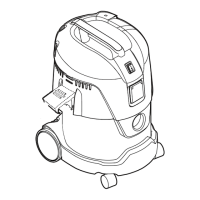
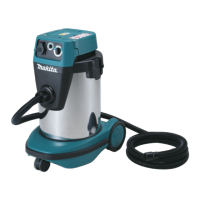
- 13 -
Cod.
83 133B8K *
EN
* Pack code
For use with power tool (g. “A5”).
- Selector switch : in “AUTOMATIC” position ( ).
- Power switch : in position I = Appliance on
(indicator light “C” on)
The appliance runs in synch with the power tool.
With switch “B” in position
, when switch (“A”) is set to the “AUTOMATIC” position
( )theself-cleaninglterfunctionisactivated.
- Whentheapplianceisswitchedoff,itwillcontinuetorunfor8÷10seconds,thentheself-
cleaninglterfunctionwillbegin.
- Tostarttheself-cleaninglterfunctionmanually,presstheorangeswitch (“D”)
(g.“A6”).
CAUTION: When switch is in position “O”, the (Self Cleaning Filter) function is disa-
bled.
4 ..... CONNECTING A POWER TOOL TO THE VACUUM CLEANER
(g.“A7”-“A8”).
- Plug the power tool into the socket on the motor unit (A).
- Plug the vacuum into the power supply (B).
CAUTION: The plug is designed for power tools with a maximum rating of 2000 W
NEVER plug in power tools with a higher rating.
NEVER plug more than one power tool into the socket on the motor unit
.
B - FILTER SYSTEMS
1 ..... USING THE DUST BAG (pack code 83 133B8K *)
CAUTION:
Use the dust bag only when the lter cartridge is installed.
- Insertthepaperlterbaginthewastedrum(g.“B1”).
- Fittheplasticange(x)ontotheairinletconnector(y).
Becarefulnottodamagethebag(g.“B2”).
- Use the bag to remove dirt more hygienically.
2 ..... TIPS FOR USING THE DUST BAG
CAUTION: Avoid using the bag for sharp or damp materials.
- Changethebagwhenvacuumedmaterialllsapprox.
3/4ofitscapacity.
- The bag should not be reused, always replace the used
bag with a new one.
- Always keep a spare pack of dust bags handy.


 To Next Page
 Loading...