EasyManua.ls Logo

Makita XML09 Series - User Manual

Makita XML09 Series
36 pages
Print Icon
To Next Page IconTo Next Page
Loading...
INSTRUCTION MANUAL
MANUAL DE INSTRUCCIONES
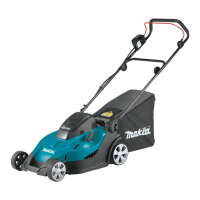
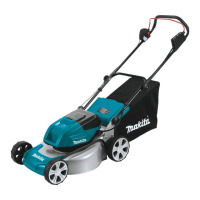
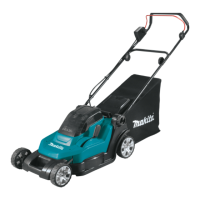
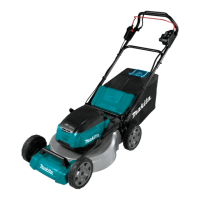
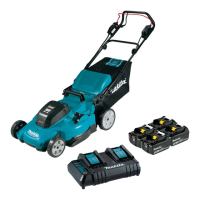
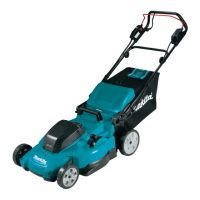
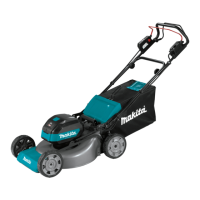
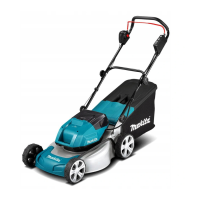
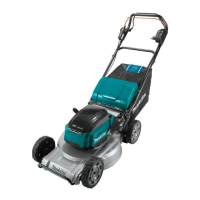
Cordless Lawn Mower
Cortadora de Cesped
XML09
IMPORTANT: Read Before Using.
IMPORTANTE: Lea antes de usar.

Questions and Answers

  • N
    Nicole HamiltonJul 28, 2025
    Why Makita Lawn Mower won't start?
    • P
      Peter CainJul 28, 2025
      Your Makita Lawn Mower might not start due to several reasons: * Two battery cartridges might not be installed. If this is the case, install two charged battery cartridges. * There might be a battery problem (under voltage). Try to recharge the battery cartridge, and if that doesn't work, replace it. * The lock key might not be inserted. Make sure to insert the lock key. * The battery selection switch might not be in the correct position. Ensure you select the battery port where the battery cartridges are installed using the battery selection switch.
  • C
    Chad GutierrezAug 3, 2025
    What to do if Makita XML09 motor stops running after a little use?
    • S
      Stephen GarzaAug 4, 2025
      If the motor of your Makita Lawn Mower stops running after a short period, it could be due to: a low battery charge level, in which case you should recharge the battery cartridge (and replace it if recharging isn't effective); a cutting height that is too low, so increase it; or cut grass clogged in the mower, so remove the clogged grass.
  • B
    Bruce RodriguezAug 9, 2025
    What to do if Makita XML09 Lawn Mower blade does not rotate?
    • R
      Robin ThompsonAug 9, 2025
      If the blade of your Makita Lawn Mower doesn't rotate, stop the mower immediately! This could be because a foreign object, like a branch, is jammed near the blade. Remove the foreign object to resolve this.
  • J
    Jamie PetersonAug 15, 2025
    What to do if Makita XML09 has abnormal vibration?
    • D
      Danielle GardnerAug 15, 2025
      If your Makita Lawn Mower is vibrating abnormally, stop the mower immediately! This might be because the blade is imbalanced, excessively, or unevenly worn. In this case, replace the blade.
  • L
    Lisa MccarthyAug 21, 2025
    Why Makita XML09 Lawn Mower motor does not reach maximum RPM?
    • S
      shieldsgrantAug 21, 2025
      If your Makita Lawn Mower motor isn't reaching its maximum RPM, it could be due to a few reasons: * The battery cartridge might be installed improperly. Ensure you install the battery cartridge as described in this manual. * The battery power could be dropping. Try recharging the battery cartridge, and if that doesn't work, replace it.

Summary

Specifications

Safety Warnings

Important Safety Instructions

Read, understand, and follow all instructions on the power tool and in the Instruction Manual for safe operation.

Preparation

Follow these preparatory steps before operating the lawn mower for safe and effective use.

Maintenance and Storage

Battery Tool Use and Care

Electrical and Battery Safety

Important Safety Instructions for Battery Cartridge

Tips for Maintaining Maximum Battery Life

Assembly

Installing the Handle

Step-by-step instructions for assembling the handle onto the mower body, including aligning holes and tightening bolts.

Removing the Mulching Plug

Instructions for detaching the mulching plug from the mower by opening the rear cover and removing the plug.

Attaching the Mulching Plug

Steps to attach the mulching plug by opening the rear cover and securing the plug with a lever.

Installing or Removing the Grass Basket

Procedure for attaching and detaching the grass basket to and from the mower body.

Functional Description

Installing or Removing Battery Cartridge

Detailed procedure and safety precautions for installing and removing the battery cartridge from the machine.

Switching the Battery Cartridges

Instructions on how to select and switch between the two battery ports for continuous operation.

Indicating the Remaining Battery Capacity

Explanation of indicator lamps and their meaning for checking the remaining battery capacity.

Machine; Battery Protection System

Description of the machine's protection systems: overload, overheat, and overdischarge protection.

Control Panel

Control Panel Overview

Description of the control panel components including power switches, indicator lamps, and check buttons.

Switch Action

Detailed steps and conditions for starting the mower, including lever operations and switch actions.

Adjusting the Mowing Height

Adjusting the Handle Height

Adjusting the Traveling Speed

Operation

Mowing

Guidelines for safe and effective mowing, including clearing the area and wearing protective gear.

Using Mulching Plug

Instructions on using the mulching plug to return cut grass to the ground, with specific cutting length recommendations.

Using the Rear Discharge

Procedure for discharging cut grass to the rear by removing the grass basket and mulching plug.

Electronic Function

Explanation of the mower's electronic functions: speed control, soft start, electric brake, and self-diagnostic.

Emptying the Grass Basket

Steps for safely emptying the grass basket, including releasing the switch, removing the cover, and taking out the basket.

Mowing a Long-Grass Lawn

Advice on cutting long grass, recommending cutting in stages to avoid overworking the mower and damaging the grass.

Maintenance

Storing

Recommendations for storing the mower indoors in a cool, dry, and locked place, away from extreme temperatures.

Removing or Installing the Mower Blade

Detailed instructions and safety warnings for removing and installing the mower blade, emphasizing lock key and battery removal.

Carrying the Mower

Guidance on how to safely carry the mower, recommending two people and proper grip.

Troubleshooting

Optional Accessories

Makita Limited Warranty

Makita XML09 Series Specifications

General IconGeneral
Motor TypeBrushless
Cutting Width36 cm
Power SourceBattery
Cutting Height Adjustment13-60 mm (6 positions)
Battery TypeLi-ion
Drive SystemSelf-Propelled
OperationSelf-Propelled
Battery Compatibility18V LXT
Voltage36V (18V X2)

Related product manuals