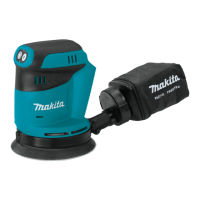
The Makita XOP02 Cordless Random Orbit Polisher is a versatile and powerful tool designed for various polishing applications, offering both random orbit and random orbit with forced rotation modes to suit different tasks. This instruction manual provides comprehensive guidance on its safe operation, maintenance, and functional features, ensuring users can maximize its performance and longevity.
Function Description
The XOP02 is a cordless random orbit polisher, meaning it operates on battery power, providing freedom of movement without the constraints of a power cord. It is primarily used for polishing surfaces, with two distinct action modes:
- Random Orbit Mode: This mode is characterized by orbital action with free rotation of the backing pad, making it ideal for fine polishing and finishing operations. In this mode, the tool operates without applying excessive load, which is suitable for achieving a smooth, high-quality finish.
- Random Orbit with Forced Rotation Mode: This mode combines orbital action with forced rotation of the pad, making it suitable for rough polishing and surface treatment. This provides more aggressive material removal and is useful for initial stages of polishing or when dealing with more stubborn imperfections.
The tool is equipped with electronic functions that enhance its ease of operation and performance:
- Constant Speed Control: This feature ensures that the rotating speed is kept constant even under loaded conditions, providing consistent results during polishing.
- Soft Start Feature: The soft start function suppresses the initial starting shock, making the tool easier to control and reducing stress on the motor and gears.
- Accidental Restart Preventive Function: If the battery cartridge is installed while the switch trigger is pulled or locked, the tool will not start. To activate the tool, the switch trigger must first be released and then pulled again, preventing unintended starts.
The polisher also incorporates a tool/battery protection system that automatically cuts off power to the motor under certain conditions to extend the tool and battery life. This system activates if the tool or battery is subjected to overload, preventing damage from abnormally high current draw. In such cases, the tool will stop without indication, requiring the user to turn it off, address the overload cause, and then restart.
Usage Features
Operating the XOP02 involves several key steps and considerations to ensure safety and optimal performance:
- Battery Installation and Removal: The battery cartridge is installed by aligning its tongue with the groove in the tool's housing and sliding it into place until it locks with a click. A red indicator will disappear when the battery is fully secured. To remove, slide the button on the front of the cartridge and pull it out. It is crucial to ensure the battery is fully inserted to prevent accidental detachment and potential injury.
- Indicating Remaining Battery Capacity: For battery cartridges equipped with an indicator, pressing the check button will illuminate indicator lamps for a few seconds, showing the remaining battery capacity in increments (75-100%, 50-75%, 25-50%, 0-25%). If all lamps blink, the battery may have malfunctioned or needs charging.
- Speed Adjustment: The tool features a speed adjusting dial, allowing users to select from different orbit per minute (OPM) settings. This enables precise control over the polishing process, adapting to various materials and desired finishes. The dial typically ranges from 1 to 5, with higher numbers indicating higher OPM.
- Selecting Action Mode: The action mode is changed using a knob. Turning the knob clockwise selects the random orbit mode for fine polishing, while turning it counterclockwise selects the random orbit with forced rotation mode for rougher tasks. It's important to turn the knob fully and not attempt to change modes while the tool is switched on.
- Switch Action: The tool is activated by pulling the switch trigger. A lock button allows for continuous operation without holding the trigger. To stop the tool, release the switch trigger or press the lock button if it's engaged. Before any adjustments or maintenance, ensure the tool is switched off and the battery cartridge is removed.
- Installing and Removing Backing Pad: The backing pad is secured to the shaft using a hex wrench and a bolt. It is essential to ensure the backing pad is properly secured to prevent imbalance, excessive vibration, and loss of control.
- Installing Side Grip: An optional side grip can be installed on either side of the tool by removing a cap and screwing the grip securely. This enhances control and comfort during operation.
- Installing and Removing Pads: The tool uses hook-and-loop system pads for polishing. To install, clean the hook-and-loop system on both the pad and backing pad, then attach the pad, ensuring its edges are aligned. To remove, simply pull up from the edge of the pad.
- Polishing Operation: When operating, the work material should be secured and stable. The tool should be held firmly with one hand on the switch handle and the other on the front grip or side handle. Users can perform surface treatment using a wool pad for rough finishing, apply wax with a sponge pad at low speed, remove wax with another sponge pad, and polish with a felt pad. It is crucial not to apply excessive wax or polishing agent, as this can generate dust and cause respiratory issues. A test waxing on an inconspicuous area is recommended first.
Maintenance Features
Regular maintenance is crucial for the XOP02 to ensure its safety, reliability, and extended service life.
- General Maintenance: Always ensure the tool is switched off and the battery cartridge is removed before performing any inspection or maintenance.
- Cleaning: Never use gasoline, benzine, thinner, alcohol, or similar substances, as these can cause discoloration, deformation, or cracks.
- Dust Covers: The dust covers on the inhalation vents should be cleaned regularly to ensure smooth air circulation. This involves removing the dust covers and cleaning the mesh.
- Repairs: Any repairs, maintenance, or adjustments should be performed by Makita Authorized or Factory Service Centers, using only genuine Makita replacement parts, to maintain product safety and reliability.
- Battery Cartridge Care:
- Charge the battery cartridge before it is completely discharged. Stop operation and charge when tool power decreases.
- Avoid overcharging, as this shortens battery service life.
- Charge the battery cartridge within a room temperature range of 10 °C - 40 °C (50 °F - 104 °F). Allow hot battery cartridges to cool down before charging.
- If the battery cartridge is not used for a long period (more than six months), charge it.
- Do not disassemble the battery cartridge.
- If operating time becomes excessively short, stop use immediately to prevent overheating, burns, or explosion.
- If electrolyte gets into eyes, rinse with clear water and seek medical attention immediately.
- Do not short the battery cartridge by touching terminals with conductive materials or storing it with metal objects.
- Do not expose the battery cartridge to water or rain.
- Do not store the tool and battery cartridge in locations exceeding 50 °C (122 °F).
- Do not incinerate the battery cartridge, even if severely damaged or worn out, as it can explode.
- Be careful not to drop or strike the battery.
- Do not use a damaged battery.
- Follow local regulations for battery disposal.
- Only use genuine Makita batteries with Makita products to prevent fire, excessive heat, explosion, or electrolyte leakage.
By adhering to these guidelines, users can ensure the Makita XOP02 Cordless Random Orbit Polisher remains a reliable and effective tool for all their polishing needs.

 Need help?
 General

 To Next Page