10
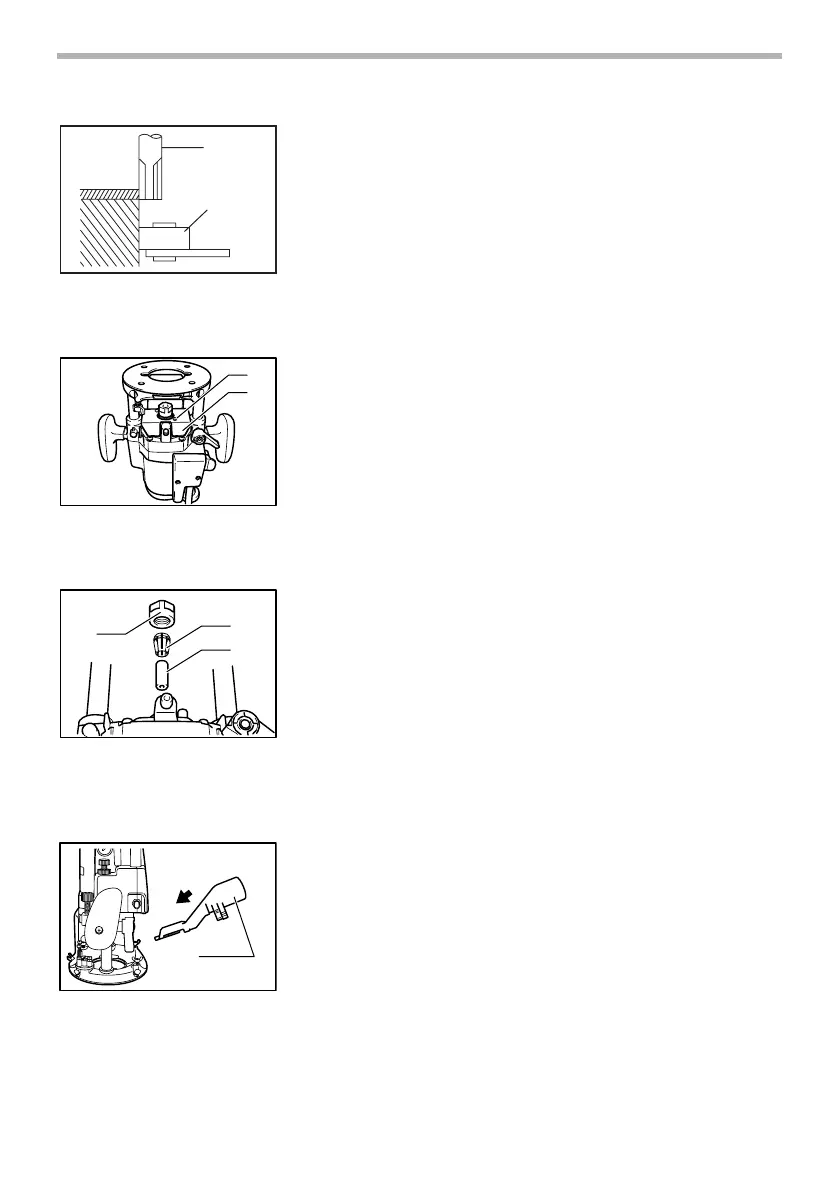
When cutting, move the tool with the guide roller riding the side of the work-
piece.
Dust cover (For tool with the knob)
To suit the tool when using in the inverted position with Makita Router Stand.
This accessory prevents sawdust from being drawn through the tool in the
inverted position.
It is not recommended for use in the normal position. However, we do recom-
mend its use in the inverted mode.
Spacer (For tool with the knob)
When operating the tool in the inverted position with the Makita Router Stand,
use the spacer.
The spacer prevents the router bit from dropping in to the chuck when replac-
ing the bit.
Install the spacer as shown in the figure.
Dust extraction (Accessory)
Use the vacuum head for dust extraction. To Install the vacuum head, raise the
lock lever on it. Place the vacuum head on the tool base so that its top will be
caught in the hook on the tool base. Insert the supports on the vacuum head
into the hooks on the front of the tool base.
1. Bit
2. Guide roller
1
2
003701
1. Pan head screw
2. Dust cover
1
2
005113
1. Collet nut
2. Collet cone
3. Spacer
1
2
3
005114
1. Vaccum head
1
004939


 To Next Page