PRESETS & DELAY
SAVE PRESET
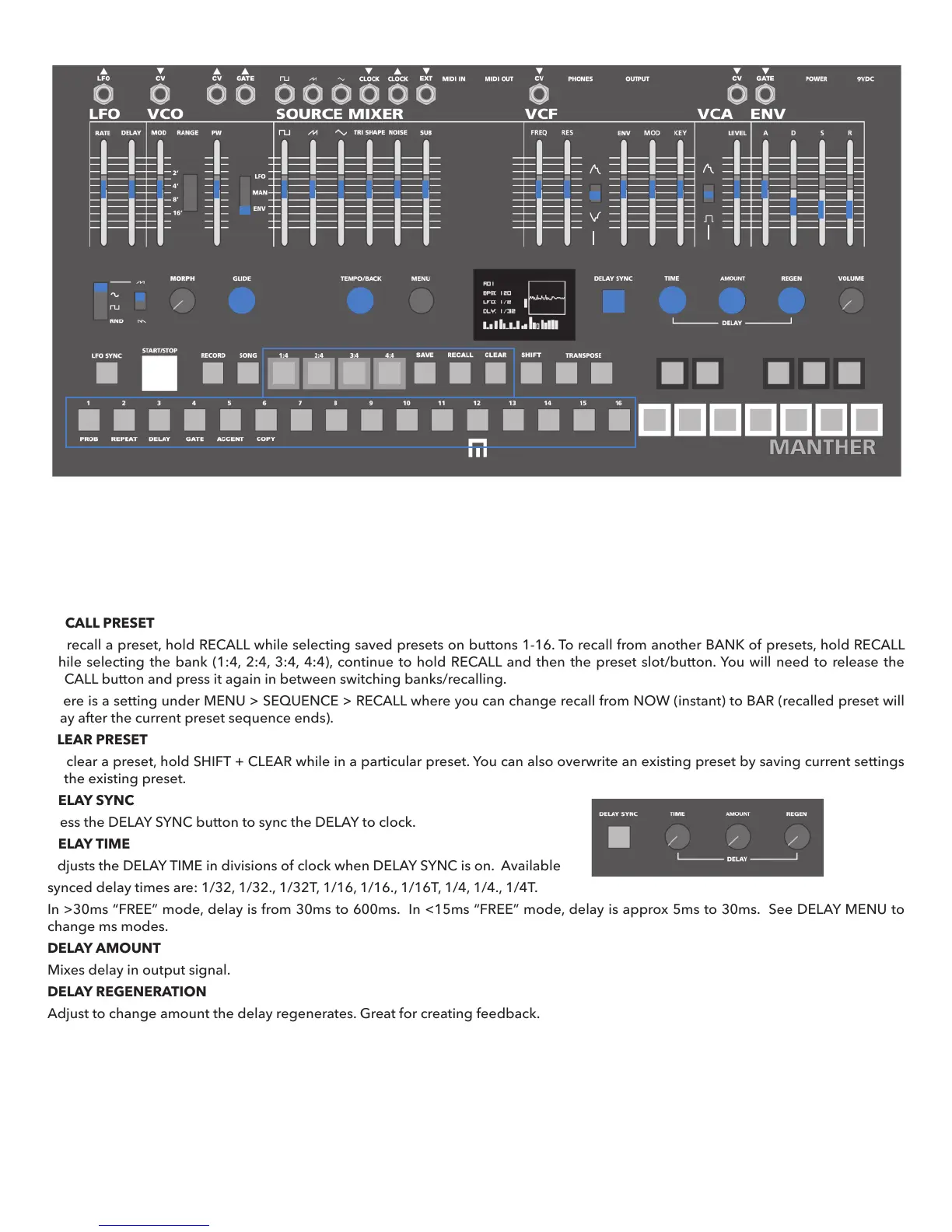
Each step button also acts as a preset slot and SEQUENCE ACCESS buttons (1:4, 2:4, 3:4, 4:4) also act as preset banks. There are a total
of 64 available preset slots (16 per bank). To save a preset hold the SAVE button while selecting a preset slot. A preset is saved properly
when you see the SAVING prompt on the OLED screen. To save to a new BANK of presets, hold SAVE while selecting the bank (1:4, 2:4,
3:4 or 4:4), then release the bank button, and then select a preset slot. Presets save all parameters marked in BLUE including automa-
tion, all step programming, and all menu settings with the exception of octave range switch settings, volume control settings and MIDI
settings.
RECALL PRESET
To recall a preset, hold RECALL while selecting saved presets on buttons 1-16. To recall from another BANK of presets, hold RECALL
while selecting the bank (1:4, 2:4, 3:4, 4:4), continue to hold RECALL and then the preset slot/button. You will need to release the
RECALL button and press it again in between switching banks/recalling.
There is a setting under MENU > SEQUENCE > RECALL where you can change recall from NOW (instant) to BAR (recalled preset will
play after the current preset sequence ends).
CLEAR PRESET
To clear a preset, hold SHIFT + CLEAR while in a particular preset. You can also overwrite an existing preset by saving current settings
to the existing preset.
DELAY SYNC
Press the DELAY SYNC button to sync the DELAY to clock.
DELAY TIME
Adjusts the DELAY TIME in divisions of clock when DELAY SYNC is on. Available
synced delay times are: 1/32, 1/32., 1/32T, 1/16, 1/16., 1/16T, 1/4, 1/4., 1/4T.
In >30ms “FREE” mode, delay is from 30ms to 600ms. In <15ms “FREE” mode, delay is approx 5ms to 30ms. See DELAY MENU to
change ms modes.
DELAY AMOUNT
Mixes delay in output signal.
DELAY REGENERATION
Adjust to change amount the delay regenerates. Great for creating feedback.
Additional DELAY parameters in the MENU:
DELAY TYPE: You can change between 30 to 15 ms modes.
LFO>DELAY: Assign the LFO to modulate the delay time
by adjusting this setting from 0 to 100.
delay type >30ms
lfo>delay 30
10


 To Next Page