PG. 6
SCAN MODES
QUAD VCA MANUAL V.1
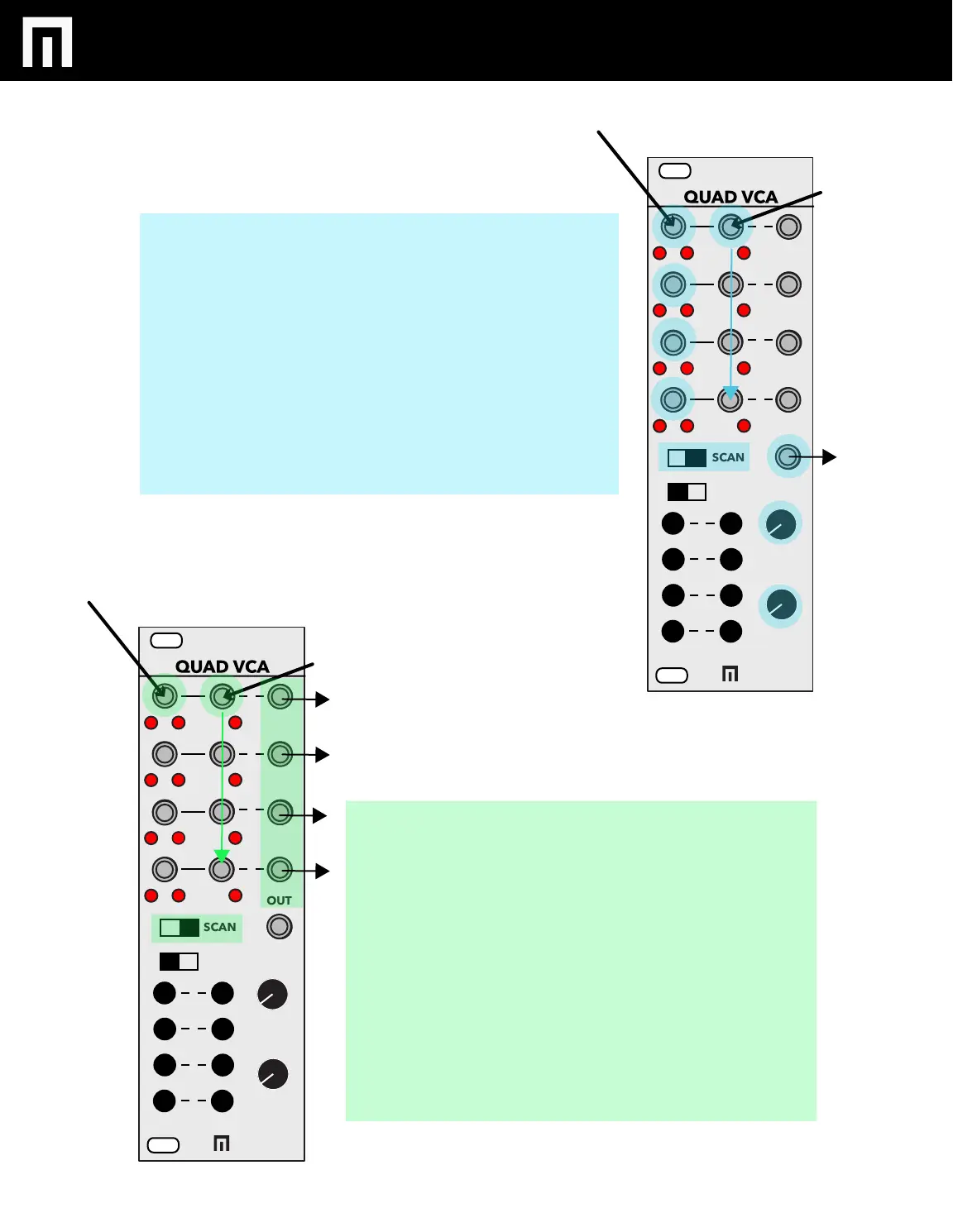
Switch to the right turns on Scan/Pan Mode.
SCAN - Insert Audio or CV into inputs 1-4, CV on
CV Ch.1 and monitor Mix output for 4:1 scanning.
You can also patch from the individual outputs
1-4.
Offset and Attenuation can be adjusted to control
how incoming CV is applied to scanning.
Without CV in on CV Ch.1, you can also simply
adjust the OFFSET control to scan channels.
PAN - Insert an input into Ch. 1 and Ch. 1 CV will
route input to up to 4 different outputs.
Offset and Attenuation can be adjusted to control
which of the outputs input signal will be routed to.
You can create a stereo panning patch by inserting
audio into CV Ch.1, CV into CV Ch.1 and then send
the outputs of Ch. 1 and 2 to a mixer that has the
ability to set channels to pan hard left and right.
Adjust the Attenuverter control so that panning
occurs only between outputs 1 and 2. You may
need to increase the Offset control if you are using
an LFO or other bipolar signal.
SELECT MUTE
ATTN
OFFSET
MIX
IN CV OUT
1
2
3
4
SCAN
REMOTE
1
2
3
4
+
-
0
SELECT MUTE
ATTN
OFFSET
MIX
IN CV OUT
1
2
3
4
SCAN
REMOTE
1
2
3
4
+
-
0


 To Next Page