PG. 7
GENERAL MIXING
QUAD VCA MANUAL V.1
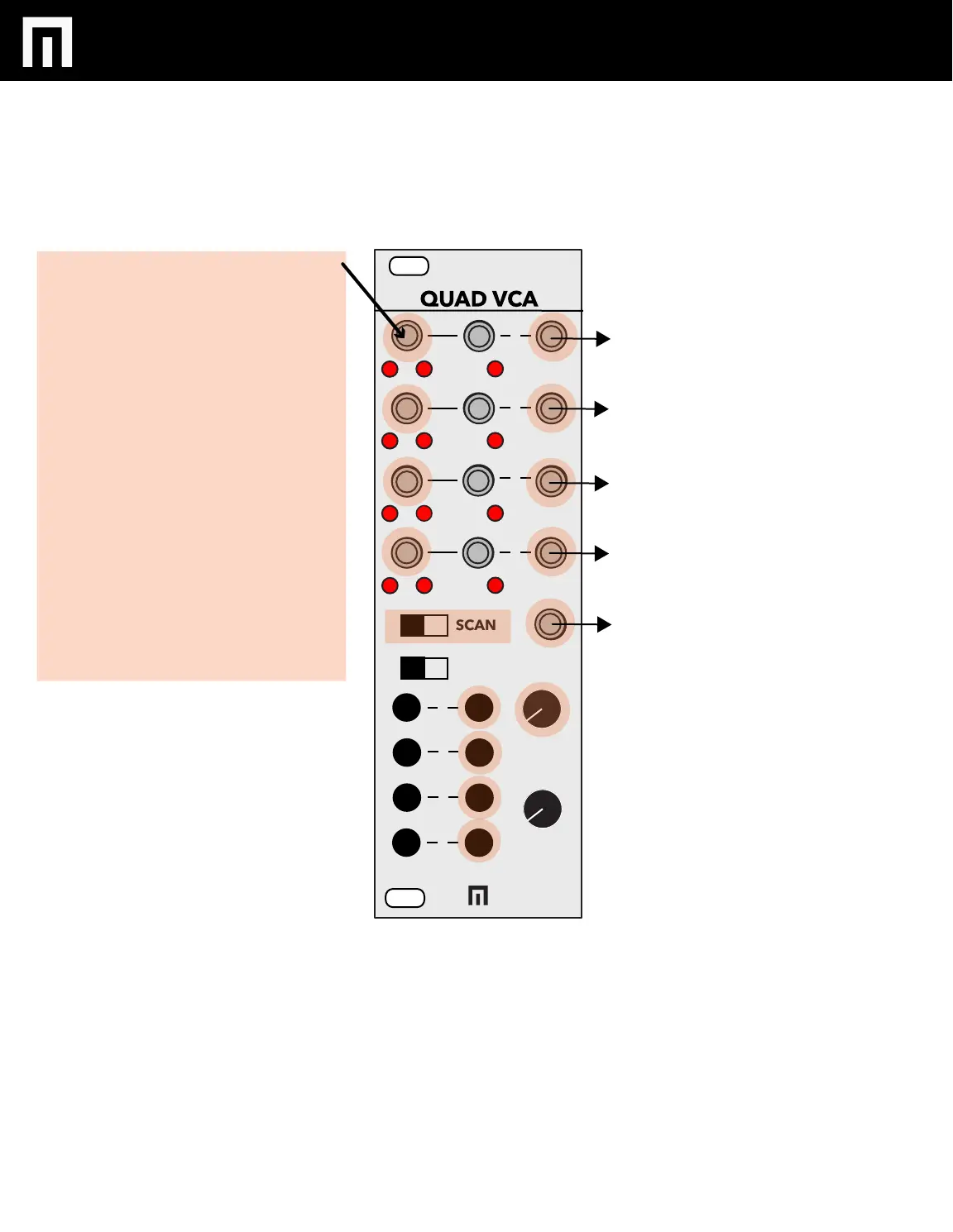
To do general mixing with the
Quad VCA, turn the SCAN
switch to the left.
Input channel levels can be
manually adjusted by first
selecting the channel you want
to edit and then turning the
OFFSET knob to the right.
You can also insert CV into CV
channels 1-4 and adjust the
ATTEN knob to control the
amount of CV added or
subtracted from the OFFSET
amount.
Don’t forget you can MUTE
channels as well.
SELECT MUTE
ATTN
OFFSET
MIX
IN CV OUT
1
2
3
4
SCAN
REMOTE
1
2
3
4
+
-
0


 To Next Page