USB OUTPUT PORT:
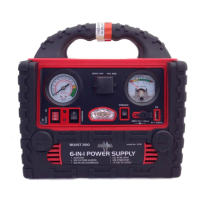
1. Turn the Main Booster Power Switch to ON position. The LED indicator located in the front panel will
illuminate BLUE indicating power is available in the Boost 200 system.
2. Prior to connecting the device to be powered by the USB port, make sure the USB power switch is
in OFF position. The power switch must be positioned in the middle.
3. Prior to plug in the device to the USB port, make sure the device power switch is OFF position.
4. Using the USB cable included with your electronic device to be powered or charged, connect the
USB plug into the USB port of Boost 200.
5. Connect the other end of the cable to the electronic device.
6. Press the USB port Power Switch to ON (—) position. The device with built in rechargeable battery
will start charging automatically. Turn ON the electronic device and use as normal after charging.
7. After using the USB port, the USB Power Switch must be turned to OFF (O) position, Otherwise the
internal battery of Boost 200 will be slowly depleted, although there is no electronic device attached
to the USB port.
8. Turn OFF the electronic device and disconnect the cable from the USB port.
9. Turn the Main Booster Power Switch to OFF position. The Blue LED power indicator will be turned
off indicating there will be no power available to the system.
VEHICLE JUMP START INSTRUCTIONS:
WARNINGS: Vehicles equipped with on-board computers may be damaged if the vehicle is jump
started. Read and understand your vehicle owner’s manual instructions before attempting to
jump-start your vehicle. Failure to follow these advisory instructions my result in explosion. Use
Safety Glasses to protect your eyes while working near battery during jump-staring a vehicle.
Jump start a vehicle in an open area without any type of obstructions.
CAUTIONS: Make certain that the Boost 200 Main Power Switch is in OFF position before
attempting to jump start a vehicle.
1. Turn off the vehicle ignition and all the accessories (Such as radios, lights, and air conditioners, etc).
2. Apply the emergency brake and put those vehicles with automatic transmission in park position.
3. Determine the polarity of the vehicle battery terminals. The positive (POS, +) battery terminal usually
is larger in diameter than the negative (NEG, -) terminal. If you are unsure, you must refer to the
vehicle owner’s manual.
4. Determine whether your vehicle designed with a negative or positive grounded system: In the
Negative Ground System, the negative battery terminal is grounded to chassis of the vehicle. Most
vehicles use this type of system. Positive Grounded battery terminal is grounded to chassis or any
other part of the vehicle. If you are not certain of this important information, YOU MUST REFER TO
VEHICLE OWNER’S MANUAL.
5. Remove clamps from the holders. Never allow clamps (positive & negative terminals) to touch
together or contact the same piece of metal to prevent short-circuits and arcing.
6. Follow the instructions for a Negative Grounded System or Positive Grounded System as indicated
below:
Negative Grounded System
I. Connect the RED CLAMP (positive +) to the positive terminal of the vehicle battery or the
remote positive terminal if available.
II. Connect the BLACK CLAMP (negative -) to the vehicle engine block, or a metal part of the
vehicle which is connected to the vehicle main ground system. Do not clamp directly to nega-
tive battery terminal, main fuel distribution module or sheet metal parts.
Model No. 2032
Sheet 6 of 9


 To Next Page