37
Boot Settings Configuration: See Below.
Item Selections /
Sub-menu
Description
Quick Boot Disabled
Enabled
[Enabled]: The system skips certain tests
while booting. This shortens the boot-up
time.
[Disabled]: The system performs full tests
while booting.
Quiet Boot Disabled
Enabled
When Enabled, the system will display
OEM logo instead of the POST messages.
When Disabled, the system will display
POST messages (i.e. devices information.)
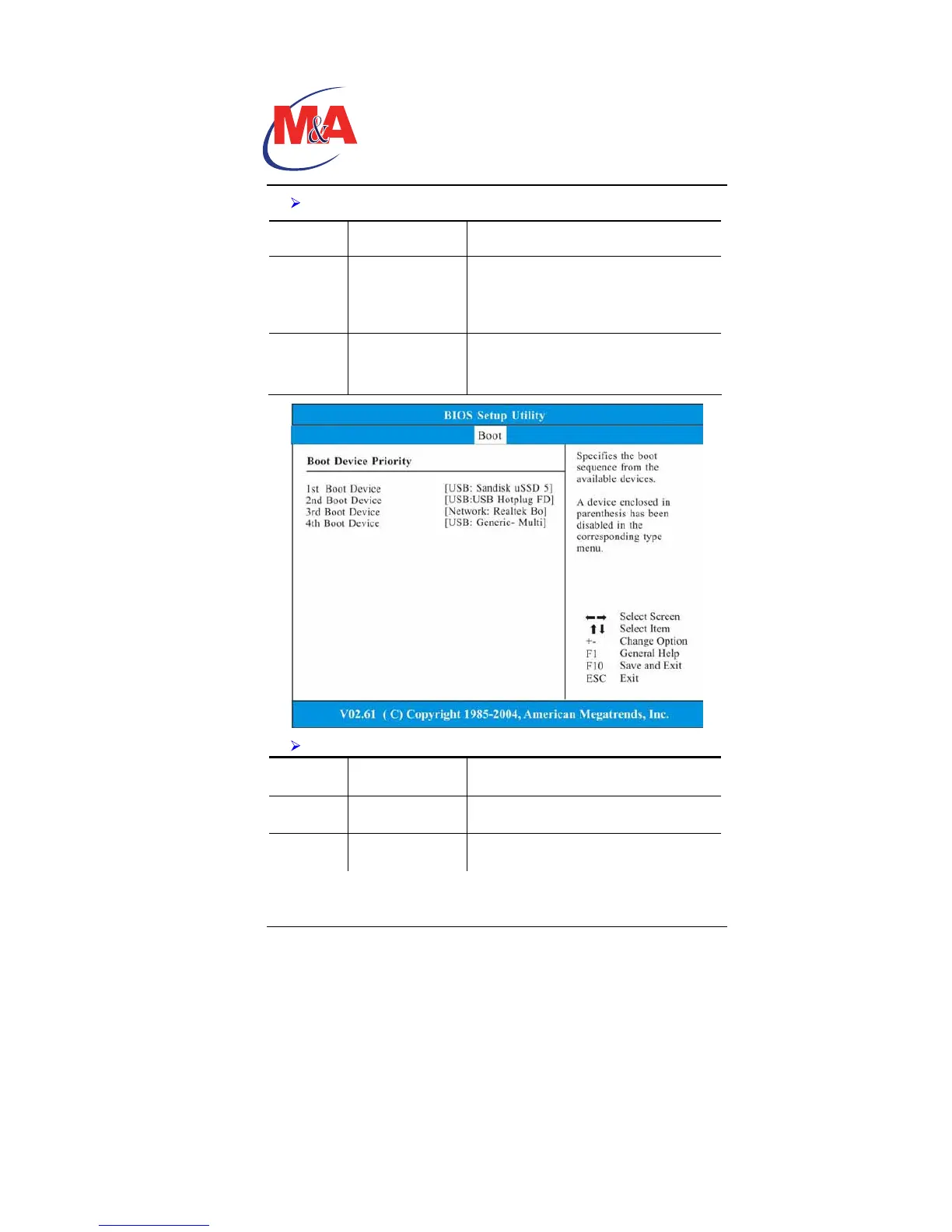
Boot Device Priority: See Below.
Item Selections/Sub-
menu
Description
1st Boot
Device
USB: Sandisk
uSSD 5
Set the type of device for the third drive
BIOS attempts to boot from.
2nd Boot
Device
USB: USB Hotplug
FD
Set the type of device for the third drive
BIOS attempts to boot from.
Technology
Companion PC


 To Next Page