38
3rd Boot
Device
Network: Realtek
Boot Agent
Set the type of device for the third drive
BIOS attempts to boot from.
4th Boot
Device
USB; Generic-
Multi
Set the type of device for the third drive
BIOS attempts to boot from.
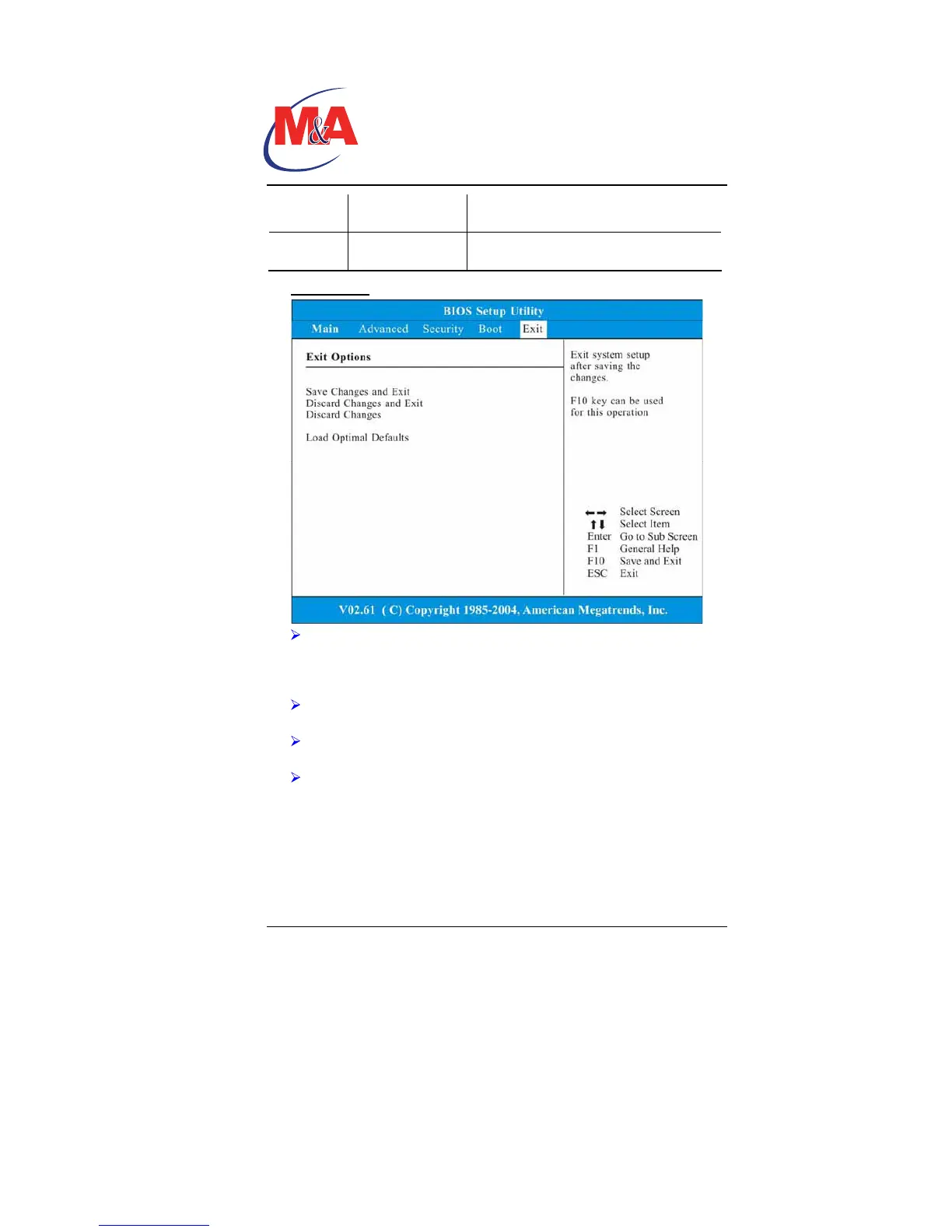
Exit Setup
Save Changes and Exit: After you have completed the BIOS
settings, select this item to save all settings, exit BIOS Setup
utility, and reboot. New system settings will take effect on next
power-up. F10 key can be used for this operation.
Discard Changes and Exit: Discards changes done so far to
any of the setup questions and exit.
Discard Changes: Discards changes done so far to any of the
setup questions.
Load Optimal Defaults: Load Optimal Default value for all the
setup questions. F9 key can be used for this operation.
Technology
Companion PC


 To Next Page