ITALIANO ENGLISH
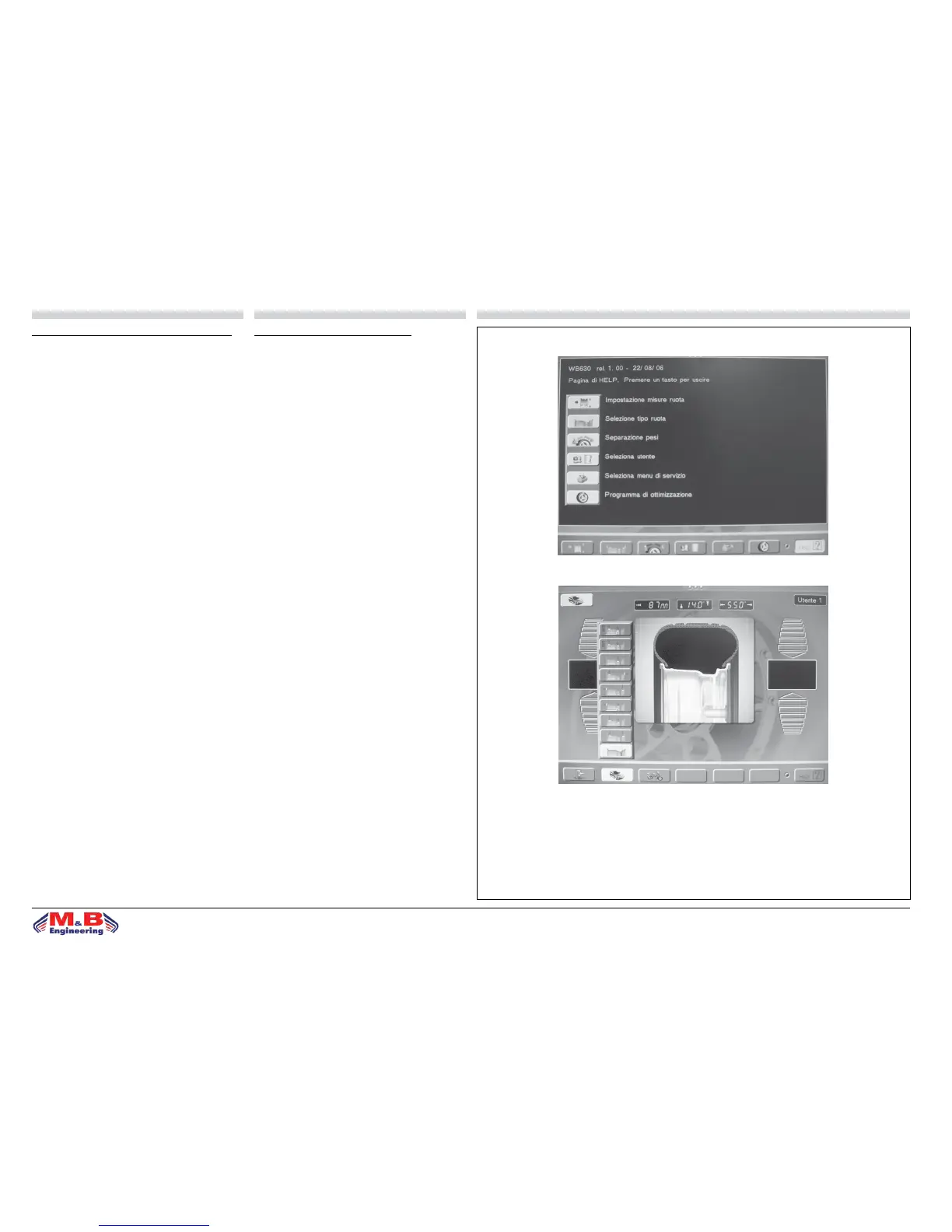
g.18d
SELEZIONE PROGRAMMA DI EQUILIBRATURA
L’impiego di diversi tipi di contrappesi per l’equilibratu-
ra dei vari tipi di cerchi (in acciaio o in lega leggera)
produce delle dierenze tra le misure nominali impostate
per la ruota da equilibrare e le misure eettive dei piani
di correzione. L’equilibratrice utilizza diversi programmi
di equilibratura per tenere conto di queste dierenze.
L’operatore deve impostare la modalità di funzionamen-
to desiderata in base al tipo di ruota da equilibrare, ai
contrappesi che intende utilizzare ed ai piani di corre-
zione prescelti. Scegliendo il tasto “Selezione tipo ruota”
si entra nella pagina di g.18e; scegliere il tipo di ruota
autovettura/motociclo/autocarro. Premendo il tasto OK si
accede in sequenza a tutti i diversi programmi di equili-
bratura disponibili che sono:
• equilibratura dinamica standard con pesi a clip (con
molletta).
• 5 programmi Alu per l’equilibratura dinamica con pesi
adesivi.
• 3 programmi di equilibratura statica (con pesi a molletta
o adesivi).
• 2 programmi Alu speciali per l’equilibratura dei pneu-
matici PAX Michelin con pesi adesivi e misure in mm. I
led del pannello comandi indicano la posizione dei con-
trappesi sul cerchio in base al programma di equilibratura
prescelto.All’accensione la macchina si congura automa-
ticamente in programma dinamica standard.
Tornare alla PAGINA PRINCIPALE tramite il tasto uscita.
SELECTING BALANCING PROGRAM
The use of various types of counterweights for balancing
the various types of rims (steel or light alloy) produces
dierences between nominal measurements set for the
wheel being balanced and the measurements of the re-
ference planes. The balancer uses various balancing pro-
grams to take account of these dierences. The operator
sets the operation mode desired on the basis of the type
of wheel to be balanced, the counter weights to be used
and the preselected reference planes. Press the “Wheel
type selection” to enter the page shown at g.18e; choose
a wheel type between automobile/motorcycle/van.
Press the OK key to access the various available balancing
programs, namely:
• standard dynamic balancing with clip weights.
• 5 Alu programs for dynamic balancing using adhesive
weights.
• 3 static balancing programs (with clip or adhesive wei-
ghts).
• 2 special Alu programs for PAX Michelin tyre balancing
with adhesive weights and mm measurements. The control
panel LEDs indicate the position of the weights on the
rim on the basis of the preselected balancing program.
On start-up the machine automatically congures on the
standard dynamic program.
Return to the MAIN PAGE through the exit key.
g.18e


 To Next Page