www.mc-techgroup.com CSS-VC-1.6 | 1.01.03 35
16.3 CONFIGURE BACKFLUSHING
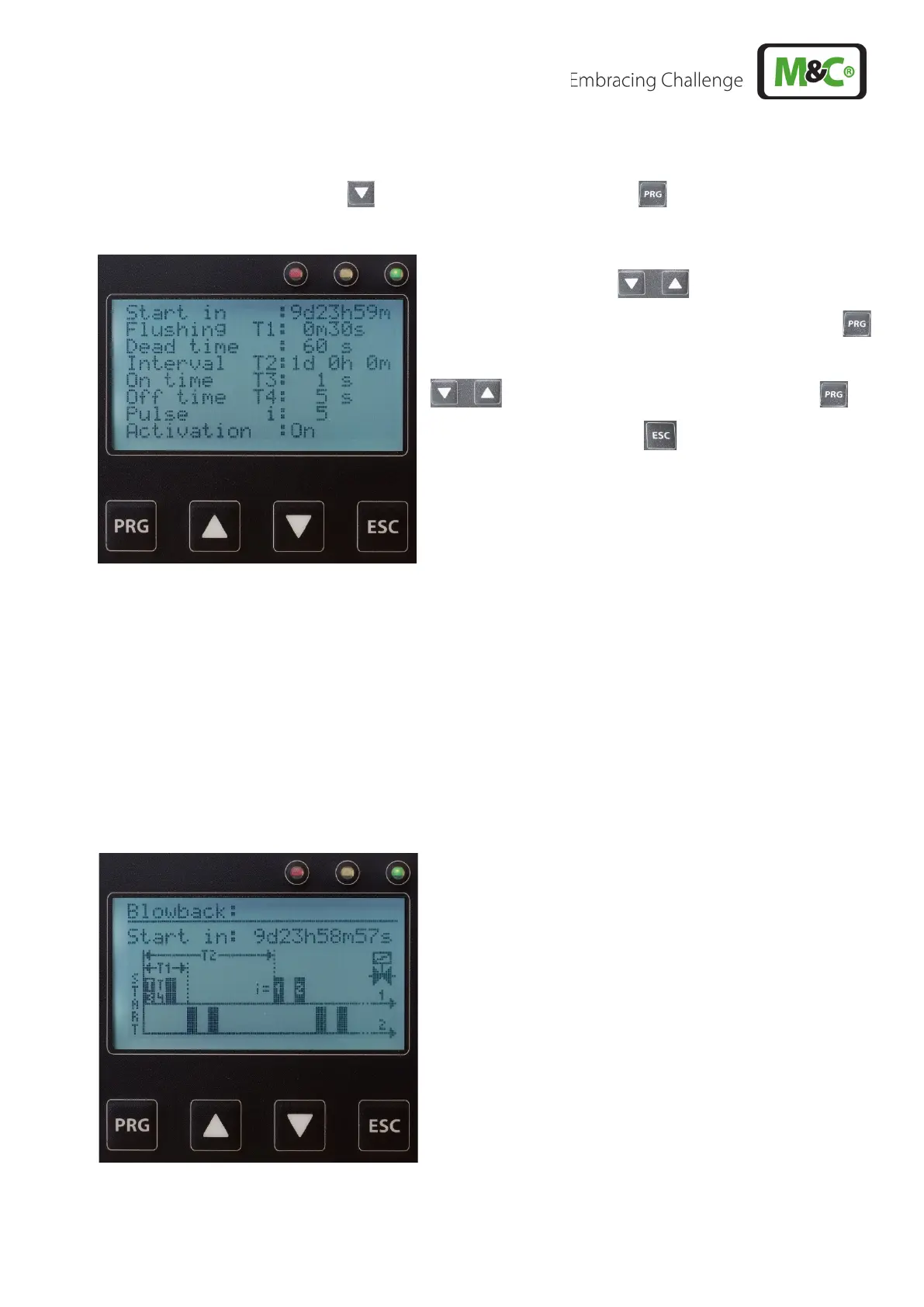
By 3 x pressing of the arrow key, then 1 x pressing of the PRG key, the following view appears
when the backflush module is connected:
Using the arrow keys, the parameters to be
changed can be selected. By pressing the PRG key,
the parameter can now be changed with the arrow keys
and then confirmed with the PRG key or
discarded with the ESC key .
Here the backflushing of gas sampling probes is determined:
Start in = specifies the time of the first backflushing.
Flushing time T1 = Duration of backflushing in a channel
Deadtime = Delay after the end of backflushing in channel 2 until the indication
shows "Measure" (changeover switch on the backflush module is switched)
Interval T2 = Period until the next backflush
On time T3 = Duration of a backflush pulse
Off time = Duration between backflush pulses
Pulse number i = Number of resulting backflush pulses (cannot be entered)
Activation = Backflush programme is to run (on) or not (off). When deactivating, "Start in" = 0
is set.
A programmed backflush runs always automatically after a
delay of T1 on two channels. Thus, for example 2 gas
sampling probes directly following one another or first the
internal probe (/ BB/F), and then the pre-filter (/ BB) are
backflushed. The dead time for channel 1 is therefore
always extended to T1.
If only one gas sampling probe is backflushed, T1 must be
added to the dead time or already represents sufficient
dead time, so that the value for the dead time can be set to
0.
This menu appears only when the communication module is connected in conjunction with the backflush
module (automatic detection).



 To Next Page