airo (battery version)
6
ME0082 issue 1
7
A
A
B
C
D
E
B
8
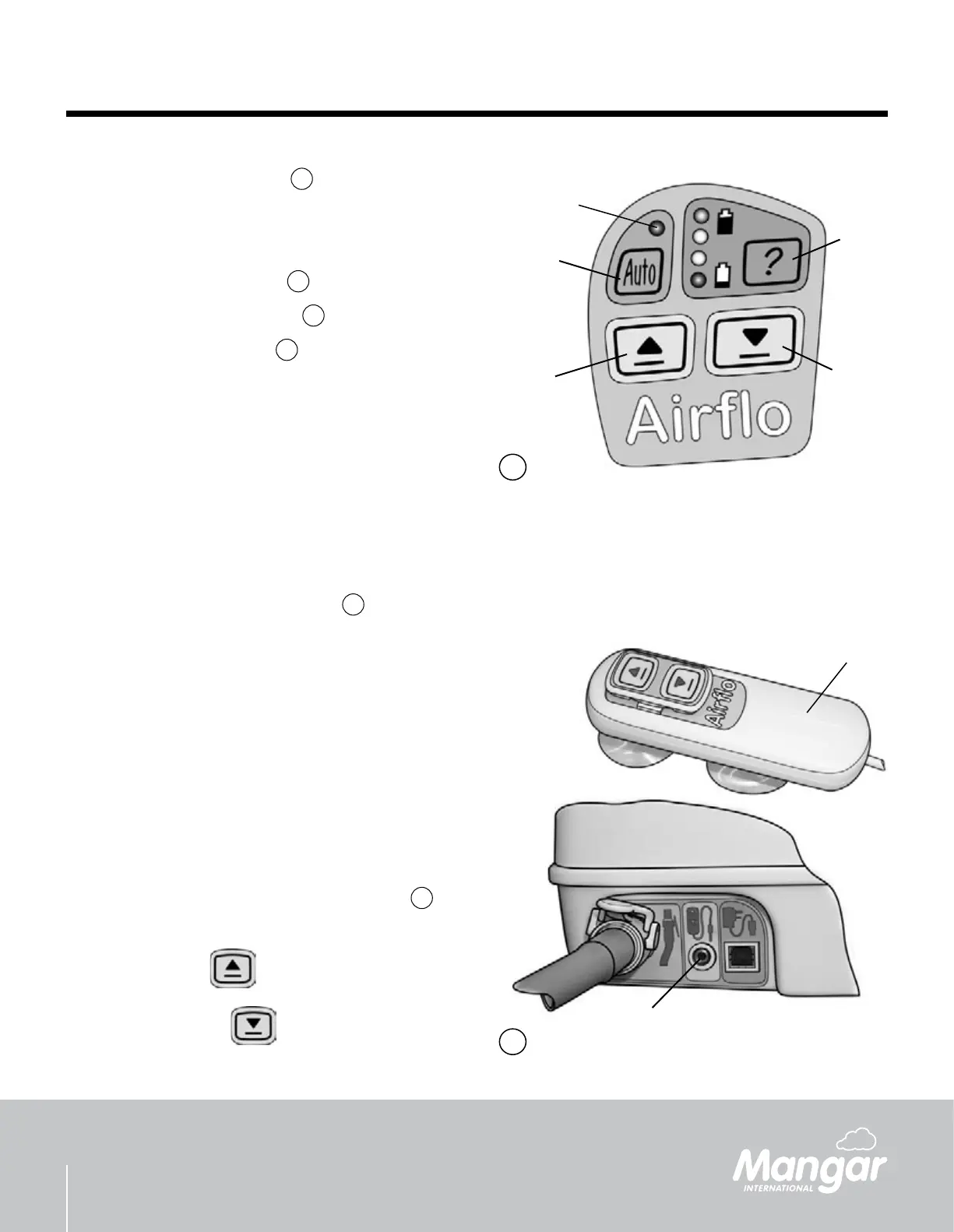
‘Auto’ Control Button - g.
7
The ‘Auto’ function is designed for use with the
range of Mangar International pneumatic hand
controls:-
Lever Hand Control - g.
9
CAMEL Hand Control - g.
10
ELK Hand Control - g.
10
To switch on, press and hold the ‘Auto’ button until
the light (A) comes on. The light will stay on while
the ‘Auto’ function is selected.
Pressing any of the built-in control buttons will
cancel the ‘Auto’ function.
When in ‘Auto’ mode, the internal microprocessor
carries out a battery voltage check each time air
is required and if the voltage becomes too low, the
‘Auto’ function will be cancelled automatically.
Locking the built-in buttons - g.
7
If desired, the built-in buttons can be locked to
prevent them from working.
Hold the battery indicator button (B) and then
the ‘deate’ button (C).
With buttons (B) and (C) held, press the
following buttons in sequence: ‘Auto’ (D), ‘Up’
(E), ‘Auto’ (D), ‘Up’ (E) - All within 3 seconds.
Conrmation that the buttons are locked will be
indicated by a double ash of all the lights.
To unlock the built-in buttons, repeat the locking
procedure.
Separate Push-Button Hand Control
- g.
8
Connect the hand control (A) to the socket (B).
Press the ‘Up’
button to raise.
Press the ‘Down’
button to lower.
•
•
•
•
•
•
•


 To Next Page