1.PRESET: To store preset 1 or 2, Press and hold the preset 1 or 2
buttons until the display shows the text ‘preset # stored’ . To store
preset 3-20, Press and hold preset button 3+,The display will shows
a list of the Preset stores numbered 1 to 20, these are displayed as
either ‘Empty’ or with the currently stored station name. Use the
/ button to choose a preset memory then press ‘Select’ to store
the currently-playing station. After confirming the preset station is
stored the display reverts to the Now playing screen.
Recall a station from the Preset list
To recall preset 1 or 2, Press preset button 1 or 2. This will play the
radio station stored in preset 1 or 2. To recall a preset 3-20. Press
preset button 3+.The display will show a list of the presets stored
number 1-20.Use the / button to choose a preset and press
‘Select’ to play that station.
2. press the MENU to show the MENU for the current mode. MENU:
Press again to show now playing screen.
3 press the BACK to return to the previous screen.. BACK:
4. SELECT/ VOLUME/MUTE/SNOOZE:
a. Turn on or back to standby mode (showing clock and Power:
date), or cancel sleep, or cancel alarm function.
b. Rotate the SELECT button to adjust the volume up or VOLUME:
down during playback.
c. Press the SELECT button to mute the music when MUTE:
playing.
d. Rotate the SELECT button scroll through a menu or SELECT:
station list. Press to the SELECT button to select the chosen option.
Press and hold Select button to auto scan DAB/FM stations.
e. Press the SELECT button to snooze a set time when SNOOZE:
alarm sounding.
5 SOURCE: , , Press to Source to select different modes DAB FM
Bluetooth.
6. View more information about the station or track playing. INFO:
Press again to cycle through further information screens then return
to the normal playing screen.
FULL SIDESHOW: Press and hold INFO button to switch DAB
normal playing screen image to full screen slide show image.
7. : Next: Press to select the next track under FM/DAB/
Bluetooth Mode; Press and hold the button 2 seconds to auto-
scan the stations under the FM mode.
8. : Press to select Play/Pause under BT mode.
9. : Previous: Press to select the previous track under FM/DAB
/Bluetooth mode.; Press and hold the button 2 seconds to
auto-scan the stations under the FM mode.
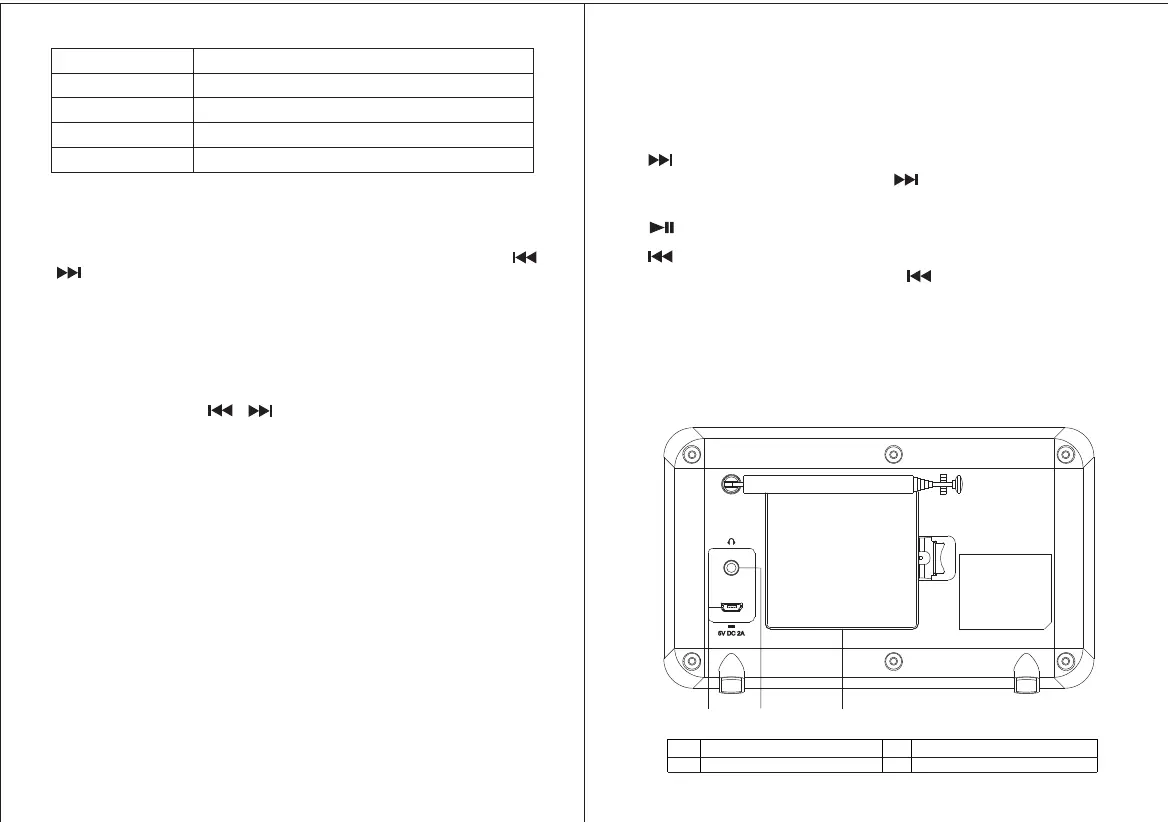
2.2 Connectors.
As shown below has connectors [ from left to right ] for
the following:
10
11
12
10 DC power in (5V) 12 Battery compartment.
11 Headphones out.
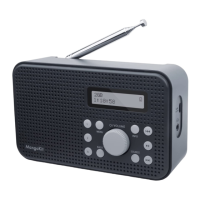
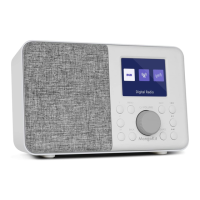
9. Previous
1. Preset 1,2,3+
7. Next
2. Menu
3. Back
6. Info
4. Power on/off&Volume&Select/Snooze/Mute
5. Source
8. Play/Pause
43


 To Next Page