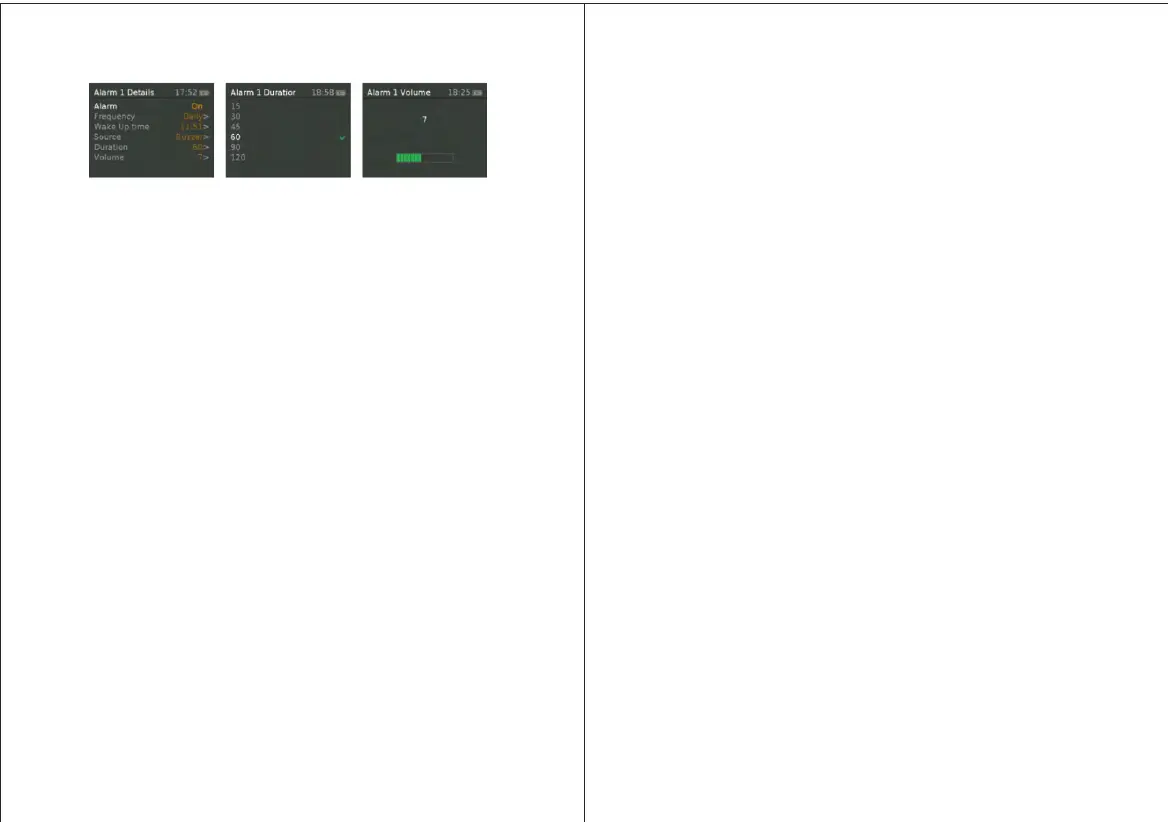
Choose the days on which the alarm is active .
Note: if you choose Once’ you are prompted to enter the required‘ ,
date.
Wake Up time – hours and minutes
Source - Buzzer Digital Radio FM | |
If DAB or FM is chosen as the audio source you will also be
prompted to select the Last played station.
Duration minutes– 15 | 30 | 45 | 60 | 90 | 120
If the alarm is not cancelled MD3 returns to standby after this time
period.
Volume – rotate the top control button to set the required alarm
volume 4-16.
This is the volume the alarm will build up to. (Initially the alarm
sounds at a low volume and gradually gets louder to the set volume).
In all listening modes active alarms are indicated by displaying the
relevant Alarm and or Alarm icons 1 / 2 .
At the set time the alarm will sound quietly at first then gradually , , ,
building up to the set volume When an alarm sounds the icon in the . ,
display flashes .
To cancel a sounding alarm and switch the radio to standby by
pushing in the SELECT knob.
7.2 Snooze
To temporarily silence a sounding alarm press Snooze You can , .
change the snooze period by repeatedly pressing Snooze .
Snooze periods are 5, 10, 15 and 30 minutes. The radio returns to
standby for the set time period with a snooze countdown displayed.
When the countdown reaches 0 (zero) the alarm is triggered again.
Push in SELECT knob and hold 3 seconds to fully cancel a sounding
alarm and switch the radio to standby.
7 Sleep.3
To set the sleep timer while the radio is playing Press > Menu
System setting>Sleep. You can choose the sleep delay time in
minutes from: Sleep Off | 15 |30 | 45 | 60 | 90.
Use SELECT knob to cycle through the options then PUSH in
SELECT knob to choose the displayed option.
Once you select a sleep delay period the display returns to ,
the Now playing screen displaying a Crescent moon icon and
the remaining time in minutes before the sleep time expires , , .
After the sleep delay period the radio switches to standby
mode.
8 System settings
The System Settings allow you to tailor the MD3 with a variety of
options to suit you.
To access system settings from any mode Select Menu >System
Settings >, then choose from the various options as described in the
menu as below.
The System Setting Menu options are :
• Sleep
• Alarm
• Equaliser
• / Time Date
• Backlight
• Language
• Factory Reset
• Software upgrade
• Software version
1211


 To Next Page