USER’S MANUAL
52
Key Stroke Action
KEY_RED Show move/copy menu
KEY_GREEN
If it is root directory, press this key shall
format the card to FAT32, If it is sub di-
rectory press it will rename the selected
item.
KEY_YELLOW
If it is root directory, press this key shall
format the card to NTFS , If it is sub direc-
tory press it will delete the selected item.
KEY_BLUE
If it is root directory, press this key shall
show device information, If it is sub direc-
tory press it will delete all items
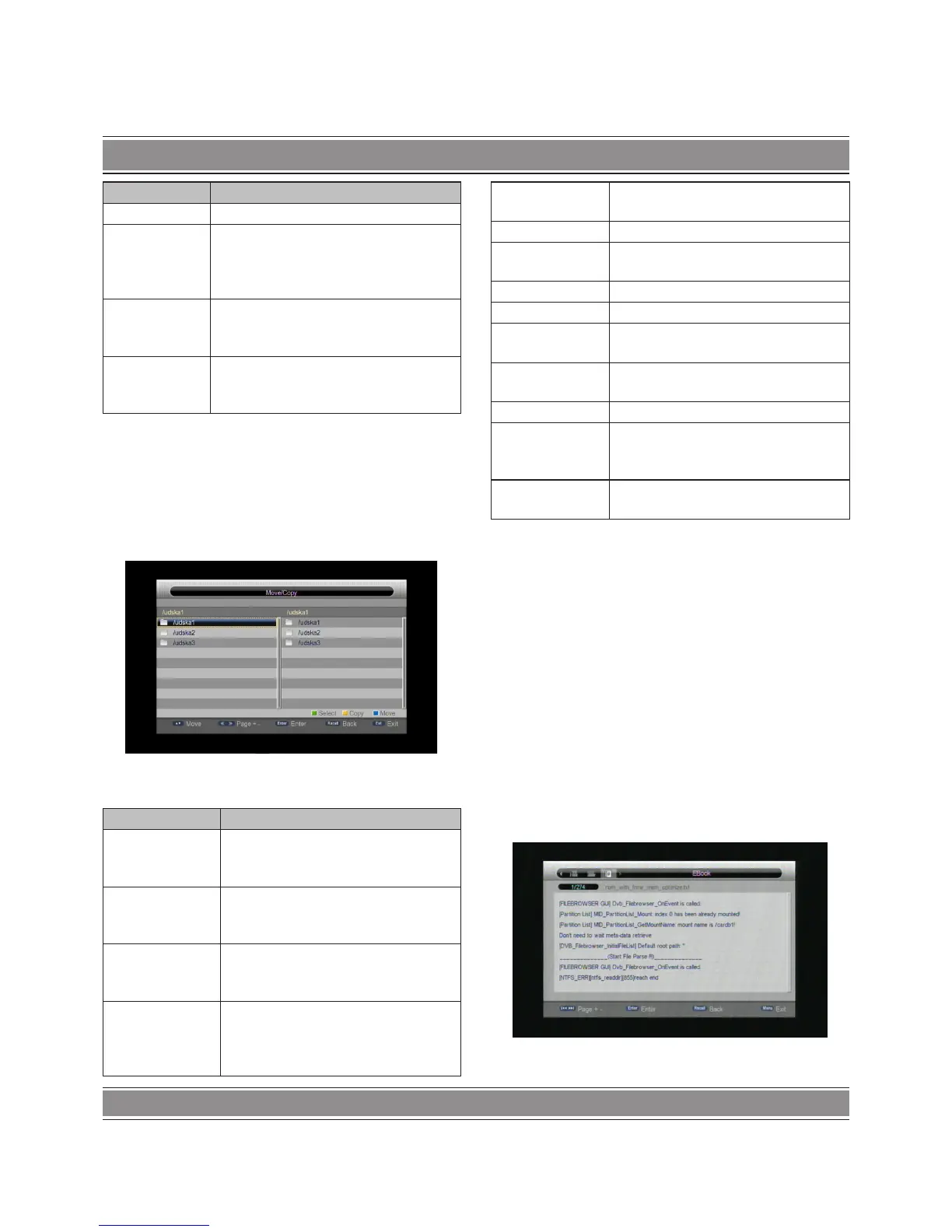
Move/Copy
The following menu is Move/copy menu. In this menu the
user can move file or folder from one side to other side. It also
can copy the content at one side to other side. At present, user
can move/copy each other between two sides.
The keys handled in this menu are shown in the following
table. Keys not mentioned in this table are ignored.
Key Stroke Action
KEY_UP
Shall highlight the previous Item in file
list. If Control reaches first item, it shall
highlight the last item in file list.
KEY_DOWN
Shall highlight the next Item in the file
list. If Control reaches last item, it shall
highlight the first item.
KEY_PAGEUP
It shall highlight the same Item of last
page, If item is not exist in last page, it
shall highlight the first item.
KEY_PAGEDOWN
Like the KEY_PAGEUP, But it shall
highlight the same Item of next page in
file list, If item is not exist in next page, it
shall highlight the last item.
KEY_LEFT
Change the highlight from one side to
other side.
KEY_RIGHT The same as KEY_LEFT.
KEY_OK
If current highlight item is a folder, press
KEY_OK shall OK into the folder.
KEY_RECALL Return to parent folder.
KEY_EXIT Return to disk manager menu.
KEY_GREEN
Select the highlight item and highlight
move to other side.
KEY_YELLOW
Copy the content of select item to other
side
KEY_BLUE Move the select item to other side
KEY_MENU
File browser menu disappear and show
main menu or main menu disappear
and show file browser again.
KEY_SOURCE
Shall return to the Multimedia “Home”
menu.
E-Book
E-Book browser
The menu of e-book is like file browser menu, the keys work
likes in file browser menu. But the four color keys have no fun-
ction. Other keys are same with the keys in other file browser
menus. For instance, KEY_UP/KEY_DOWN can move highlight
and KEY_OK to play selected e-book etc.
E-Book menu
The following menu is E-Book menu. In this menu the user can
read text file, the menu shall, except the content of current file,
also show the name of current file and total pages and current
page number.
The keys handled in this menu are shown in table below. Keys
not mentioned in this table are ignored.


 To Next Page