PC
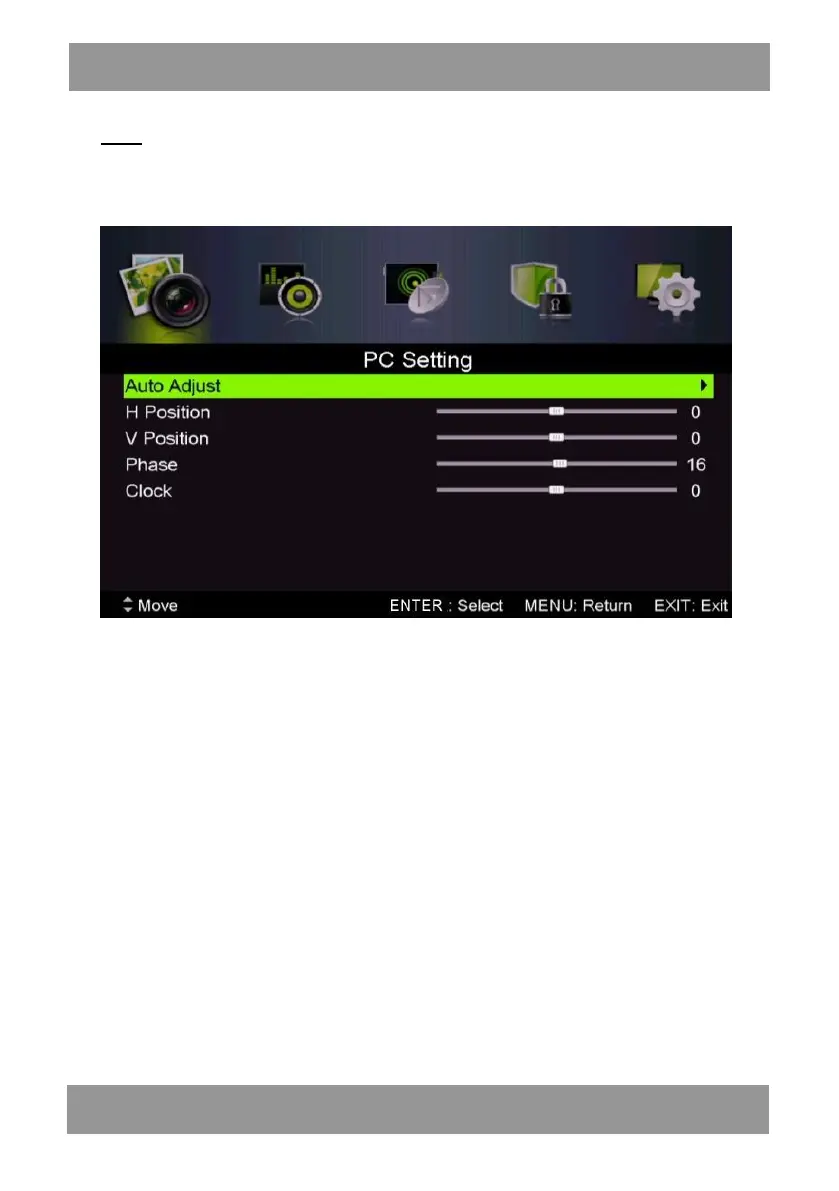
Press the “MENU” button to enter the OSD menu. Then press “/’’ button to select the
“PC Setting” menu. (Only available in PC mode).
1. Press “/” button to select “Auto Adjust” menu and press the “”button to auto
adjustment.
2. Press “/” button to select “H Position” and press the “/” button to adjust.
3. Press “/” button to select “V-Position” and press the “/” button to adjust.
4. Press “/” button to select “Phase” and press the “/” button to adjust.
5. Press “/” button to select “Clock” and press the “/” button to adjust.
ENLED1905



 To Next Page