USER’S MANUAL
20
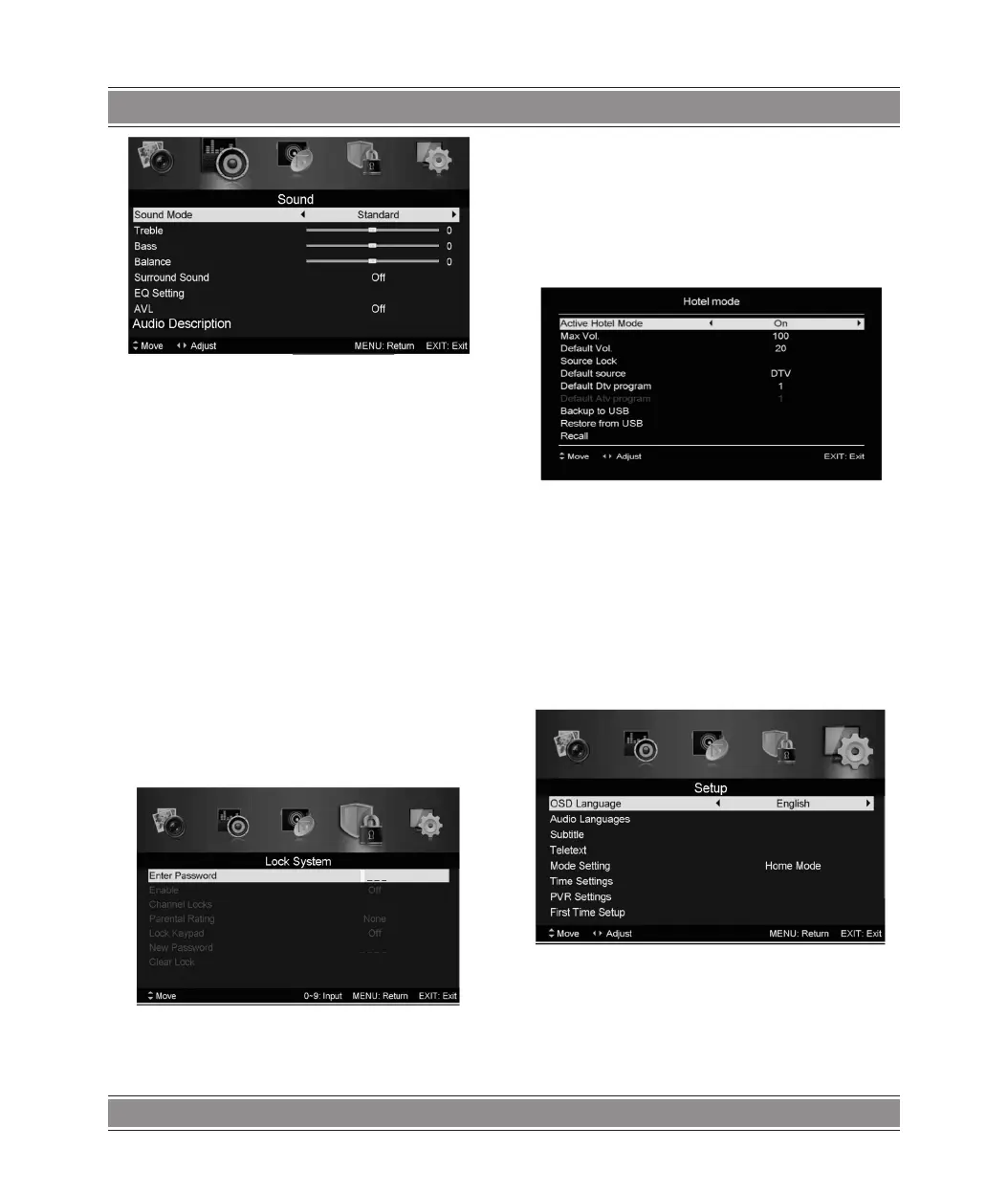
1. Press / button to select “Sound Mode” and press the
t / u button to select mode.
2. Press / button to select “Treble” and press the t /
u button to adjust.
3. Press / button to select “Bass” and press the t / u
button to adjust.
4. Press / button to select “Balance” and press the t /
u button to adjust.
5. Press / button to select “Surround sound’’and t / u
button to select“0N”or “OFF”.
6. Press / button to select “EQ Setting’’andt / u button
to enter EQ Setting adjustment menu to adjust EQ..
7. Press / button to select “AVL” and press the t / u
button to select “On” or “Off”.
Lock System
Press the “MENU” button to enter the OSD menu. Then press
t / u button to select the “Lock System” menu. The default
password is “0000”.
Note:
The administrator password is “8899’’.
1. Press / button to select “Enable’’and then press t /
u button to select “On” or “Off”
2. Press / button to select “channel locks” and press the
u button to select channels to lock .
3. Press / button to select “Parental Rating” and press
the t / u button to set.
4. Press / button to select “Lock Keypad”, then press
button to select “On” or “Off”, The key board will be invalid if
you set Lock Keypad “On”.
5. Press / button to select “Hotel Model” and press the
u button to enter the sub-menu to set.
5. Press / button to select “New Password” and set your
new password.
6.. Press / button to select“Clear Lock”and then press
the u button to clear.
Setup
Press the “MENU” button to enter the OSD menu. Then press
t / u button to select the “SETUP” menu.
1. Press / button to select “OSD Language” and press the
t / u button to select the OSD language which you desire.
2. Press / button to select “Audio Language” and press
the u button to enter the Audio language adjustment menu to
select the Audio language which you desire.
3. Press / button to select “Subtitle” and press the u
button to select “On” or “Off”.



 To Next Page