40
Channel
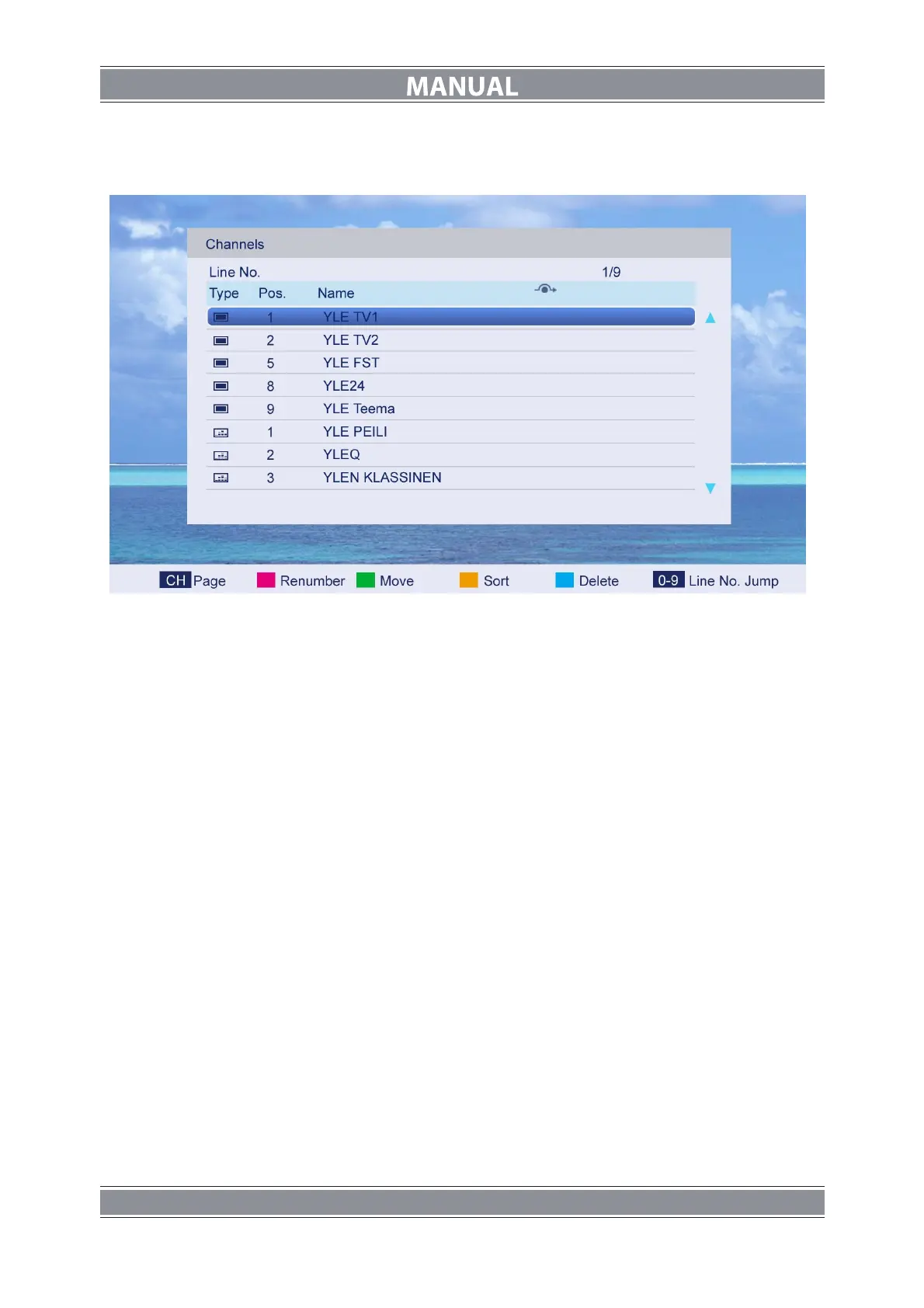
Press ▲/▼ button to select Channel, and then press ENTER button to play the channel
selected. The menu will appear as follows:
Key Description
:
CH button: Press CH+ or CH- to turn the page.
RED button: Press this button to modify the channel number.
GREEN button: Press this button to move down the channel.
YELLOW button: Press this button to the order to restore the default channel.
GREEN button: Press this button to delete the channel selected.
0-9 button: Press these buttons to jump to the appropriate channel by inputting different
channel number.



 To Next Page