41
Channel Options
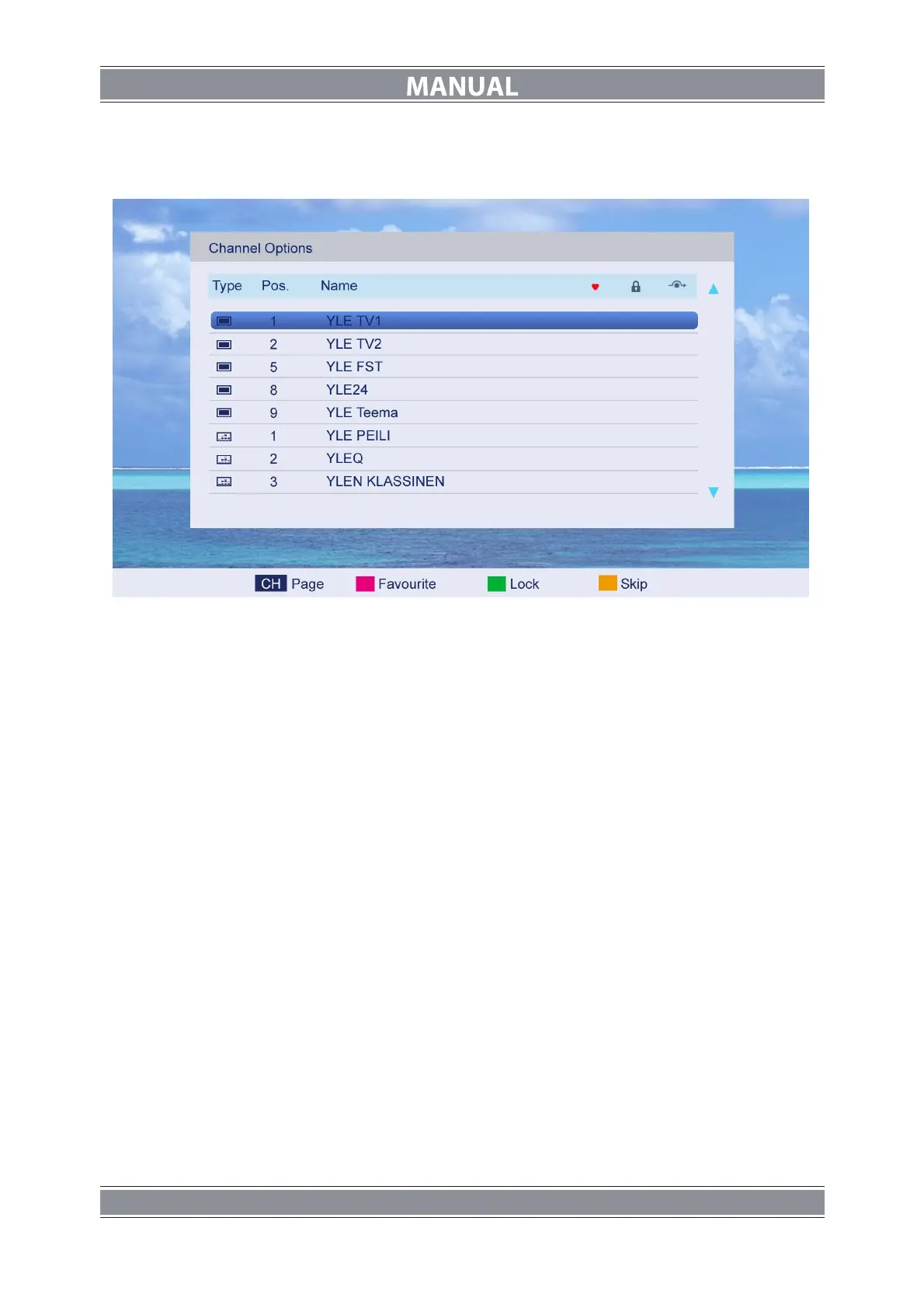
Press ▲/▼ button to select Channel Options, and then press ENTER button to the channel
List menu. The menu will appear as follows:
Key Description
:
CH button: Press CH+ or CH- to turn the page.
RED button: Press this button to set the favorites channels.
GREEN button: Press this button to lock the channel.
YELLOW button: Press this button to skip the channel, if the channels already skipped,
press YELLOW button again will cancel skip.
Country
Press ▲/▼ button to select Country, and then press ◄/►button to select which area you
stay.
DTV Type
Press ▲/▼ button to select DTV Type, then press ◄/► button to select.
(Available DTV Type: Cable, Terrestrial)
Auto Tuning
Press ▲/▼ button to select Auto Tuning, and then press ENTER button to enter
(When the System Lock is on, please input the PIN code to unlock).
Select to open the auto searching page, and press Enter button to start the scan.
ATV Manual Tuning
Press ▲/▼ button to select ATV Manual Tuning, and then press ENTER button to start the
scan.



 To Next Page