43
Menu Language
Press ▲/▼ button to select Menu Language, then press ENTER or ► button to enter the
sub menu, then press ▲/▼ button to select, then press ENTER or ► button to confirm.
Teletext Language
Press ▲/▼ button to select Teletext Language, then press ENTER or ► button to enter the
sub menu, then press ▲/▼ button to select, then press ENTER or ► button to confirm.
Key Lock
Press ▲/▼ button to select Key Lock, then press ENTER button to enter and press
◄/►button to select ON or OFF.
PC Settings
Press ▲/▼ button to select PC Settings, then press ENTER to enter the sub menu, Then
Press ► to enter, then press ENTER or ► to confirm. (When the PC signal is connected).
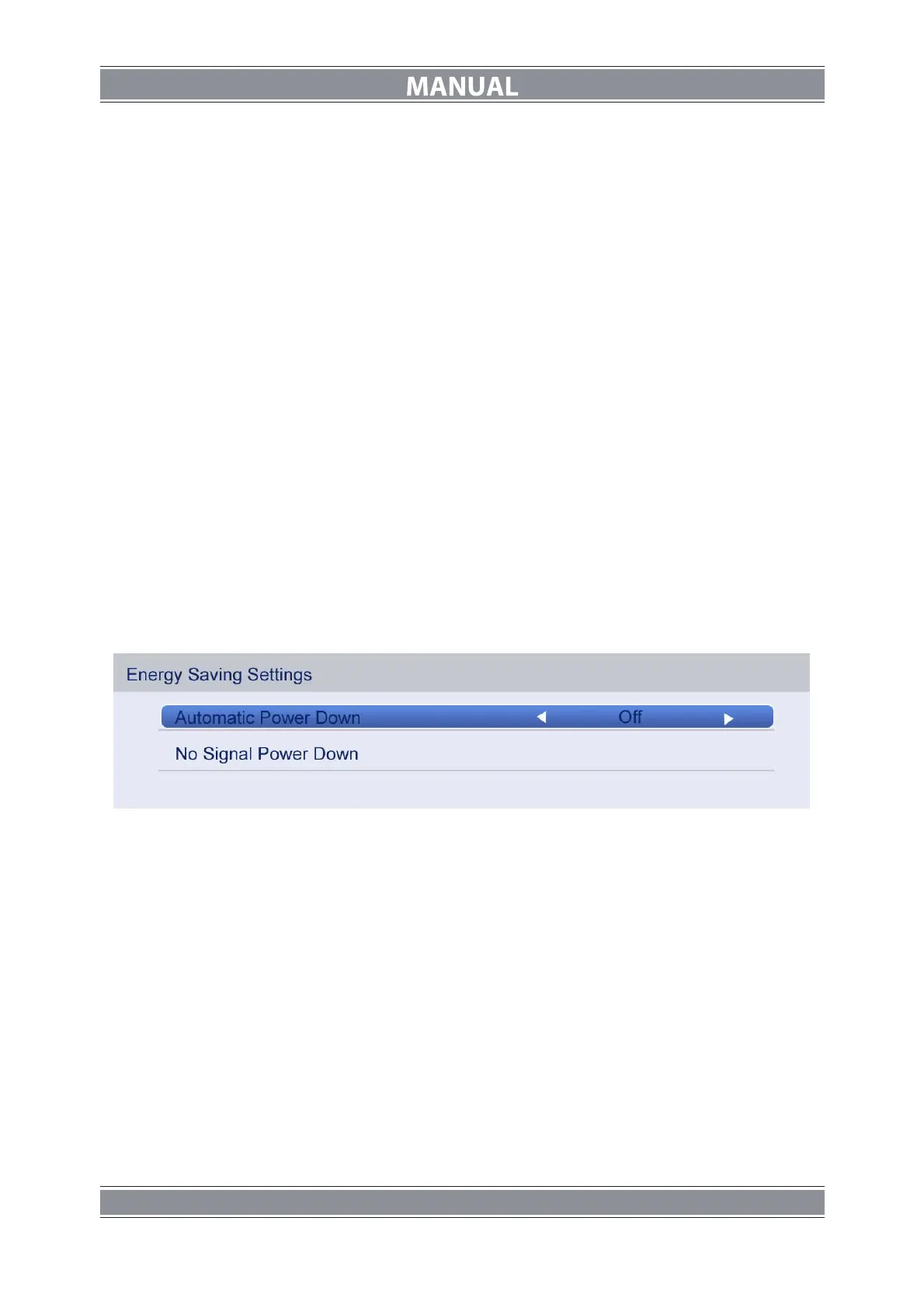
Energy Saving Settings
Press ▲/▼ button to select Energy Saving Settings, and then press ENTER to enter the
sub menu.
Automatic Power Down
Press ▲/▼ button to select Automatic Power Down and press ◄/► button to select ON or
OFF.
No Signal Power Down
Press ▲/▼ button to select No Signal Power Down and press Enter button to enter the sub
menu.



 To Next Page