o
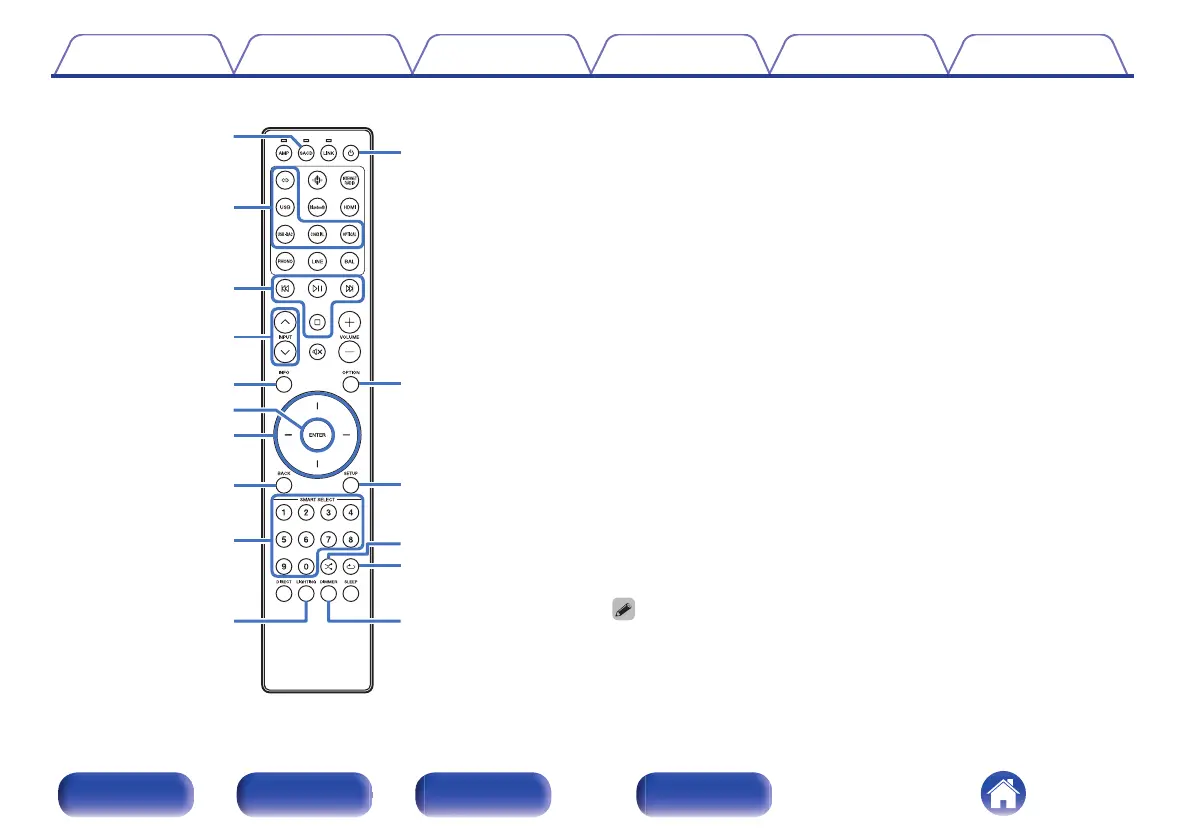
SACD player operations
A Marantz SACD player can be operated.
To operate SACD player, press SACD button to switch the remote
control to the SACD player operation mode.
A
Remote mode select button (SACD)
B
Input source select buttons
C
System buttons
D
INPUT buttons (ml)
E
Information button (INFO)
F
ENTER button
G
Cursor buttons
H
BACK button
I
Number buttons (0 – 9)
J
LIGHTING button
K
Power (X) button
L
OPTION button
M
SETUP button
N
Random button (s)
O
Repeat button (r)
P
DIMMER button
0
The remote control may not operate some products.
Contents Connections Playback Settings Tips Appendix
13
Front/Top
panel
Rear panel
Remote control
unit
Index



 To Next Page