EasyManua.ls Logo

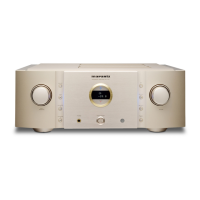
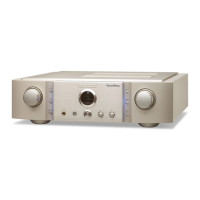
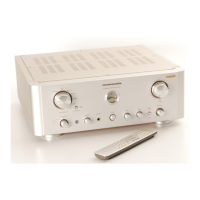
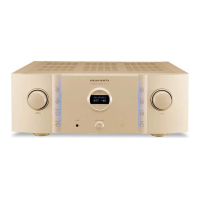
Marantz PM-10 - User Manual

Marantz PM-10
32 pages
Print Icon
To Next Page IconTo Next Page
Loading...
.
Model PM-10 Owner’s Manual
Integrated Amplifier
You can print more than one page of a PDF onto a single sheet of
paper.

Other manuals for Marantz PM-10

Questions and Answers

  • N
    Noah AndersonAug 14, 2025
    How to fix a Marantz Amplifier remote control that is not working?
    • C
      Cynthia SmithAug 14, 2025
      If your Marantz Amplifier's remote control isn't working, try these steps: Replace the batteries with new ones, ensuring they are inserted in the correct direction, checking the q and w marks. Operate the remote within 7 meters and at an angle within 30°. Finally, press the REMOTE MODE AMP button to set the remote control operating mode to 'AMP'.
  • T
    Tammy NorrisAug 17, 2025
    What to do if my Marantz Amplifier turns off and the standby indicator flashes red?
    • A
      alexandermatthewAug 17, 2025
      If your Marantz Amplifier power turns off and the STANDBY indicator flashes red approximately every 0.5 seconds, the protection circuit has been activated due to a rise in temperature within the unit. Turn the power off, wait about an hour for it to cool down, and then turn it on again.
  • G
    greernormanAug 21, 2025
    How to stop my Marantz PM-10 Amplifier from automatically turning off?
    • A
      Andrea JacobsAug 21, 2025
      To stop the power from automatically turning off on your Marantz Amplifier, disable Auto Standby mode by setting 'AUTO STBY' in the menu to 'OFF'.
  • D
    David LambAug 25, 2025
    Why does no sound come out of the speakers on my Marantz PM-10 Amplifier?
    • M
      Michelle BrownAug 25, 2025
      If no sound is coming from the speakers connected to your Marantz Amplifier, verify the connections for all devices. Ensure speaker cables are properly connected, with cable core wires contacting the metal part on speaker terminals, and that terminals are securely tightened. Select the correct input source, adjust the volume, and cancel any muting mode. Note that no sound will be output from the speakers when headphones are connected.
  • B
    Benjamin WestAug 27, 2025
    Why is the stereo sound reversed on my Marantz PM-10?
    • A
      Amy CollinsAug 27, 2025
      To resolve the issue of the left and right stereo sound being reversed on your Marantz Amplifier, check whether the left and right speakers are connected to the correct speaker terminals.
  • T
    todd84Aug 30, 2025
    Why is there a humming noise when playing a record on my Marantz PM-10 Amplifier?
    • S
      Summer ShepherdAug 30, 2025
      To address a humming noise coming from the speakers when playing a record on your Marantz Amplifier, ensure the turntable is connected correctly. If there is a TV or AV device near the turntable, these devices may be affecting the playback sound. Position the turntable as far away as possible from TVs or other AV devices.
  • T
    Tonya SchwartzSep 3, 2025
    Why does no sound come out of a specific speaker on my Marantz PM-10?
    • B
      bergerannSep 3, 2025
      If no sound is coming out of a specific speaker connected to your Marantz Amplifier, make sure the speaker cables are properly connected. Also, adjust the left and right channel balance.
  • M
    mcculloughjamesSep 6, 2025
    Why is the sound distorted when playing a record on my Marantz PM-10 Amplifier?
    • J
      Jessica RodriguezSep 6, 2025
      If the sound is distorted when playing a record on your Marantz Amplifier, adjust to a proper needle pressure. If the distortion persists, consider replacing the cartridge.
  • C
    Carl WhiteSep 9, 2025
    How to stop the humming noise when playing records loudly on my Marantz PM-10 Amplifier?
    • M
      Melody ReyesSep 9, 2025
      To prevent a humming noise (howling phenomenon) when playing a record at high volume on your Marantz Amplifier, install the turntable and speakers as far from each other as possible.

Summary

Features

High quality sound

Details advanced audio circuitry and components for superior sound reproduction.

High performance

Outlines features enhancing overall performance, including modes and connectivity.

Part names and functions

Connections

Connecting speakers

Guide on properly connecting speaker cables to the unit for optimal output.

F.C.B.S. connection

Setup for Floating Control Bus System for multi-unit linking.

Stereo bi-amp connection

Guide for setting up two units for a bi-amplified stereo system.

Playback

Settings

PUREST mode settings

Configuration for the PUREST mode to enhance sound quality.

PHONO equalizer settings

Adjusting the phono equalizer for different turntable cartridges.

Troubleshooting

Power issues

Solutions for power not turning on or unit automatically turning off.

Remote control operation issues

Troubleshooting steps for remote control malfunctions.

No sound from speakers

Resolving issues where no sound is output from the speakers.

Desired sound not produced

Troubleshooting steps when the desired sound output is not achieved.

Sound interruption or noise

Resolving issues with sound interruption or unwanted noise.

Error messages

Interpreting and resolving error messages displayed by the unit.

Specifications

Marantz PM-10 Specifications

General IconGeneral
TypeIntegrated Amplifier
Frequency Response5 Hz - 50 kHz
Total Harmonic Distortion0.005%
Dimensions440 x 168 x 453 mm
Weight21.5 kg
Damping Factor500
Available ColorsSilver, Black
Power Output200W per channel (8Ω)
Input Sensitivity220 mV / 22 kohm

Related product manuals