EasyManua.ls Logo

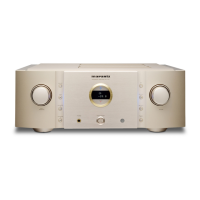
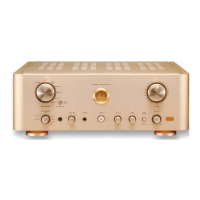
Marantz PM-11S3 - User Manual

Marantz PM-11S3
32 pages
Print Icon
To Next Page IconTo Next Page
Loading...
Integrated Amplifier
Model PM-11S3 Owners Manual

Other manuals for Marantz PM-11S3

Questions and Answers

  • T
    Todd Young DDSAug 13, 2025
    What to do if my Marantz PM-11S3 has power but no sound?
    • W
      Wendy GilbertAug 13, 2025
      If your Marantz Amplifier's power indicator is on but there's no sound, check if the speaker cables and input cables are securely connected. Ensure the correct input source is selected and the volume isn't set too low. Also, verify the speaker output switch is set to the ON position.
  • R
    Raymond ParkAug 16, 2025
    Why does my Marantz PM-11S3 Amplifier power off and flash red?
    • A
      Anthony ScottAug 16, 2025
      If your Marantz Amplifier suddenly turns off and the power indicator flashes red quickly, it could be due to using speakers with unsupported impedance or a short circuit in the speaker cables. Use speakers with the specified impedance. Unplug the power cord, twist the core wires together tightly or effect termination treatments, then reconnect.
  • N
    Nicholas PetersonAug 20, 2025
    Why does my Marantz PM-11S3 Amplifier keep turning off?
    • G
      garciajamesAug 20, 2025
      If your Marantz Amplifier shuts off and the power indicator flashes red slowly, it might be overheating. Switch off the power immediately and let the unit cool down. Reinstall the unit in a location with better ventilation.
  • H
    Hector DoughertyAug 25, 2025
    Why is my Marantz PM-11S3 remote control not working?
    • B
      brittney95Aug 25, 2025
      If the Marantz Amplifier's remote control isn't working, the batteries might be dead, so try replacing them. Ensure you're close enough to the unit and there's nothing blocking the signal. Also, make sure you're pressing the correct button and that the batteries are inserted with the correct polarity.
  • R
    reillysaraAug 27, 2025
    How to stop humming sound from Marantz PM-11S3 Amplifier when playing turntable?
    • M
      Michael ClarkAug 28, 2025
      If you hear a humming sound when playing a turntable with your Marantz Amplifier, ensure the player’s ground wire is securely connected. Also, check that the cables are fully connected to the PHONO terminals. Try moving the amplifier away from other devices like TVs or VCRs.
  • M
    Michael BarrettAug 31, 2025
    Why is the stereo sound reversed on my Marantz Amplifier?
    • B
      Beverly RyanAug 31, 2025
      If the stereo sound is reversed on your Marantz Amplifier, the speaker or input cable connections may be reversed. Check the connections to ensure the left speaker/input is connected to the left terminal and the right to the right.
  • B
    Brett KennedySep 4, 2025
    How to stop howling sound from Marantz PM-11S3 when playing turntable?
    • J
      Jeffrey HendersonSep 4, 2025
      If you experience howling when playing a turntable at high volume with your Marantz Amplifier, the player and speakers might be too close together. Install the player and speakers as far apart as possible. Use cushions to absorb the speakers’ vibrations.
  • A
    Andrew MartinezSep 7, 2025
    What to do if Marantz PM-11S3 sound is distorted when playing turntable?
    • J
      Jason WheelerSep 7, 2025
      If the sound is distorted when playing a turntable with your Marantz Amplifier, the needle pressure might be incorrect, the needle tip might be dirty, or the cartridge could be defective. Adjust to the proper needle pressure. Check the tip of the needle. Replace the cartridge.

Summary

Marantz PM-11 S3 Owners Manual

Integrated Amplifier Introduction

Introduces the Marantz PM-11S3 as an integrated amplifier.

Safety and Regulatory Information

General Safety Instructions

Essential safety guidelines for operating the audio equipment.

Electrical and Environmental Warnings

Warnings regarding electrical hazards, fire risks, and hot surfaces.

FCC Compliance for US Users

Details FCC compliance information for US customers.

Usage and Installation Advice

Operational Notes and Precautions

Provides important notes and precautions for daily use of the unit.

Installation Recommendations

Guidance on proper placement and ventilation for optimal performance.

Getting Started Guide

About This Manual

Details the manual's structure, symbols, and illustrations for user reference.

Handling and Remote Control

Care and Handling Guidelines

Instructions on proper handling, cleaning, and precautions for unit care.

Remote Control Operation

Information on inserting batteries and operating the remote control unit.

Product Features

Advanced Audio Technologies

Highlights key audio components like HDAM®SA3 and advanced amplifier designs.

System Control and Special Modes

Explains F.C.B.S. connectivity, Bi-Amp mode, and Power Amp Direct mode.

Part Identification

Front Panel Controls

Identifies and explains the functions of the front panel components.

Rear Panel Connections

Details the various input, output, and connection terminals on the rear panel.

Remote Control Operations

Amplifier Control Buttons

Explains the buttons on the remote control for amplifier operation.

CD Player Control Buttons

Details buttons on the remote control for CD player functions.

Basic Connections

Audio Cable Connections

Guide to selecting and connecting audio cables for various analog inputs.

Connecting Audio Source Devices

Instructions for connecting source devices like CD players and turntables.

Speaker Connections

Speaker Cable Installation

Step-by-step guide for securely connecting speaker cables.

Speaker Impedance and Protection

Information on speaker impedance compatibility and protection circuit activation.

Speaker Configuration Options

Standard Speaker Setup

Details on connecting speakers to SPEAKER A or B terminals.

Bi-wiring Connection Guide

Instructions for bi-wiring connections to improve sound quality.

Connecting Various Players

Turntable and SACD Player Connections

Guide for connecting turntables and SACD players, including ground wire advice.

BALANCED Jack Usage

Details the features and wiring of the XLR BALANCED input jacks.

Connecting Recorders and Power

Audio Recorder Connections

Instructions for connecting audio recorders to the unit.

Power Cord Connection

Guidance on securely connecting the power cord for optimal performance.

Basic Operation

Power On and Standby Modes

Instructions for turning the unit on, standby, and off.

Starting Audio Playback

Steps to select a source and begin audio playback.

Audio Adjustments

Channel Balance Adjustment

How to trim the volume level for left and right channels.

Tone Control (Bass & Treble)

Adjusting bass and treble frequencies using the tone controls.

Advanced Operation Features

Muting and Attenuation

Temporarily mutes the audio output and how to set attenuation levels.

Headphone and Illumination Settings

Guidance on using headphones and adjusting illumination settings.

Advanced Connections

F.C.B.S. System Setup

Details on linking multiple PM-11S3 units for synchronized control.

F.C.B.S. Connection Preparation

Steps and cable requirements for making F.C.B.S. connections.

F.C.B.S. ID Configuration

Setting F.C.B.S. ID Numbers

Procedure to assign ID numbers to units for F.C.B.S. operation.

Bi-Amp and Stereo Modes

Stereo Complete Bi-Amp Connection

Guide for connecting two units in stereo and bi-amp modes.

Multi-channel Audio Setup

5.1 Multi-channel Playback Connection

Instructions for setting up a 5.1 channel system using F.C.B.S.

Speaker Positioning for Multi-channel

ITU-R BS.775-1 Speaker Layout

Recommended speaker placement for optimal multi-channel audio experience.

Advanced Amplifier Modes

Using P.DIRECT IN

Using the unit as a power amplifier via P.DIRECT IN.

Using Pre Out Connectors

Using the unit as a preamplifier with an external power amplifier.

System Control and Auto Standby

Connecting Remote Control Systems

How to send control signals between Marantz components.

Setting Auto Standby Mode

Configuring the unit to automatically enter standby mode when inactive.

Glossary of Terms

Cartridge and Speaker Definitions

Explanation of MM/MC cartridge types and speaker impedance.

Connection and Circuitry Terms

Definitions of bi-wiring connection and protection circuit.

Troubleshooting: Errors and Connections

F.C.B.S. Error Messages

Table of error indications and their meanings for F.C.B.S. connections.

Troubleshooting Connection Issues

Troubleshooting common issues related to connections and operation.

Troubleshooting: Sound and Remote Issues

Resolving Sound Problems

Solutions for reversed sound, humming, howling, and distorted audio.

Remote Control Troubleshooting

Troubleshooting steps for when the remote control is not working.

Product Specifications

Power and Frequency Specifications

Technical specifications for power output, harmonic distortion, and bandwidth.

Input, Output, and Sensitivity Specs

Specifications for input sensitivity, impedance, and output levels.

Tone Control and Power Requirements

Details on tone control ranges and power consumption.

Physical Dimensions and Weight

Unit Dimensions (Inches;mm)

Provides physical dimensions of the unit in inches and millimeters.

Product Weight (lbs;kg)

Specifies the weight of the unit in pounds and kilograms.

Marantz Canada Warranty

Canadian Warranty Coverage and Service

Details what is covered and not covered by the warranty in Canada.

Warranty Limitations and Exclusions

Information on obtaining service and warranty limitations.

Canadian Warranty Terms

Warranty Terms and Conditions

Explains warranty coverage, enforcement, and payment for services.

Implied Warranties and Damage Exclusions

Discusses limitations on implied warranties and exclusion of damages.

Marantz USA Warranty

US Warranty Coverage and Service

Details warranty coverage, how to get service in the USA, and limitations.

Marantz PM-11S3 Specifications

General IconGeneral
Damping factor100
Amplifier class-
Frequency range5 - 100000 Hz
Input sensitivity240 mV
Audio output channels2.0 channels
Peak power per channel200 W
Signal-to-Noise Ratio (SNR)96 dB
Total Harmonic Distortion (THD)0.01 %
Dynamic power per channel (8 Ohm)100 W
XLR inYes
Headphone outputs1
Line inputs (RCA)2
Headphone connectivity6.3 mm
Speakers connectivity typeClamp terminals
MaterialMetal
Cooling typePassive
Product colorBlack, Gold
Volume controlRotary
Connectivity technologyWired
Power consumption (standby)0.3 W
Power consumption (typical)300 W
Weight and Dimensions IconWeight and Dimensions
Depth449 mm
Width440 mm
Height168 mm
Weight27000 g

Related product manuals