H
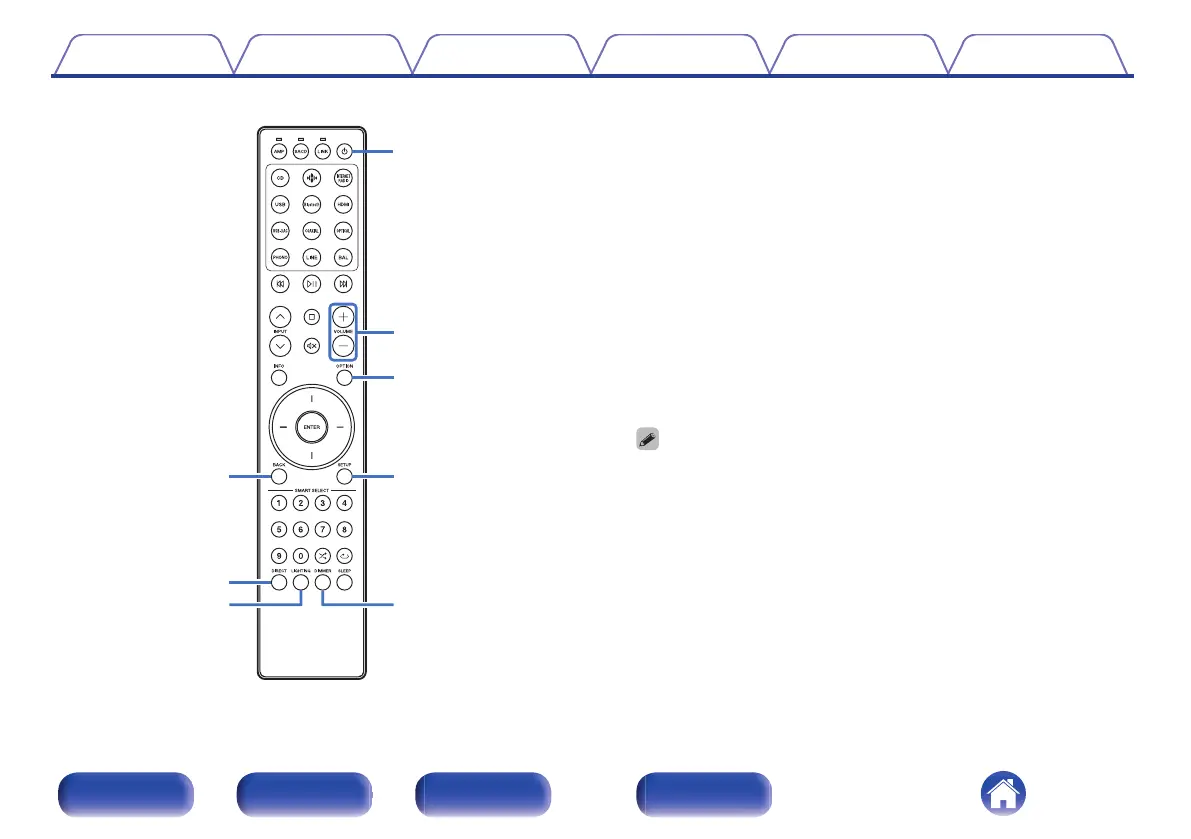
BACK button
Returns to the previous item.
I
DIRECT button
This turns source direct mode on/off. (v p. 44)
J
LIGHTING button
This turns the front panel illumination, interior illumination and display
on/off. (v p. 45)
K
Power (X) button
This turns the power on/off (standby). (v p. 40)
L
VOLUME buttons (no)
These adjust the volume level. (v p. 41)
M
OPTION button
This displays the option menu on the display.
0
“Adjusting the tone and balance” (v p. 42)
0
An option menu is not displayed when the input sources are “Power Amp
Balanced” and “Power Amp Unbalanced”.
N
SETUP button
The setting menu is displayed on the display. (v p. 48)
O
DIMMER button
Adjust the display brightness of this unit. (v p. 44)
Contents
Connections Playback Settings Tips Appendix
12
Front/Top
panel
Rear panel
Remote control
unit
Index



 To Next Page