o
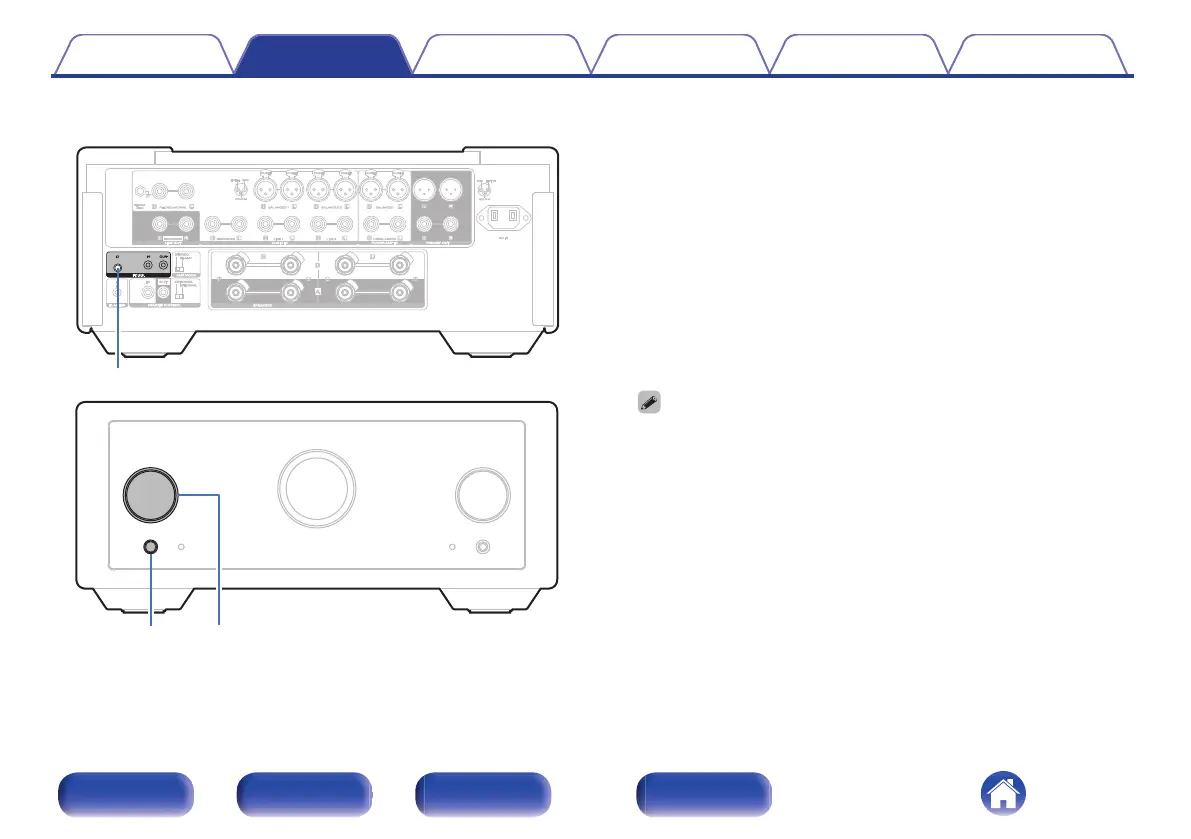
How to set ID for F.C.B.S.
1
While holding F.C.B.S. ID on the rear panel, press X.
2
Turn the INPUT knob on the main unit to select an ID.
0
The IDs need to be set to an operating unit (Leader) and a
subordinate unit (Member 1 - 3) receiving the command from the
leader.
3
Press F.C.B.S. ID on the rear panel to confirm the
selected ID.
After showing the ID on the display for about 3 seconds, the unit will
automatically restart.
0
If set to “Member 1”, “Member 2” or “Member 3”, the ID set on the
normal screen is displayed.
0
If using this unit by itself as a stereo amplifier, set the ID to “Off”. (Default
setting is “Off”.)
0
If the ID is set to other than “Off”, this unit cannot be used for standalone
operation.
Contents
Connections Playback Settings Tips Appendix
28
Front/Top
panel
Rear panel
Remote control
unit
Index



 To Next Page