D
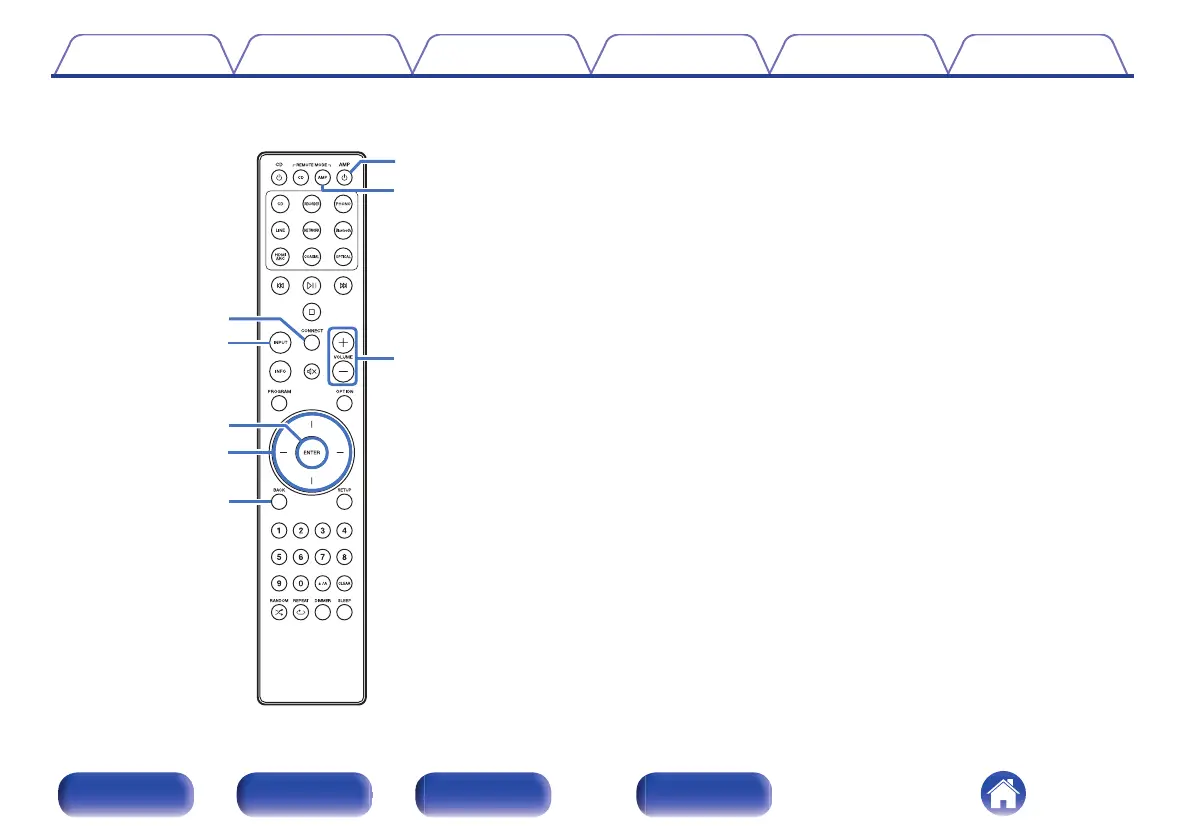
CONNECT button
Used for Wi-Fi setup. (v p. 74)
E
Input source select button (INPUT)
This switches input sources. (v p. 35)
F
ENTER button
This determines the selection.
G
Cursor buttons
These select items.
H
BACK button
Returns to the previous item.
I
Power on/standby button (AMP X)
This turns the power on/off (standby). (v p. 34)
J
Remote mode select button
(REMOTE MODE AMP)
Switches the remote control operating mode to this unit.
K
VOLUME buttons (no)
These adjust the volume level. (v p. 35)
Contents
Connections Playback Settings Tips Appendix
15
Front panel Rear panel
Remote control
unit
Index


 To Next Page