I want to switch the filter to change the desired sound quality
0
Switch the filter characteristics. (v p. 66)
I want to turn the display off
0
Press the DIMMER button to turn the display off. (v p. 61)
I want to turn the lighting LED off
0
Change the “Lighting” setting to “Off”. (v p. 69)
Simple operations in the power off state
0
Press the p button to automatically turn the unit’s power supply on and start playback of the last selected input source.
0
When the “Network Control” function is set to “On”, you can perform playback, or other operations through AirPlay or HEOS App. (v p. 72)
I want the volume not to become too loud by mistake
0
Set the volume upper limit for “Volume Limit” in the menu beforehand. This prevents children or others from increasing the volume too much by mistake.
(v p. 67)
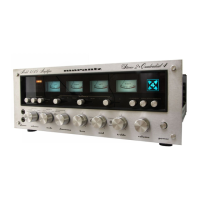
I want to operate a Marantz CD player with this unit’s remote control
0
Marantz CD players can be operated with this unit’s remote control. Refer to the instruction manual of the CD player too. (v p. 17)
I want to use this unit as a power amplifier
0
Connect a pre-amplifier to the POWER AMP IN connectors of this unit and switch the input source to “PWR AMP”. (v p. 30)
I want to prevent this unit from going into standby by linking to the power off operation of an HDMI connected TV
0
Change the “HDMI Power Off Control” setting to “Off”. (v p. 68)
Contents
Connections Playback Settings Tips Appendix
77
Front panel Rear panel
Remote control
unit
Index


 To Next Page