- 30 -
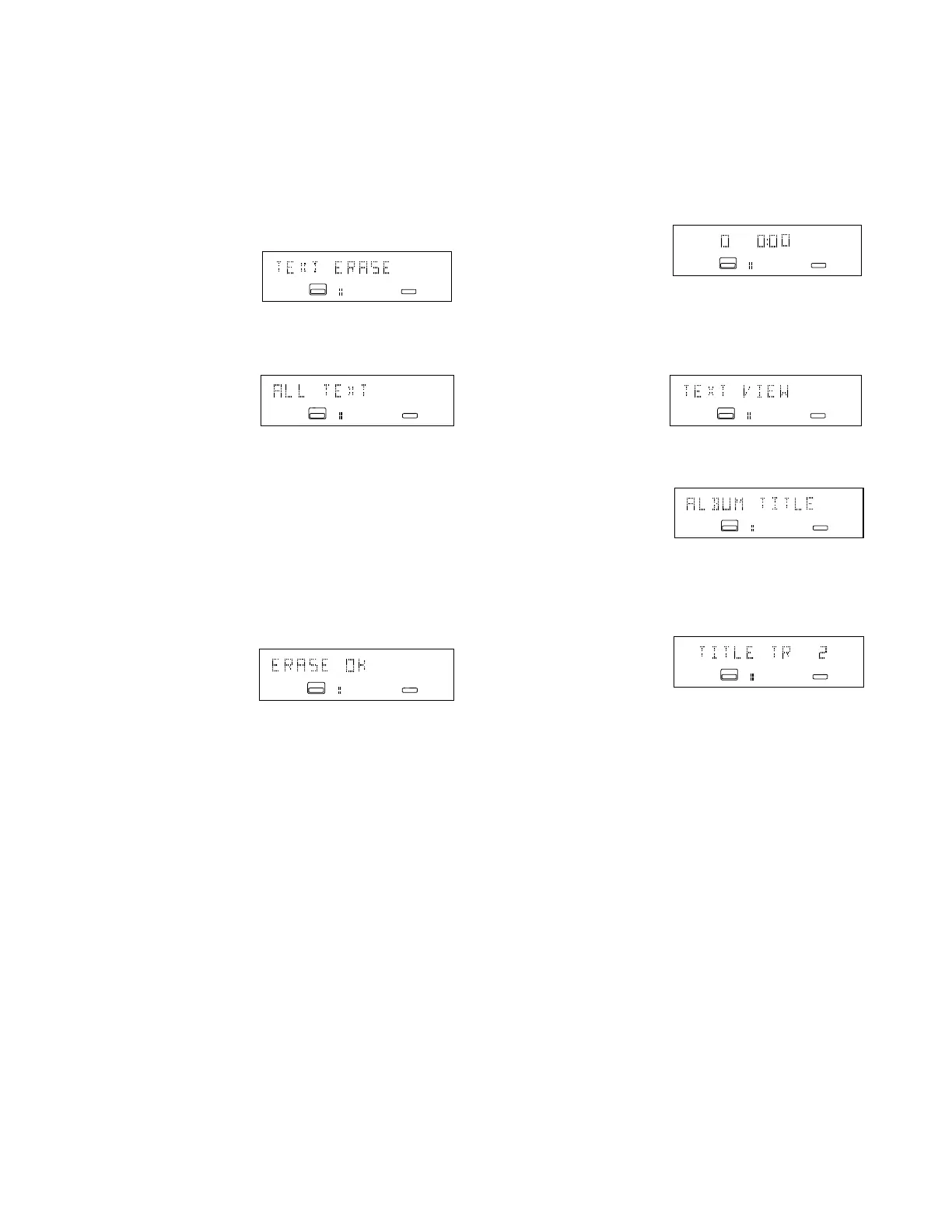
TEXT ERASE (How to erase CD Text)
1. With the CDR drive selected and an unfinal-
ized CD that includes CD Text detected in the
CDR drive, push and release the MENU/
STORE button.
2. Turn the REC LEVEL/SELECT control so
TEXT ERASE is displayed.
L
R
ANALOG
CD - R
CD
L
R
ANALOG
CD - R
CD
L
R
ANALOG
CD - R
CD
3. Push and release the REC LEVEL/SELECT
control. ALL TEXT is displayed.
4. Turn the REC LEVEL/SELECT control to tab
through ALL TEXT, ALBUM TITLE, TITLE
TRACK 1, TITLE TRACK 2, . . . and back to
ALL TEXT.
5. When the display indicates your desired
choice for erasing, push and release the REC
LEVEL / SELECT control. The text to be
erased will be displayed, then ERASE OK will
be displayed.
6. Push and release the REC LEVEL/SELECT
control to erase, or the CANCL/DELETE
button to abort the erasure.
L
R
ANALOG
TOTAL
CD - R
CD
push and release the MENU/STORE button.
2. Turn the REC LEVEL/SELECT control so
TEXT VIEW is displayed.
L
R
ANALOG
CD - R
CD
4. Turn the REC LEVEL/SELECT control to tab
through ALBUM TITLE, TITLE TR 1, TITLE
TR 2, . . . until the title you want to review is
displayed.
5. Push and release the REC LEVEL/SELECT
control to display the title. A long title will scroll
across the display.
6. When done, turn the REC LEVEL/SELECT
control to switch to other menu items or press
and release the CANCL/DELETE button to exit
menu mode.
L
R
ANALOG
CD - R
CD
21
TEXT VIEW (How to review CD Text)
TEXT VIEW lets you review the CD Text in
memory.
1. With the CDR drive selected and an unfinal-
ized CD that includes CD Text detected in
the CDR drive:
3. Push and release the REC LEVEL/SELECT
control. ALBUM TITLE is displayed.
L
RANALOG
CD - R
CD


 To Next Page