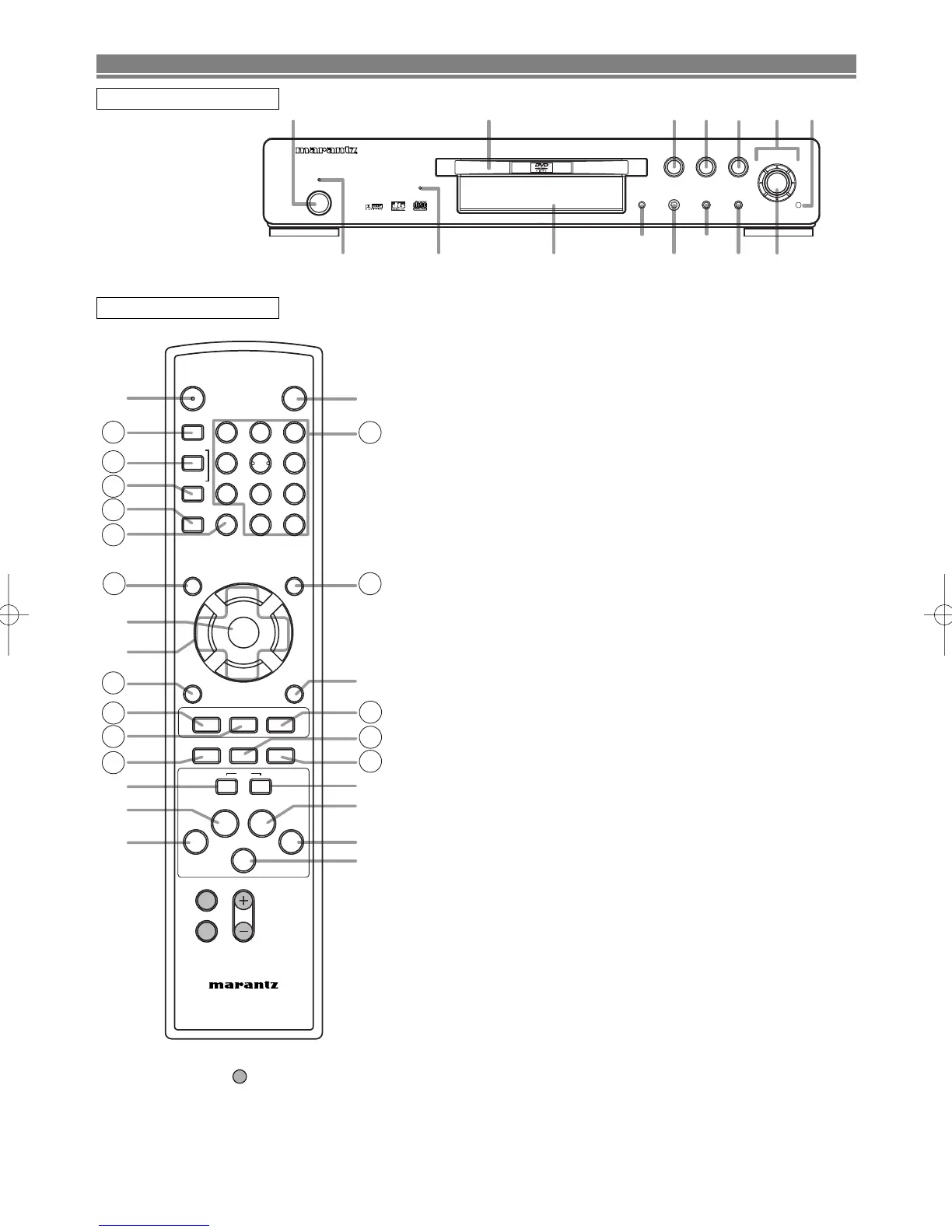
FUNCTIONAL OVERVIEW
1. POWER (POWER ON / STANDBY) Button [page 15]
2. Disc loading tray
3. PLAY Button [page 15]
4. STOP Button [page 15]
5. PAUSE Button [page 15]
6. Cursor Buttons [page 15]
Use when making settings while watching the display on
a TV screen.
7.
MENU Button [page 15]
8. ENTER Button [page 15]
9. G (SKIP) Button [page 17]
Plays back from the beginning of the next chapter or
track. Hold down to fast forward playback.
10. g (FWD) Button [page 16]
11. H (SKIP) Button [page 17]
Plays back from the beginning of the current chapter or
track. Hold down to fast reverse playback.
12. h (REV) Button [page 16]
13. OPEN/CLOSE Button [page 15]
14. FL OFF Button [page 15]
15. Panel Display, Remote Sensor Window
16. SEARCH MODE Button [page 17]
17. A-B REPEAT Button [page 18]
18. REPEAT Button [page 17]
19. RANDOM Button [pages 18, 20]
20. CLEAR Button [page 17]
21. SETUP Button [page 23]
22. RETURN Button [page 15]
23. ANGLE Button [page 21]
Press to change the camera angle to see the sequence
being played back from a different angle.
24. SUBTITLE Button [page 21]
Press to select a desired subtitle language.
25. AUDIO Button [page 21]
Press to select a desired audio language or sound mode.
26. ZOOM Button [page 16]
27. DISPLAY Button [page 20]
28. MODE Button [pages 18, 20]
29. TOP MENU Button [page 15]
30. Numeric Buttons [page 17]
31. FL OFF Indicator
This indicator lights when the FL OFF mode is activated.
32. STANDBY Indicator
This indicator lights when the DVD player turns off.
FRONT PANEL
REMOTE CONTROL



 To Next Page