8
ENGLISH
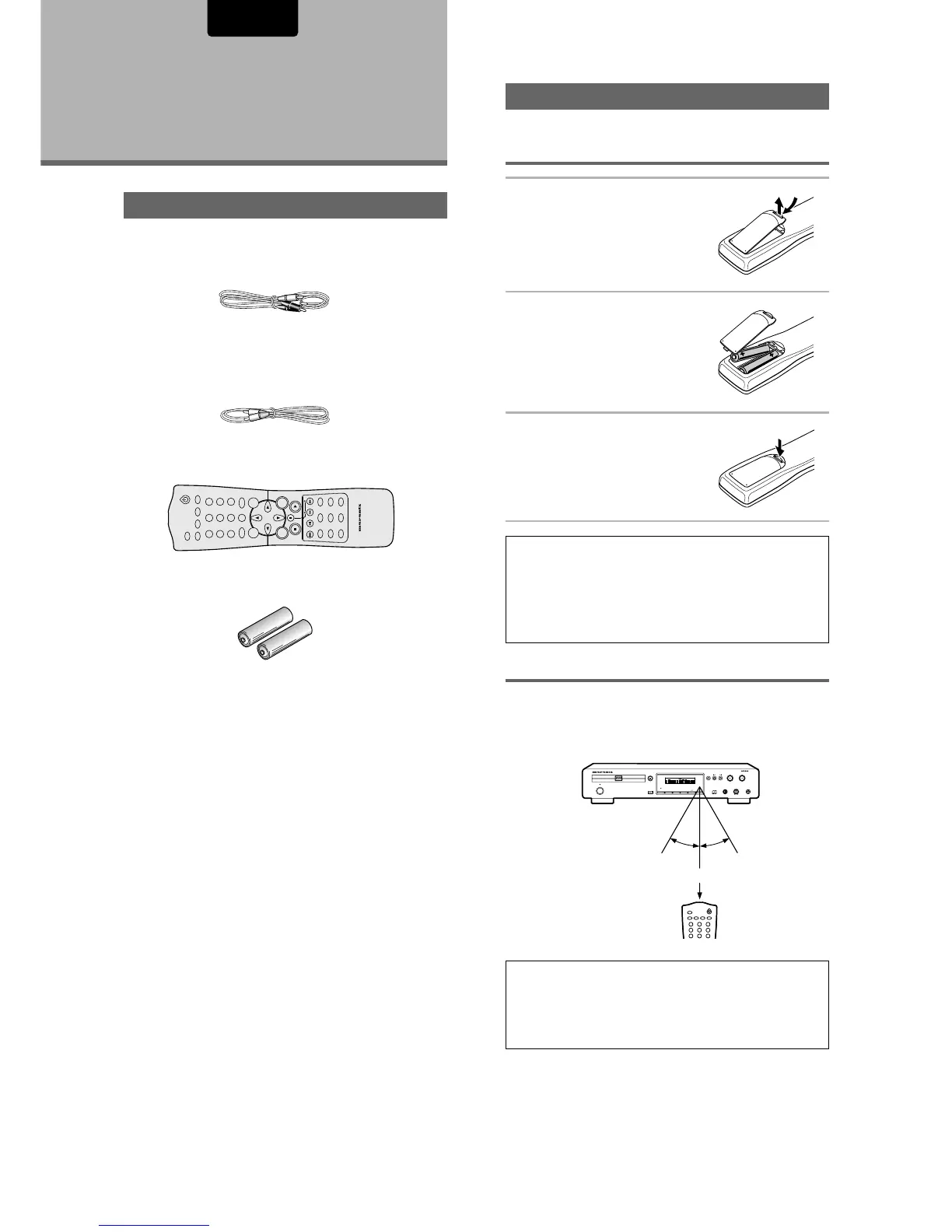
Preparing the Remote Control
Inserting batteries into the remote
control
1 While pushing the tab on the
battery compartment cover
toward the center of the
remote, pull out in the
direction indicated by the
arrow.
2 Insert batteries.
Make sure to match the plus (+)
and minus
(–) polarity guides on the batteries
with the marks inside the battery
compartment.
3 Close the cover.
Notes
• Do not mix old and new batteries.
• When replacing batteries, use all new batteries.
• When not using the remote control for a long period of time (over
1 month), remove the batteries to avoid possible damage from
battery corrosion. If battery leakage occurs, wipe the battery
liquid from the battery component, then insert new batteries.
Remote control operation
When operating the remote control, point it at the remote
sensor located on the player’s front panel. The remote control
can be used up to 17 feet (5 m) from the player and within a
30° angle on each side of the sensor.
Notes
• Exposing the remote sensor to direct sunlight or strong light may
cause faulty operation.
• When using this DVD player independently, set a REMOTE
CONTROL switch on the rear panel to “INTERNAL”. (Page 14)
Before Using
Checking Accessories
Please confirm that the following were received with the
player.
Audio / Video cord
Remote Control cord
Remote control unit
AA/R6P batteries
Operating instructions (this manual)
DIMMER
ENTER
RETURN
T-C
+10
RANDOMREPEAT
MENU
TOP
MENU
AUDIO
SUBTITLE
ANGLE
OSDPROGRAM
SETUP
LAST
MEMORY
CONDITION
MEMORY
CLEAR
0
987
654
321
A-B
OPEN/CLOSE
REMOTE CONTROLLER
RC7010DV
VIDEO ON/OFF
Within about 17 feet
RANDOM
REPEAT
987
654
321
A-B
OPEN/CLOSE
VIDEO ON/OFF
DIMMER
OSD
VIDEO OFF
FL OFF
PAUSE
STANDBY
LEVEL
REPEAT
PHONES
DVD PLAYER DV7010
STOP
POWER
ON/OFF
OPEN/CLOSE
PLAY
-+
VIDEO
1
DIGITAL OUT
CHAPTER
TITLE
TRACK
TRACK
TIME
TOTAL
FTS
SVCD
CHAPTER
TRACK
SCAN
PBC
A-B
TITLE
REPEAT
DTS
SHUFFLE
30° 30°



 To Next Page