35
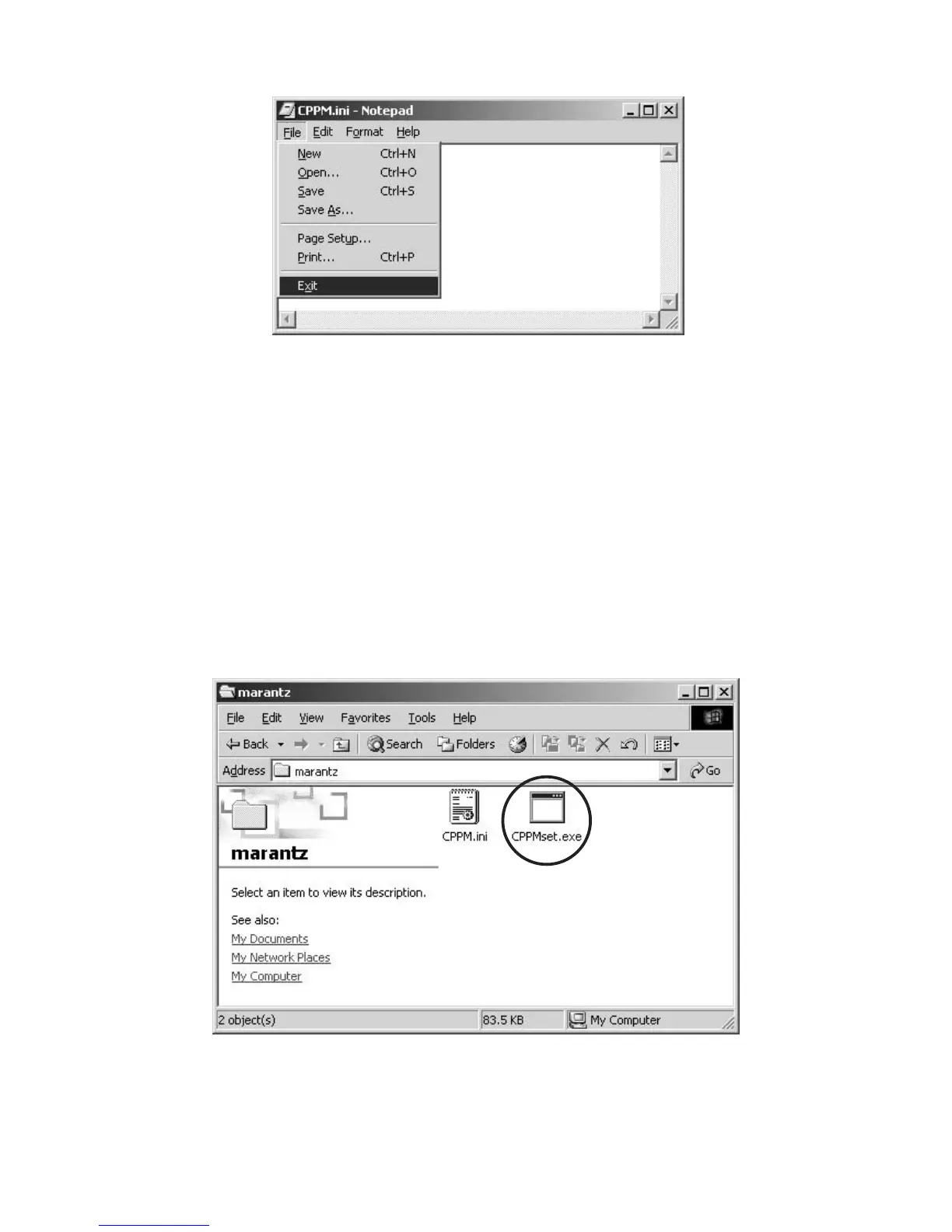
6. Click the “Exit” in the File. 6. File から Exit をクリックして閉じます。
7. Connect RC-232C on the rear panel of DVD Player and
Serial Port of windows PC with RS-232C cable.
8. Turn on the power of DVD Player into the writing mode.
8.1 Press the POWER ON/OFF button while pressing
STOP and FL OFF buttons in front panel of DVD
Player.
8.2 The front display indicates “S-MODE_NO.”.
8.3 Press the 1, 2, 1 and PLAY buttons of the remote
controller in order, while indicating “S-MODE_NO.”.
8.4 The front display indicates “AUDIO_ID”.
9. Double click the “CPPMset.exe” in the CPPM\marantz
folder.
7. WindowsPC の SerialPort と DVDPlayer のリアパネ
ルにある RS-232C コネクタを RS-232C ケーブルで接
続します。
8. DVDPlayer を CPPM 書き込みモードにします。
8.1 DVDPlayer のフロントパネルにある STOP と FL
OFFボタンを押しながらPOWERON/OFFを押しま
す。
8.2 フロントディスプレイに S-MODENO. と表示され
ます。
8.3 この表示が出ている間に(10 秒間)リモコンから 1、
2、1、PLAY を押します。
8.4 フロントディスプレイに AUDIOID と表示されま
す。
9. CPPM¥marantzフォルダ内のCPPMset.exeをダブルク
リックします。



 To Next Page