EasyManua.ls Logo

Marantz NR1506 - Connecting a Video Camcorder or Game Console

Marantz NR1506
242 pages
Print Icon
To Next Page IconTo Next Page
To Previous Page IconTo Previous Page
Loading...
Connecting a video camcorder or game console
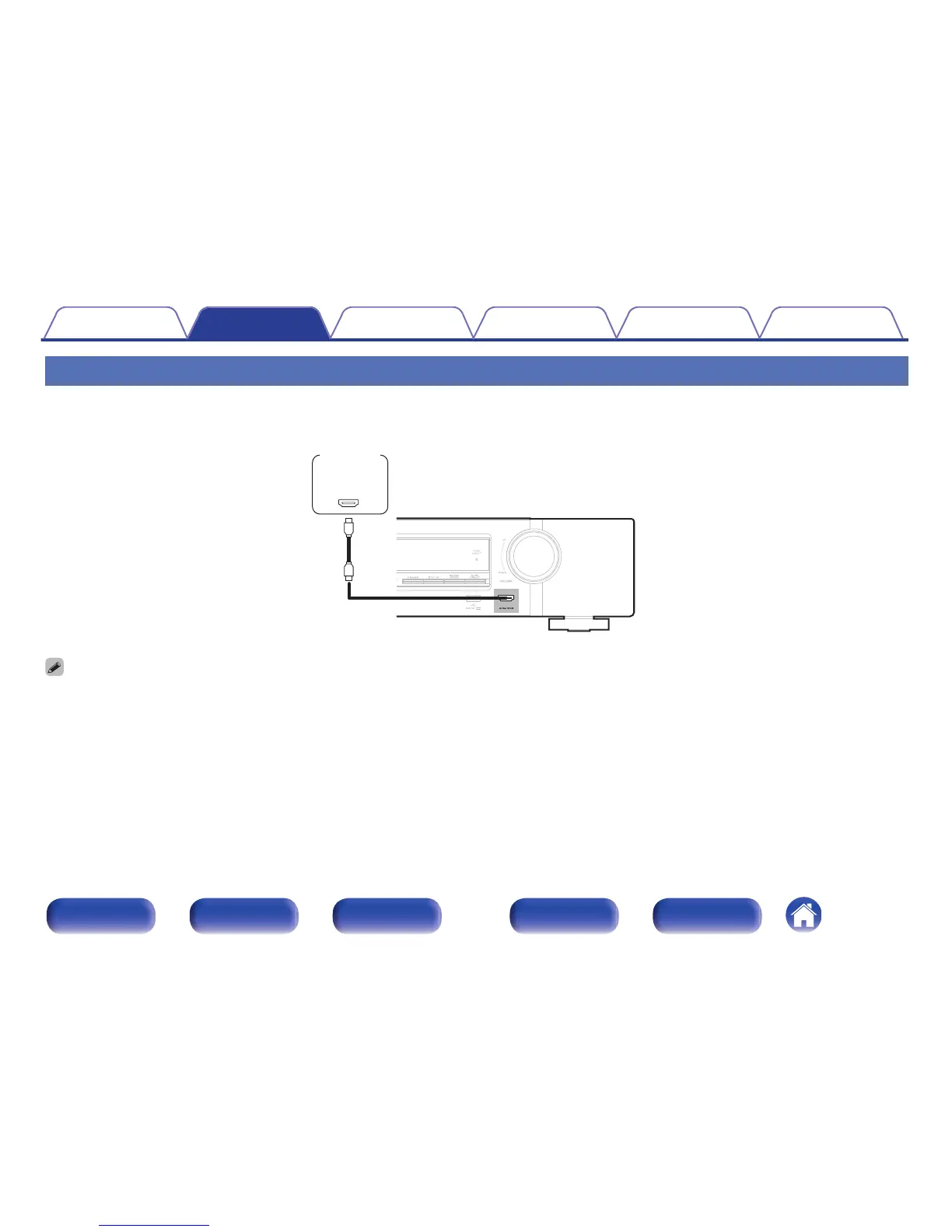
This explanation uses the connection with a video camcorders as an example.
Connect a playback device to this unit, such as a video camcorder or game console.
.
OUT
HDMI
Video
camcorder
0
The 4K 60/50Hz video signal cannot be input to this connection using a format other than YCbCr 4:2:0. If your playback device does not support YCbCr 4:2:0 for the 4K
60/50Hz output format, use an HDMI connector on the rear panel.
Contents Connections Playback Settings Tips Appendix
39
Front panel Display Rear panel Remote Index

Table of Contents

Other manuals for Marantz NR1506

Related product manuals