EasyManua.ls Logo

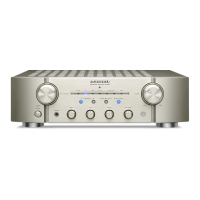
Marantz PM-KI-PEARL-LITE PM7004 - User Manual

Marantz PM-KI-PEARL-LITE PM7004
20 pages
Print Icon
To Next Page IconTo Next Page
Loading...
Integrated Amplier
PM-KI-PEARL-LITE
PM7004
ENGLISHDEUTSCHFRANÇAISITALIANOESPAÑOLNEDERLANDSSVENSKA
1.PM-KI PEARL LITE_N_ENG_0617.indd 1 2010/06/21 19:18:26

Questions and Answers

  • V
    Valerie HamiltonAug 12, 2025
    How to fix a Marantz Amplifier that is not turning on?
    • K
      Kristi Rodriguez DDSAug 13, 2025
      If your Marantz Amplifier isn't turning on, ensure the power cord is securely plugged in. If the STANDBY indicator is blinking, try turning the power off, waiting for at least a minute, and then turning it back on. Alternatively, the unit might be in standby mode; try using the INPUT SELECTOR knob on the unit or pressing the POWER ON button on the remote.
  • C
    Courtney CrossAug 16, 2025
    What to do if my Marantz PM-KI-PEARL-LITE PM7004 Amplifier has power but no sound?
    • S
      Sarah WalshAug 16, 2025
      If your Marantz Amplifier has no sound when powered on, first check that the speaker and input cables are properly connected. Ensure the INPUT SELECTOR knob is correctly set and the VOLUME control knob is not at the minimum. Also, verify that the SPEAKERS A/B switches are turned on for the connected speaker system terminals (SYSTEM A or SYSTEM B). Finally, if the MUTE indicator is lit, press the MUTE button on the remote to disable the mute function.
  • Q
    qcarterAug 20, 2025
    Why is my Marantz PM-KI-PEARL-LITE PM7004 Amplifier only playing sound from one speaker?
    • B
      Beth WilsonAug 20, 2025
      If you're only getting sound from one speaker on your Marantz Amplifier, check that the speaker cables are properly connected. Also, make sure the BALANCE control knob is set to the appropriate position.
  • C
    carolkennedyAug 25, 2025
    How to correct reversed left and right channels on Marantz PM-KI-PEARL-LITE PM7004 Amplifier?
    • H
      hhartmanAug 25, 2025
      If the left and right channels are reversed on your Marantz Amplifier, it's likely that either the left/right speaker or left/right input cable connections are reversed. Double-check and correct the connections to ensure they are properly aligned.
  • C
    Connor WilliamsAug 28, 2025
    Why does Marantz PM-KI-PEARL-LITE PM7004 Amplifier remote not work?
    • E
      edward63Aug 28, 2025
      If your Marantz Amplifier's remote control isn't working, try replacing the batteries with new ones. Ensure you're operating the remote within its specified range and that there are no obstacles between the remote and the unit. Also, make sure you're pressing the correct button and that the batteries are inserted correctly, matching the polarity markers (+ and -) in the battery compartment.
  • J
    jasonlopezAug 31, 2025
    Why does the volume on my Marantz PM-KI-PEARL-LITE PM7004 Amplifier keep dropping?
    • C
      Crystal SmithAug 31, 2025
      If the volume on your Marantz Amplifier drops automatically, it could be due to the protection circuit being activated. Try turning the power off, waiting for at least a minute, and then turning it back on.
  • H
    Helen McdonaldSep 4, 2025
    How to eliminate noise during record playback on Marantz PM-KI-PEARL-LITE PM7004?
    • P
      psinghSep 4, 2025
      If you're experiencing noise during record playback with your Marantz Amplifier, ensure the ground wire from the turntable is properly connected to the PHONO GND terminal. Also, check that the PHONO input terminals are correctly connected. If a TV set is nearby, try relocating it or the turntable, as it may be causing interference.
  • B
    Benjamin RamirezSep 7, 2025
    What causes audio feedback during record playback on Marantz Amplifier?
    • G
      Gary CarlsonSep 8, 2025
      If you're getting audio feedback when turning up the volume during record playback on your Marantz Amplifier, try to position the speakers as far away from the turntable as possible. If the turntable is placed on a rack or floor that vibrates easily, consider using an insulating pad beneath it.

Summary

SAFETY PRECAUTIONS

IMPORTANT SAFETY INSTRUCTIONS

Key instructions for safe operation and handling of the audio equipment.

NOTE ON USE

Warnings

General warnings and precautions for using the unit.

CAUTIONS ON INSTALLATION

Recycling Notes

Guidelines for recycling product packaging, batteries, and the unit itself.

Basic connections

Preparations

Selecting and connecting audio cables for the equipment.

Connecting the audio equipment

Guidance on connecting speakers and audio sources.

Connecting the speakers

Detailed steps for connecting speaker cables to terminals.

Getting started

About this manual

Information about the owner's manual content, purpose, and future reference.

Main features

Highlights the key features and technologies of the Marantz PM7004 amplifier.

Cautions on handling

Important precautions to take when handling, operating, and moving the unit.

About the remote control

Details on inserting batteries, operating range, and sensor interaction.

Part names and functions

Identifies and describes controls on the front and rear panels.

Basic operation

Before use

Initial setup steps before operating the unit.

Turning the power on

Procedure for powering the unit on from standby or off state.

Turning the power standby

Procedure for putting the unit into standby mode.

Turning the power off

Procedure for completely turning off the unit.

Advanced connections

Connecting P.DIRECT connectors

Connecting to pre-amplifiers for use as a power amplifier.

Connecting pre out connectors

Connecting to a power amplifier to use the unit as a pre-amplifier.

Connecting the remote control connectors

Linking Marantz audio components for synchronized control.

Advanced operations

Setting Auto standby mode

Enabling automatic standby mode after periods of inactivity.

Remote control operations

Details on operating various functions using the remote control.

Troubleshooting

Connection Checks

Troubleshooting common issues related to incorrect connections.

Operation Issues

Troubleshooting common issues related to unit operation and sound.

Specifications

Power Output

Technical specifications for the unit's power output capabilities.

Harmonic Distortion

Technical specifications for total harmonic distortion.

Input Sensitivity

Technical specifications for input sensitivity and impedance.

Tone Control

Technical specifications for tone control ranges.

Marantz PM-KI-PEARL-LITE PM7004 Specifications

General IconGeneral
Total Harmonic Distortion0.02%
Frequency Response5 Hz - 100 kHz
Phono InputYes (MM)
Damping Factor100
Weight10.5 kg
Power Output70W + 70W (8Ω)
Input Sensitivity200mV
Input Sensitivity (MM)2.5mV
Input Sensitivity (High level)200 mV/20 kΩ
Input Impedance20 kohm
Dimensions440 x 129 x 400mm

Related product manuals