ENGLISH
27
• Pitch
This function enables the play speed (pitch) to be adjusted
within a +/-12% range. The setting is restored to “0%” when
the disc is replaced.
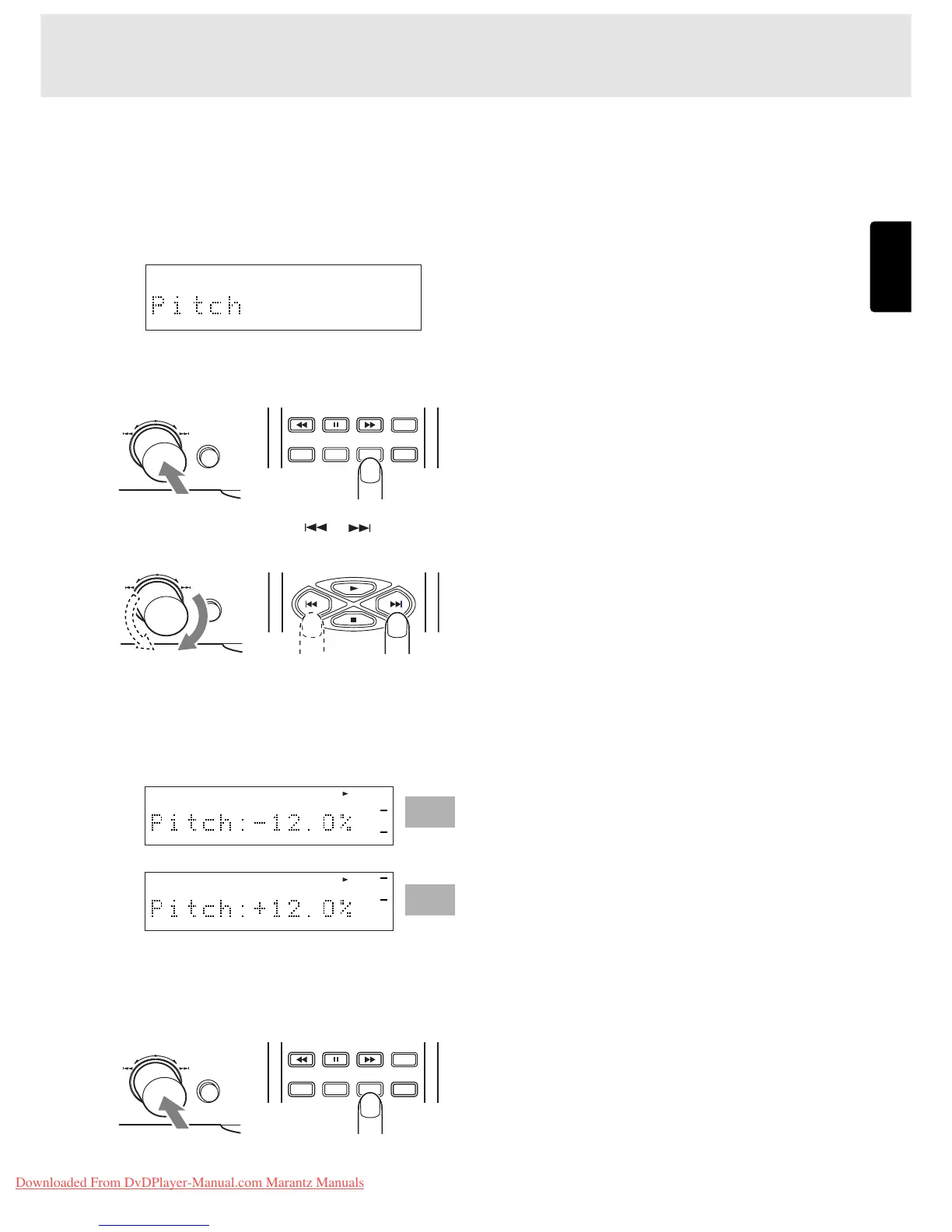
1. Press EASY JOG and then turn it so that “Pitch” appears
on the main display.
2. Press EASY JOG (or press the ENTER button on the remote
control unit) to select Pitch Control.
3. Turn EASY JOG (or press the or button on the
remote control unit).
The pitch control setting now appears on the main display.
The factory setting is 0% but this can be increased (to a
maximum of +12%) by turning EASY JOG clockwise or
reduced (to a minimum of -12%) by turning it
counterclockwise.
4. Set the play speed (pitch), and press EASY JOG (or press
the ENTER button on the remote control unit) to enter the
setting.
Minimum
Maximum
TEXT
TIME
SCROLL/
RECALL
MENU ENTER
QUICK REPLAY
EASY JOG
QUICK REPLAY
EASY JOG
TEXT
TIME
SCROLL/
RECALL
MENU ENTER
QUICK REPLAY
EASY JOG
SETTING THE PLAY FUNCTIONS



 To Next Page